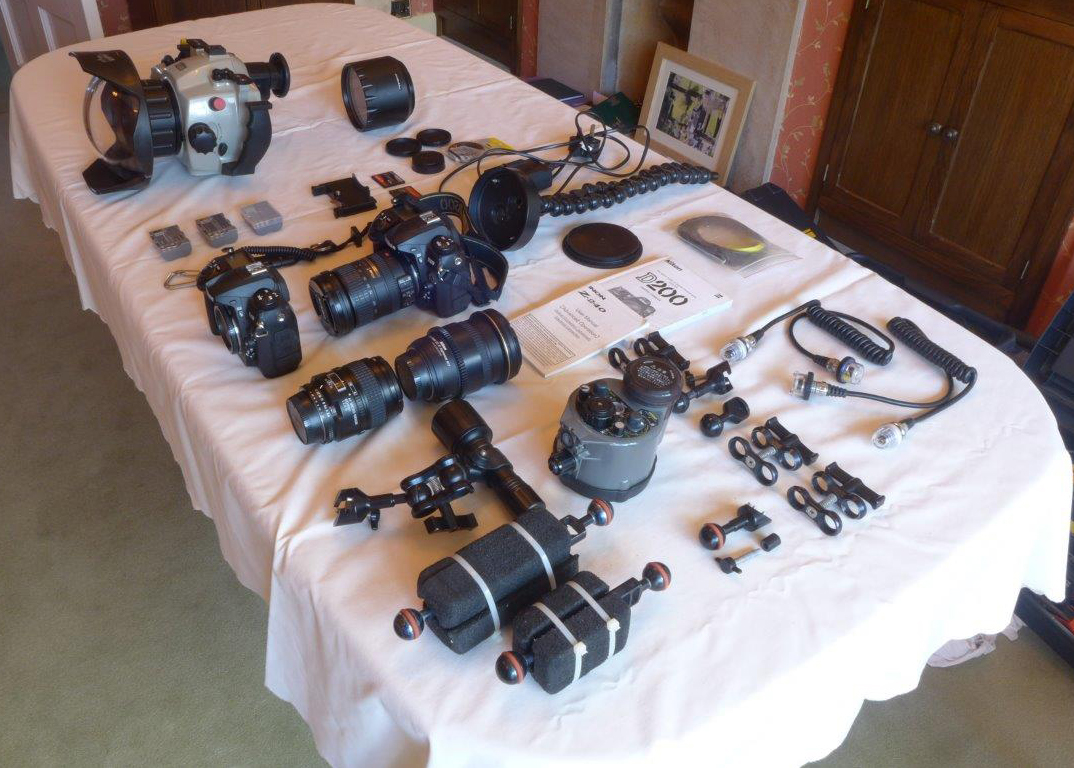
UNDERWATER AND LAND SET UP sadly for sale as we’ve stopped diving – equipment in good condition and fully working order
Subal Housing, flash, Nikon camera bodies and 18-200mm lens all had a full service in 2014/2015
Items for sale:
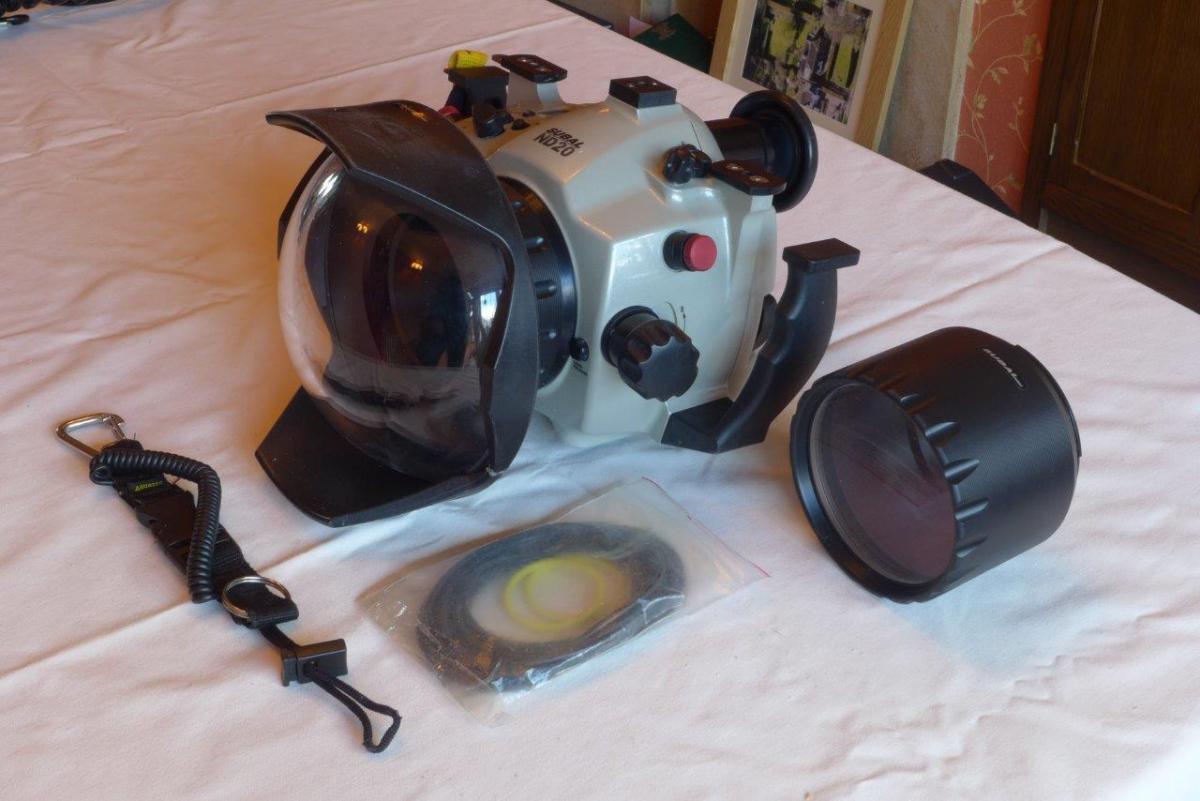
Subal ND20 housing with magnifier viewer
Safety clip to attach housing to BCD
Dome Port with crack on plastic but held firmly by glue for the last two years of use and fully functional - a couple of small shallow 0.5cm scratches on front of glass (does not affect photos)
Extension ring
Flat Macro Port
5 x ‘O’ rings for body of housing
3 x ‘O’ rings for ports
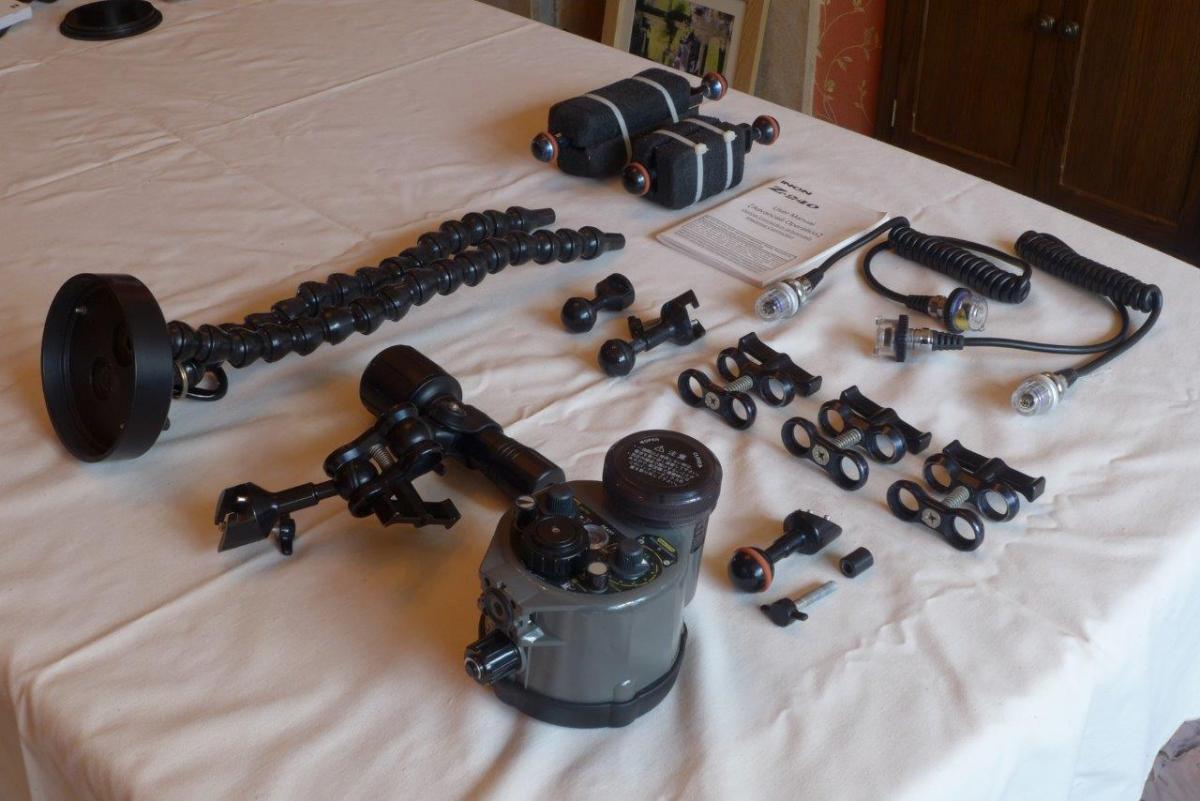
Inon Z-240 flash
2 x ‘O’ rings for flash battery compartment
Lubricant for all ‘O’ rings
2 x Inon double ball arms with foam buoyancy, plus 3 Inon ball arm clamps
High powered self extinguishing focusing light
Mount for additional gadget attachment to Subal housing
Fibre optic spot light arms and housing to attach to Inon Flash
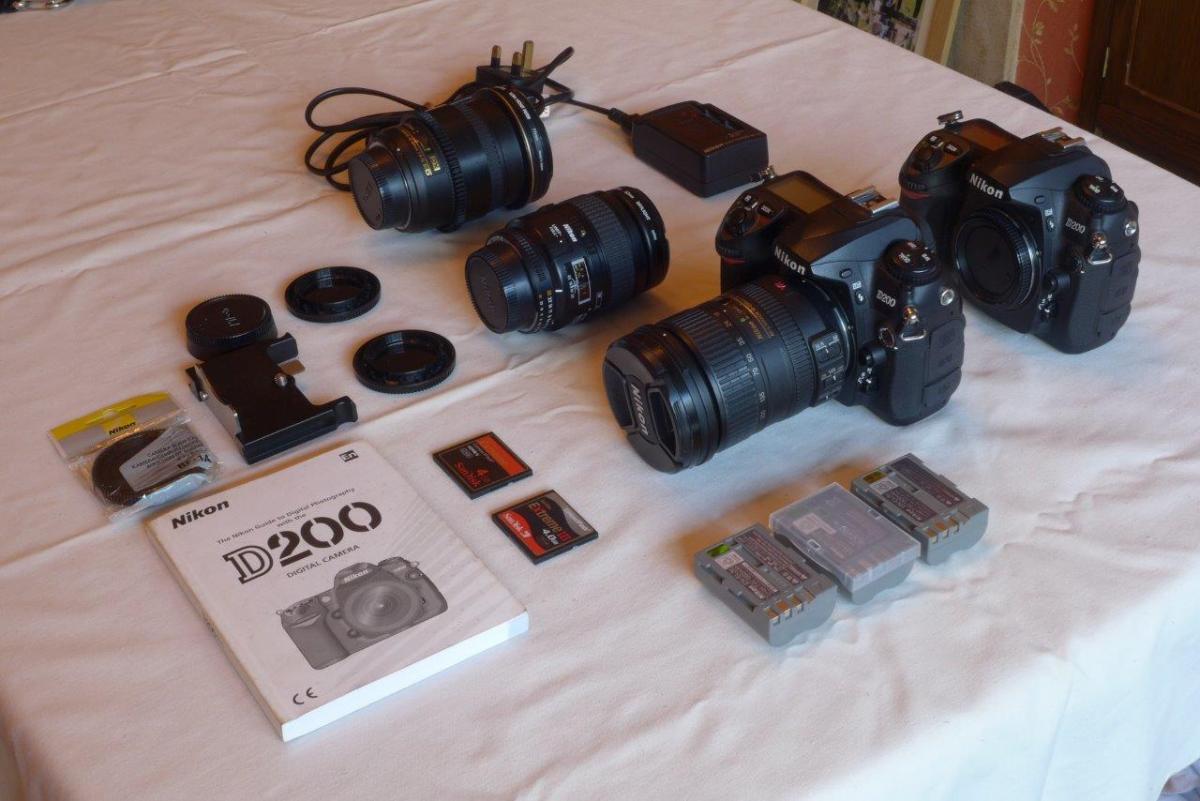
Manual for Inon Flash and D200 camera bodies
2 x Nikon D200 camera bodies
Shutter number just under 20,000 with one body and estimated under 5,000 with second body
3 x Batteries for camera
2 x 4Gb SanDisk Extreme CF cards
2 x Nikon battery chargers
Camera mount plate for Subal housing
AF Micro Nikkor 60mm Macro Lens
AF-S Nikkor 12-24mm Wide Angle Zoom Lens with gear ring for Subal Housing
Originally paid around £10,000 for all equipment.
Would be happy to take £2,000 for everything or £1,500 for everything except lenses
Carriage costs are £20 within the UK and £200 to USA - all equipment weighs around 24lbs