Skip to content

Photography Gear and Technique / Archived topic

3D Printed Nauticam Bayonet Cap

Started by thetrickster ·

  • 4Posts
  • 4Replies

Read-only discussion

3D Printed Nauticam Bayonet Cap

4 posts
  1. One of the things that struck me about the new bayonet system (apart from its great!) was that (unless I've missed it) there is no cap for the bayonet once you have it attached to your housing. I don't tend to keep my WWL attached, but once removed it leaves the front element of the port exposed.


    8 or 9 trails later (might of been more. Lost count)


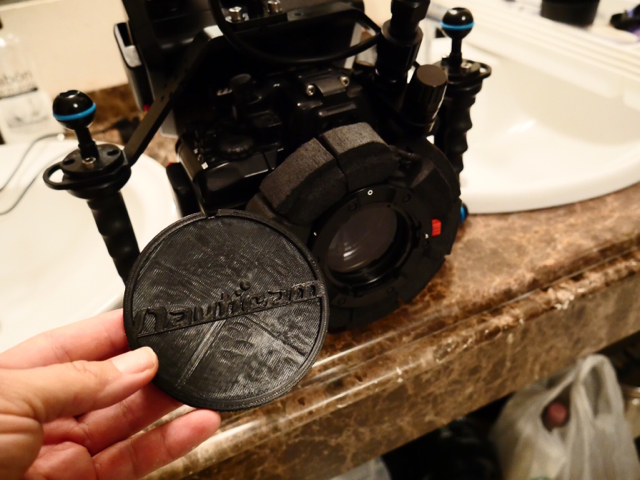
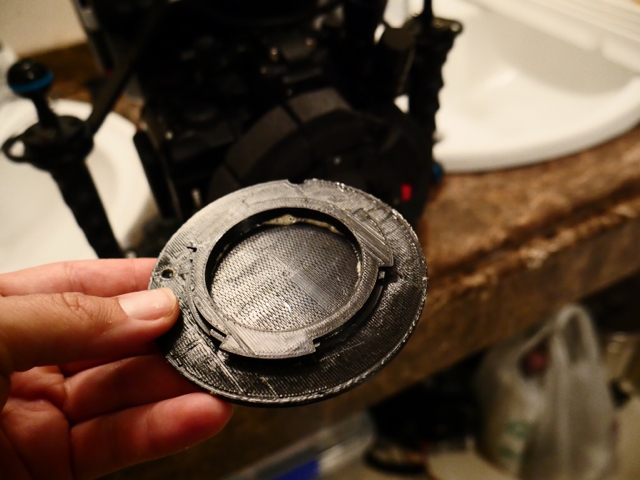
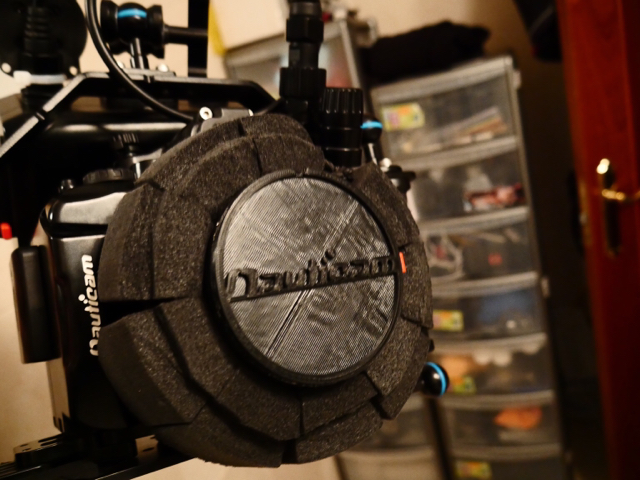
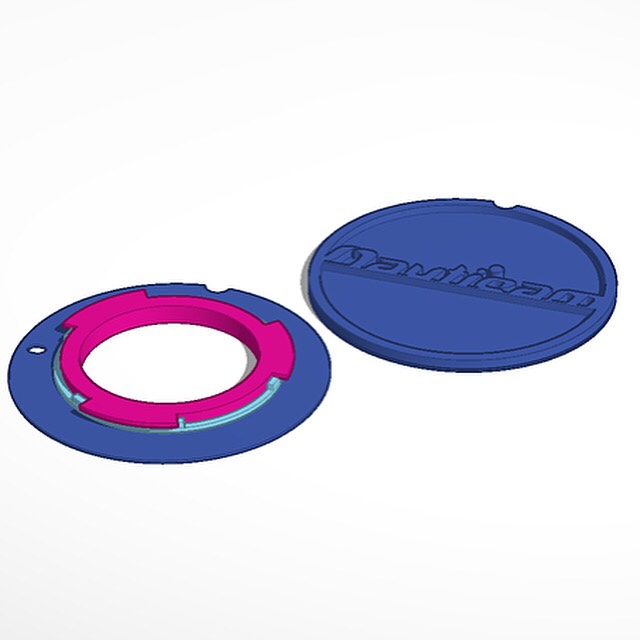
    I made up a 2 piece cap for the bayonet system.

    Reason for it being 2 piece was to get the front with the logo, so need to glue it. It does appear my printer isn't great at logos, so will probably go with something plainer next time.


    Here is the finished project:
     

    post-43742-14545295671797.jpg


    post-43742-14545295865374.jpg


    post-43742-14545296052098.jpg


    post-43742-14545296241027.jpg


    Sent from my iPhone using Tapatalk

    Edited by thetrickster
  2. I don't understand the need to glue it together, you could just print with support material. Do you have the combined file handy for me to print a trial? What material did you use, pla or abs?

  3. Abs is always tricky, to get the temperature just right, and this is a wide part, but I've been able to get some pretty impressive detail with some care and good luck. I'd probably try this with pla at 50% infill and a shell 3-4 layers thick, and just print a few incase one ever happened to break :)

Backscatter

Account

Navigation

Search

Search

Configure browser push notifications

Chrome (Android)
  1. Tap the lock icon next to the address bar.
  2. Tap Permissions → Notifications.
  3. Adjust your preference.
Chrome (Desktop)
  1. Click the padlock icon in the address bar.
  2. Select Site settings.
  3. Find Notifications and adjust your preference.