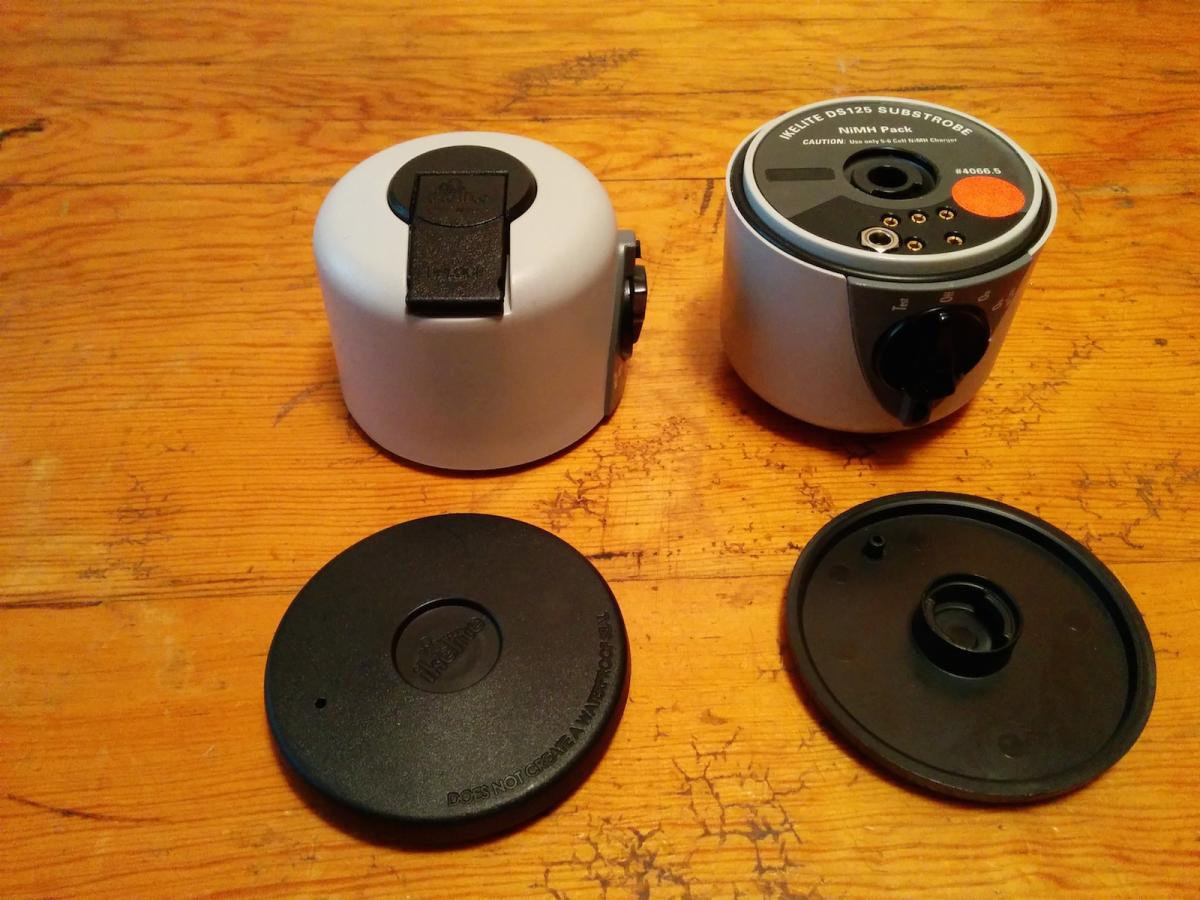
I have two used battery packs. I've used them infrequently for the past few years. They are both fine and are in great working and cosmetic condition. I just have too many of these. Each comes with a cover.
Rechargeable NiMH battery pack #4066.5 is compatible only with Ikelite’s DS125, DS160, and DS161 strobe.
The rear section of the strobe is the NiMH battery pack for the strobe.
The battery takes 1.5 hours to charge with the Ikelite smart charger.
NiMh battery pack: $115. Free shipping within the US as long as I can ship to a USPS-approved address (I will ship this via USPS Priority Mail).
If you are interested, please contact Norb Wu at temp2_at_norbertwu.com. Please no phone calls. I can accept credit cards, Paypal, money orders, and personal checks. Money orders and personal checks will have to clear my bank before the product is shipped; which can take up to three weeks. If the above free shipping does not apply, shipping will be at buyer's expense (at actual cost) and will be UPS Ground, Fedex Ground, or USPS Priority Mail (all of which give tracking of packages). If we conclude a deal, I'll give you a quote for shipping via one of the above methods.
Thanks!
Norb Wu