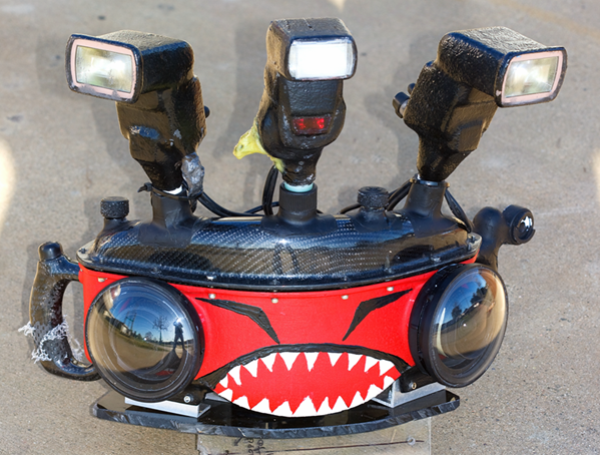
hello thought i would throw this up....i tinker with DIY housings...a fun and lengthy project....this housing shoots a double wide image ....2 cameras fired at the same time stitched together in photo shop....with fill light from my DIY strobes...fun fun fun.. dale
all carbon fiber wonder....
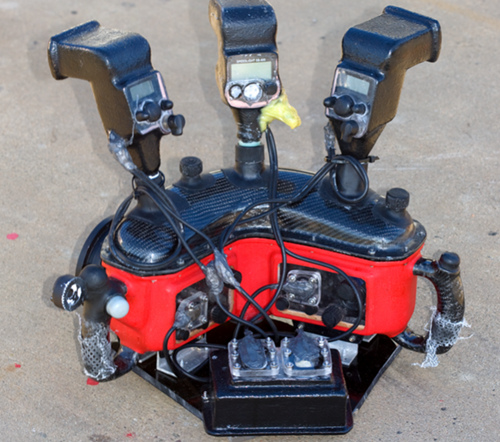
thought i would show the rear panel....6 volt battery 12 amphr runs the waterproofed strobes...1 nikon sb800 2 canons...controls on the back plate for the 2 cams.....this was used for surface images mainly thus the small domes....the domes i made in a vacume chamber in my oven,,,,lots of fun used a hack saw...hand drill and exaxto knife to build this housing!!!!!!yes all by hand!!!
Wow. That's some dedication.
What's the results like?
Sent from my iPhone using Tapatalk
epic to say the least...ill find an image and post it...computer crashed and images inside ...ill find one..dale
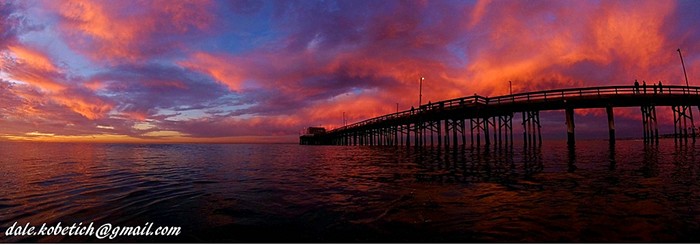
ok....topside newport pier ...before the sun came up....the sky was on fire...double wide image
i was floating offshore...this is what i designed it for
i always wanted a Linhoff 6x17.....so i made one from 2 40d canons.....going to make another one for 2 Canon 5Dsr!!! epic.....
the whole idea about this was to shoot action panoramas!.....you cant do that with one camera..i will post some breaking waves
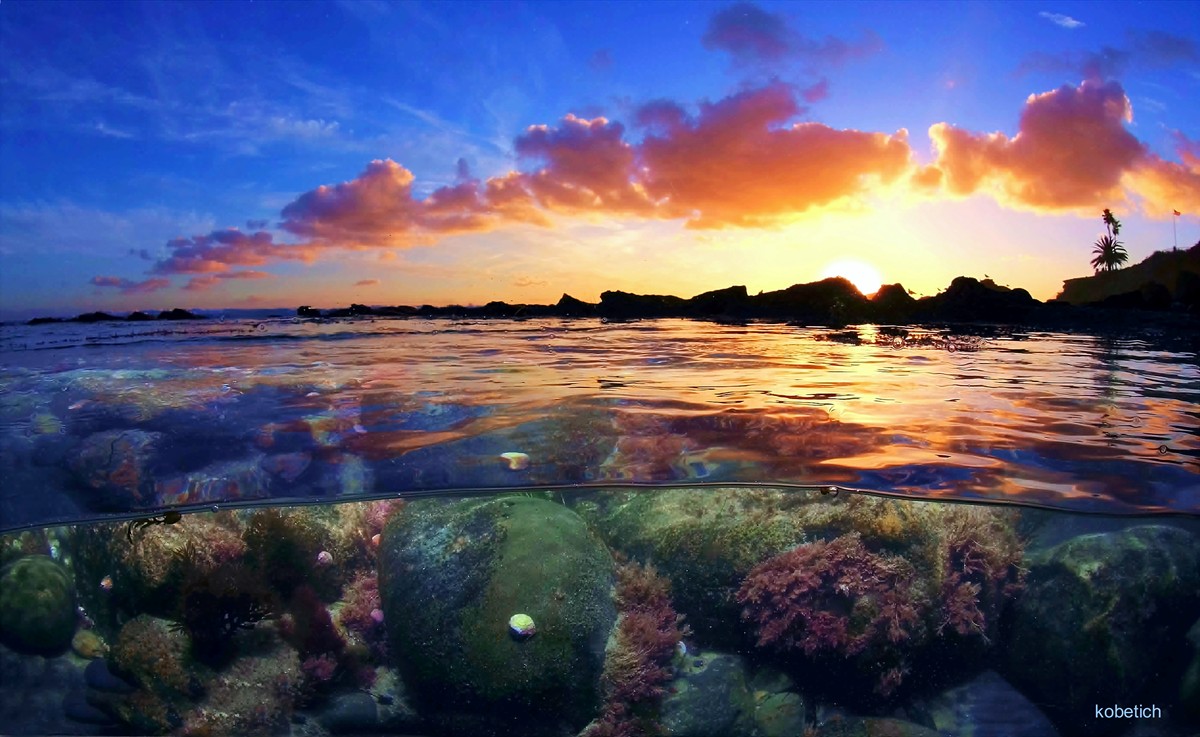
here is an image shot with a single DIY housing
here is a one camera image i shot with another DIY housing
Great idea and wonderful shots!!! Its always nice to see inspired people!!! Regards, Wolfgang