Skip to content

Shooting Technique, Workflow and Editing / Archived topic

Lack of Color? Other Issues? Feedback requested

Started by stingray15 ·

  • 5Posts
  • 5Replies

Read-only discussion

Lack of Color? Other Issues? Feedback requested

5 posts
  1. Hello,


    I thought I'd post this in the video section.


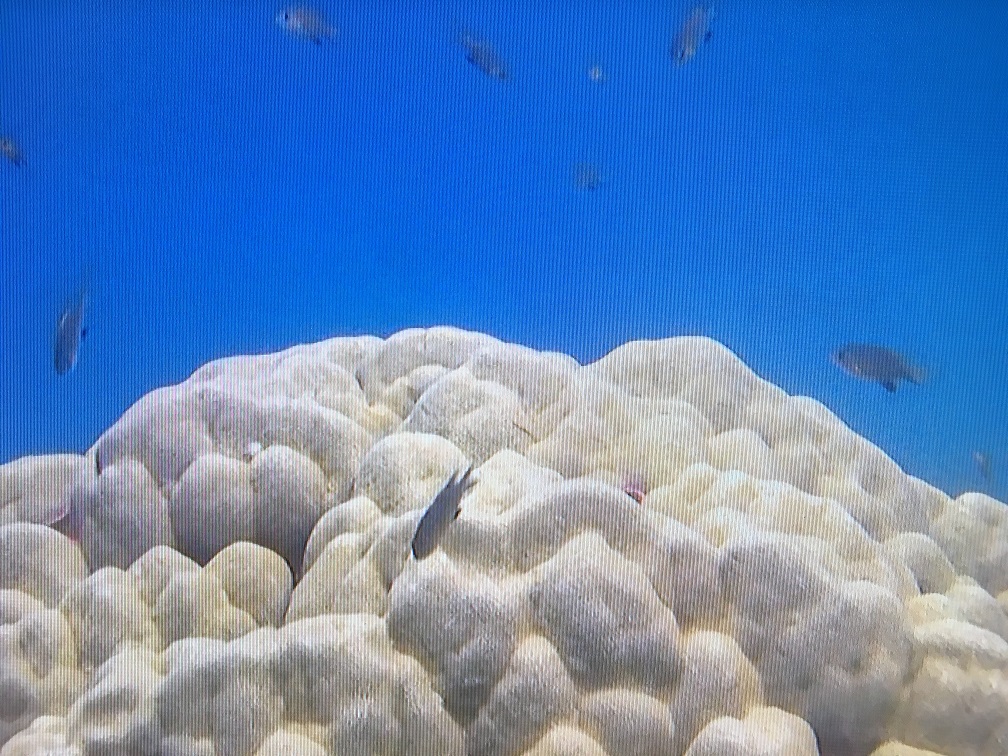
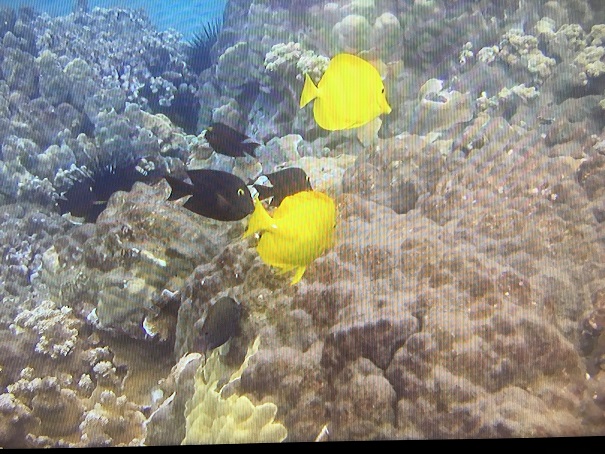
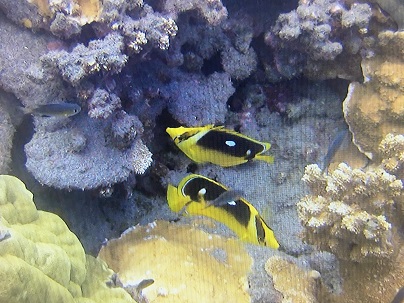
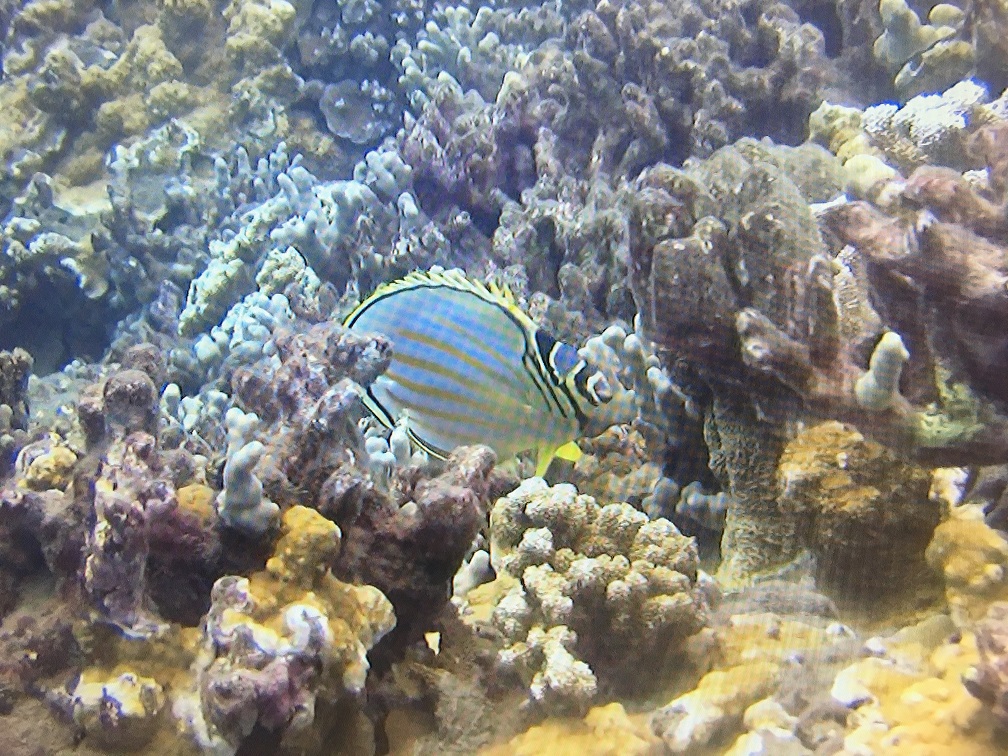
    I am new to the underwater video world. I just got back from Maui and would like to share a few images from some of the footage I shot.


    I'd also like to know how you feel the images look. Is it overexposed? Washed out? Lack of color?


    I feel the image lacks color and "pop." But I am trying to determine if it is a setting on the camera or just Maui lacking the colored reef structure of the Caribbean. It just doesn't look crisp and colorful. Not sure how much it is ocean conditions, location, or camera capabilities. Maybe I'm wrong, maybe it does have color? Looking for feedback please.


    One caveat, these are stills from the video. They are actually iPhone photos of my HD TV with the video paused at certain points. I simply do not have the firewire setup right now to move the video to a CPU. So, the video is actually clearer if viewed on my TV than these photos.


    Here is my camera and setting setup...


    Camera: Canon HV20 HDV 1080i

    Housing: Ikelite

    Filter: Red Filter

    Auto White Balance

    No Lights

    F Stop 1.8


    Dive Details:

    Lahaina, Maui

    Depth: 25 feet

    Visibility: 40-50 feet

    Seas: Relatively calm. We ended up at this local site as we were blown out of our main dive site due to rough seas.


    Thanks in advance.
    post-53831-0-07093300-1457836336_thumb.jpg

    post-53831-0-10055300-1457836351_thumb.jpg

    post-53831-0-59904200-1457836505_thumb.jpg

    post-53831-0-04934700-1457836628_thumb.jpg

  2. Too many variables to give a good answer. Your unhappiness could be due (for example) to just the display on your HD TV. Frankly, video to TV to iPhone is a not a good way to judge the original video!


    Maui is not as colorful as many places; that is not why one dives there.

    I don't see anything fundamentally wrong with your captures.

    But you really ought to look more carefully at your original footage without all the other stuff in the the middle.


    If you want to do just one thing to make it "nicer" then turn up the contrast and saturation on your TV.

    Think of it as post-processing.

  3. The first picture your highlights are slightly overexposed, your blacks could be darker, and you could shift it slightly towards magenta to get a neutral colour balance.


    But taking a photo of your TV could easily introduce these issues. Far better to post frame grabs of the original video, or the video files themselves.


    Ideally you need to learn how to read the video scopes of your editing software and make adjustments to your footage accordingly.

  4. Clarity of underwater photos has a lot to do with the clarity of the water, the depth, the amount of natural light, among many other factors.
    Do not blame your equipment until you have done a lot of experimentation.
    Video editing and grading are not for the faint hearted, it does take time and practice to get them right.
    If you do not have access to a better grade of video editing program, try photoshop. Its a bit on the slow side but you can get better colour out of it. And it will take forever to render any footage.

  5. Topics merged into the video section..

Aquatica

Account

Navigation

Search

Search

Configure browser push notifications

Chrome (Android)
  1. Tap the lock icon next to the address bar.
  2. Tap Permissions → Notifications.
  3. Adjust your preference.
Chrome (Desktop)
  1. Click the padlock icon in the address bar.
  2. Select Site settings.
  3. Find Notifications and adjust your preference.