



Skip to content

Shooting Technique, Workflow and Editing / Archived topic

how to service/ disassemble push button on Sea&Sea housing?

Started by photon38 ·

  • 2Posts
  • 2Replies

Read-only discussion

how to service/ disassemble push button on Sea&Sea housing?

2 posts
  1. During my last dive with my Sea&Sea MDX 300 housing I discovered a leak at about 20m depth, only a few drops but enough to damage the D300 display. I then had another dive with the empty housing and it leaked again. I am almost sure its one of the multi selector push buttons that is causing the leak. The best thing to do I guess would be to do a full service on the housing. Unfortunately its impossible right now because I live on a small island in the indean ocean (great for diving though...) , so I am obliged to solve the problem on my own unless I stop using the housing for the next couple of months which I would like to avoid.


    · How to disassemble the push button (see photo), to clean all parts and possibly replace the o ring?

    In order to access the C clip I first need to take off the plastic rod but I cannot figure out how.

    Is it possible to take off the C clip without destroying it?


    · Where can I purchase replacement parts ( I guess I need a new o-ring for the push button and a new retaining ring) / I was searching on the internet but without success, I always bump into maintenance kits (with retaining ring, spring, o-ring ) for Ikelite housings but I couldnt find anything for Sea&Sea housings.


    Thank you very much in advance for you help
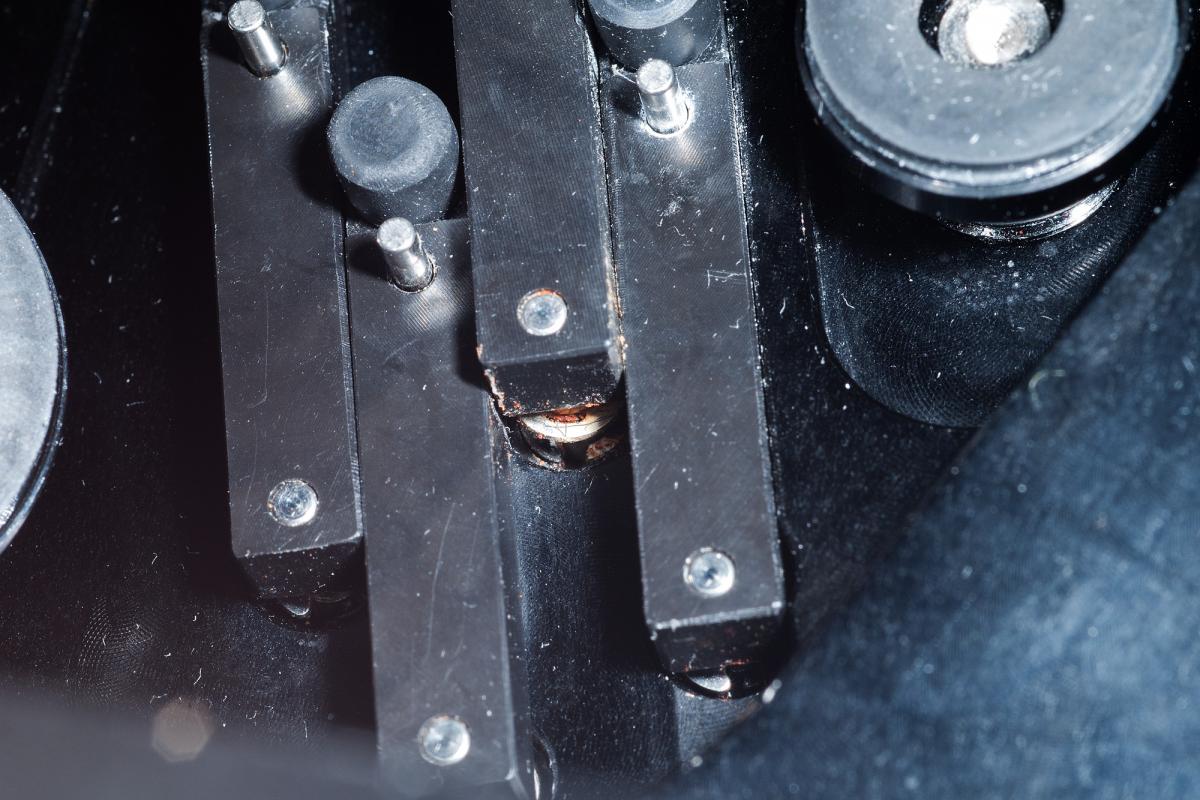
     

    post-53862-0-26861100-1458508883_thumb.jpg

  2. Hi, I am working from memory. About 6 months ago my house guest had a Sea&Sea MDX 300 housing w him, one button had a minor leak so we removed and cleaned the push buttons.


    First I remember unscrewing each button from the outside of the housing, as the button was screwed in from the outside; I used pliers with masking tape on the jaws so as not to scratch the button. The button sat in a hollow tube with slots on each side, so it could be unscrewed with flat blade screwdriver. It was easy work.


    It is important to take photos of the buttons in the housing, inside and out, before you start, and of each step as you go along, for reference when you reassemble, as each button has its function labelled on its tip.


    If you need new O rings, measure the ID and the thickness of the rubber in mm, with a digital caliper. As a rough guess, the ID may be 2 mm and the tickness is 1 mm. I buy mine from Daro at the ORing Store, excellent prices and service. www.theoringstore.com


    Good luck!

Isotta

Account

Navigation

Search

Search

Configure browser push notifications

Chrome (Android)
  1. Tap the lock icon next to the address bar.
  2. Tap Permissions → Notifications.
  3. Adjust your preference.
Chrome (Desktop)
  1. Click the padlock icon in the address bar.
  2. Select Site settings.
  3. Find Notifications and adjust your preference.

