Skip to content

Photography Gear and Technique / Archived topic

Ikelite Panasonic G7 housing

Started by Griff ·

  • 13Posts
  • 13Replies

Read-only discussion

Ikelite Panasonic G7 housing

13 posts
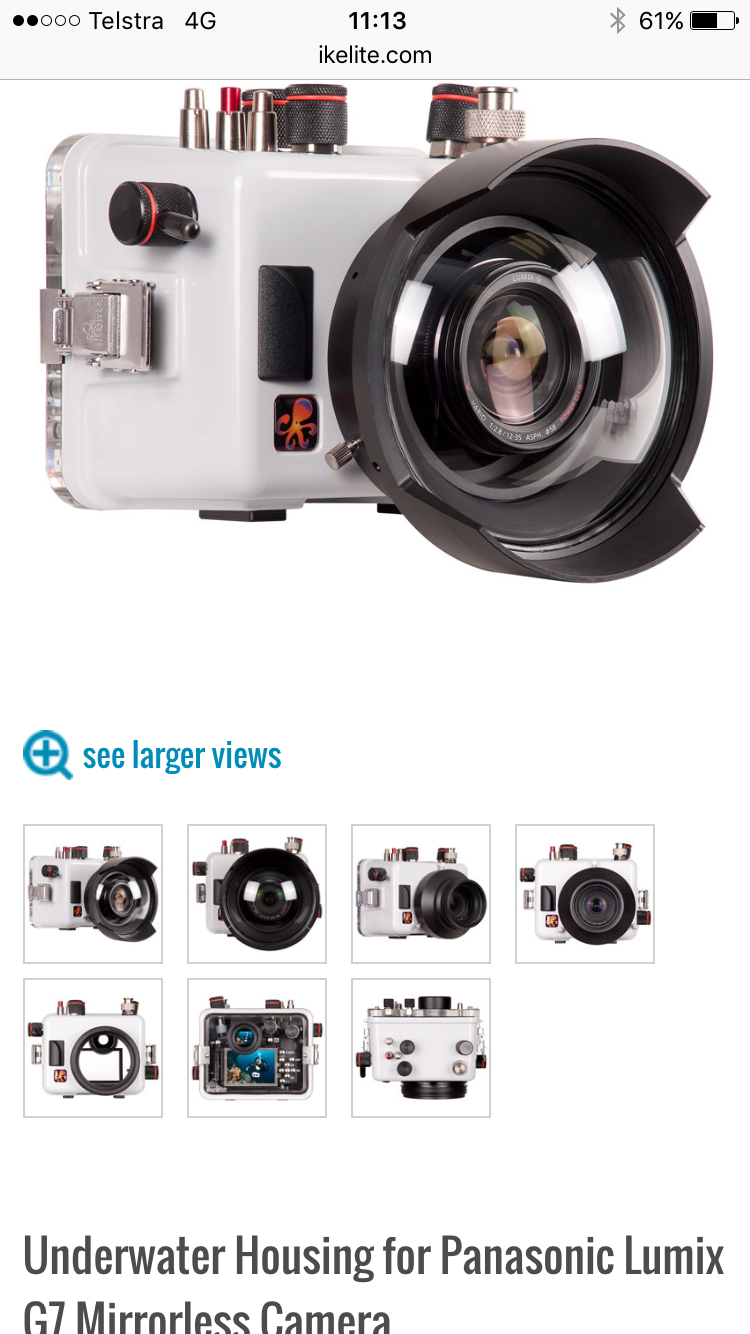
  1. Ikelite have released a housing for the budget Panasonic G7 camera. I bought this for top side use, 4K video/photo and 25fps 4K time lapses. As Nauticam are not doing a housing might be tempted to get this for 4K video mounted on top of my EM1 housing. Cost is $975, about AU$1444.

    post-50926-0-63376200-1459394351_thumb.png

  2. No optical flash triggers though, that's a big con for me...

    Otherwise quite attractive.

  3. A downside for me too especially as the Sony a6300 housing gets optical flash triggers.

  4. No optical flash trigger is a big con. Looking at the difference to the A6300 housing it looks like its the same box, and not enough room for the optical trigger or opening the inbuilt flash on the G7 when putting the G7 in that box/housing. It also looks like you are unable to switch between focus modes (button around the AF/AE Lock button) on the Ikelite housing. Or maybe the ON/OFF knob does double duty.


    Is it possible to mount a vacuum valve on the Ikelite housings?


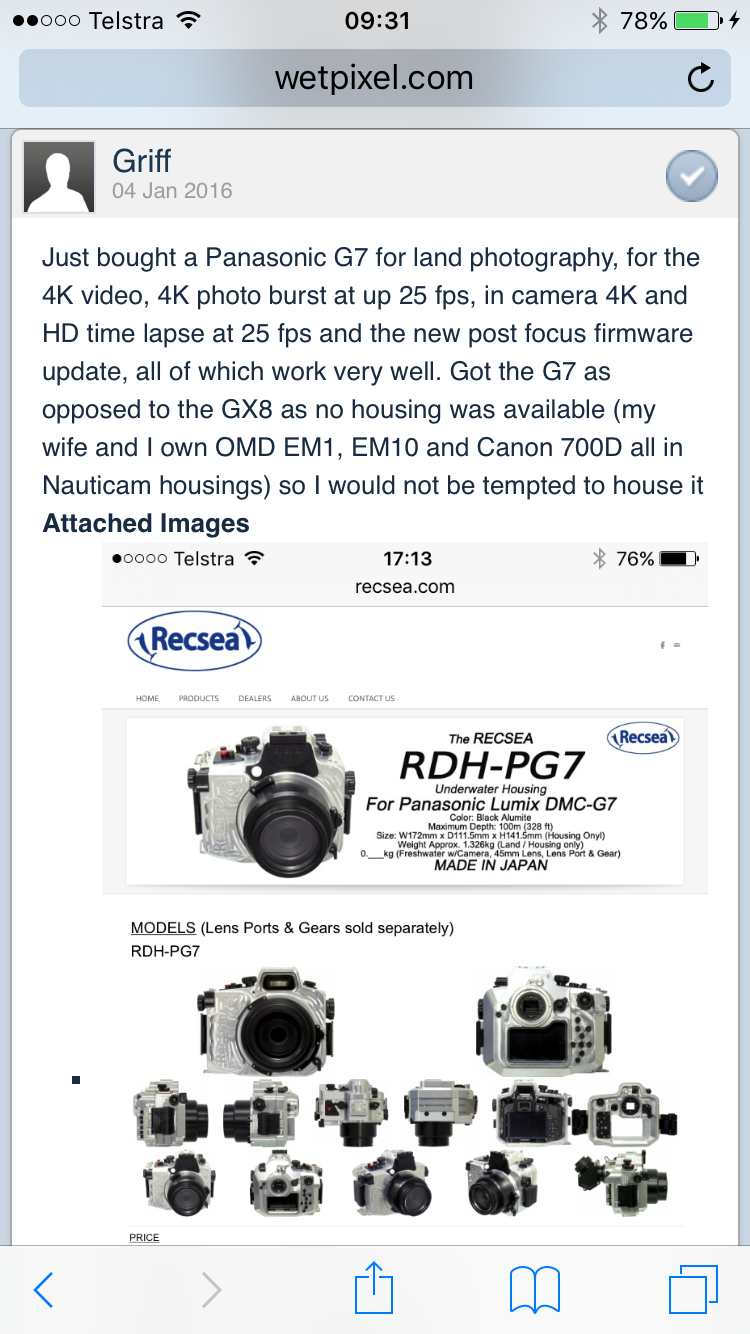
    Recsea has also made a housing for the G7 which looks better, but twice the price.

    http://www.recsea.com/rdh-pg7.html


    8803418.jpg?1454308395

    1522990.jpg?1454306011

    7231937.jpg?1454305879

    Edited by Raptor^
  5. I posted the Recsea housing announcement in January, didn't get one reply! I also posted a video review of the G7 vs GH4 which showed the G7 having better high ISO video performance.

    post-50926-0-63445800-1459560995_thumb.png

  6. Are there any adaptors that allow you to use Nauticam N85 ports on a Ikelite housing?

  7. Ikelite ports are a lot cheaper than Nauticam (I have 2 Nauticam housings for my EM1 and EM10 and 4 ports) and the flat macro port for the 60mm Oly and dome for the Pany 7-14 cost less than one Nauticam port. I have been considering a GX8 or GH4 with a Nauticam housing and selling my EM10 and housing or getting the Ikelite for the G7 which would be much cheaper. I would keep it as a dedicated video camera on top of my EM1 housing.

  8. Yes they are a lot cheaper, only thing is I already bought a Nauticam port for the 12-50mm with all the controls to operate that lens. It would be nice to be able to use this port, as the Ikelite options for the 12-50mm does not allow much control of the lens. The Nauticam port was bought when Nauticam already had told me they were making a housing for the G7, and it was not long until it would be released. But then they suddenly changed their mind due to some design issues and abandoned the G7-housing :(


    So now I have the G7, which I love for topside use, all the buttons and dials just where I want them in a body of perfect size. I was planning on getting the Resea housing, but the price is just putting me off on that one. And considering the resell value of that housing and ports later on, compared to Nauticam which has a much more extensive M43 lineup, just makes it worse.


    Actually, comparing prices it would cost about the same to buy a GX8 body with a Nauticam housing and ports, as opposed to just get the Recsea housing and ports for the G7. So that kinda leaves the Recsea option dead for me at least.


    It will either be the Ikelite housing for the G7 and keeping the cost reasonable, or I will wait and get something better for low light underwater use which will be vastly more expensive.


  9. There are a few rumors about a new panasonic camera, the Gx80.

    Looks similar to a Gx7 including 4k. Might be worth waiting for?

    Edited by Diver4fun
  10. The G7, like the later OMD bodies can use the electronic zoom on the 12-50 from the camera it's self so you don't need the zoom ring. You can put a cheap +10 diopter on to give good x0.8 macro too. I have tested this out and it works and underwater I use the 12-50 on the EM1 with electronic zoom with the CMC for macro. It means you can use the extended Ikelite macro port with the 12-50 as its the same size as the 60mm. I use the macro port 65 with both the 60mm and the 12-50 as its very close the port glass on my Nauticam housings.

  11. I thought the control of the power zooms via the body got lost on the G7 due to the toggle-switch that was on the G6 had been removed. But after your post I checked the manual and just assigned the power-zoom to a custom button, and it works really nice! This is a great discovery which makes the chances of getting a Ikelite housing much bigger. Also helpful for topside use when doing video. Thanks for the tip.


    Do you always rely on autofocus when using Ikelite housings and ports? I don't see many ports offering focus abilities. I am also unsure if it is possible to change the AF/MF via the rotating knob on the G7 through the Ikelite housing. I would imagine it quite helpful at least to be able to switch it into MF after focus lock to prevent hunting during filming. This could probably be solved easily by just enabling back-button focus. But I find using manual focus with peaking useful on land, so I think it would be desirable to have it available.

    Edited by Raptor^
  12. No problems.

    I don't think Ikelite do focus rings. I turn the continuous auto focus off in video and use the AFS via the shutter to focus prior to shooting the video. You can refocus during the video, by pressing the shutter half way again as long as the subject is not moving too quickly, having the back focus could work too.

    Ultimately the Nauticam housings are far superior in nearly every way except price. I am seriously considering the GX8 or GH4 in a Nauticam and selling my wife's EM10 and housing and she can then use the EM1. They also do focus gears for all the popular lenses so you can do better video.

  13. No doubt the Nauticam housings are much better and have superior ergonomics, and I would be getting that it was available for the G7. Options are GX8 or maybe wait to see what the GH5 will bring.

Sea & Sea

Account

Navigation

Search

Search

Configure browser push notifications

Chrome (Android)
  1. Tap the lock icon next to the address bar.
  2. Tap Permissions → Notifications.
  3. Adjust your preference.
Chrome (Desktop)
  1. Click the padlock icon in the address bar.
  2. Select Site settings.
  3. Find Notifications and adjust your preference.