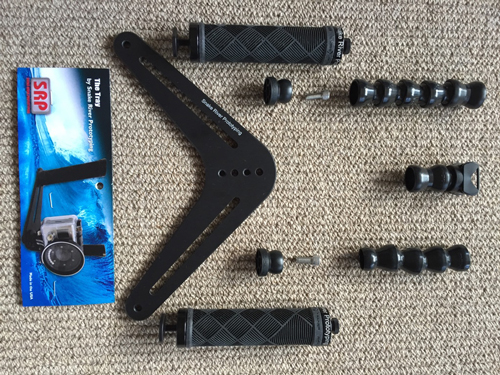
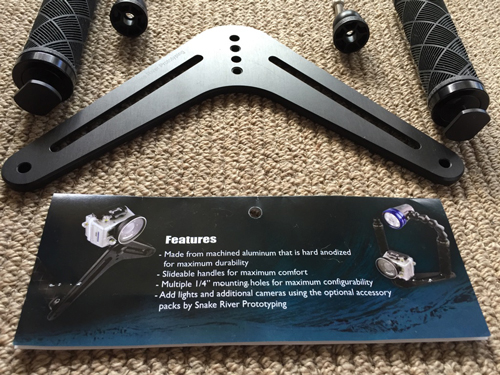
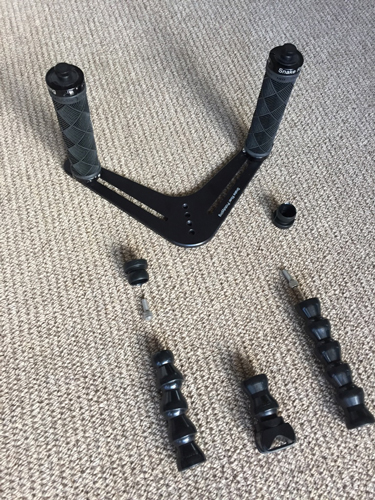
The Tray offers stability, comfort, added shot proficiency, and a variety of camera mounting options for underwater photographers. Ideal for GoPro and smaller underwater cameras. It has movable extension arms with holder for torch or strobe for diving. This is a quality machined product. Made in USA
It's great for use above the waves as well.
Second hand never used 'as new" condition.
$140.00 AUD plus postage
Note: No GoPro fittings are included.
SPECIFICATIONS
• Machined from lightweight 6061 T6 aluminum.
• Type III hard-coat black anodized (MIL-A-8625) for the most durable, long lasting finish.
• Tool-less design allows The Tray to be quickly assembled or disassembled for compact storage and transportation.
• The handles are adjustable for the user's comfort. With a quick twist of the wrists, the handles can slide to any position within the slots.
• The top of each handle has a tapped 1/4"-20 hole (standard thread size of many light arm systems).
• The high quality rubber grips made by ODI have locking rings that tighten onto the handles (no glue required) so that the grips will not twist or break down with use.
• 4 mounting holes located at the point of The Tray provide a multitude of mounting options for cameras, mounts and adapters (two 1/4"-20 threaded and two clearance holes for 1/4" fasteners).
• A 1/4" hole is provided on the left and right ends of the base for mounting a wrist lanyard or retractable lanyard options.