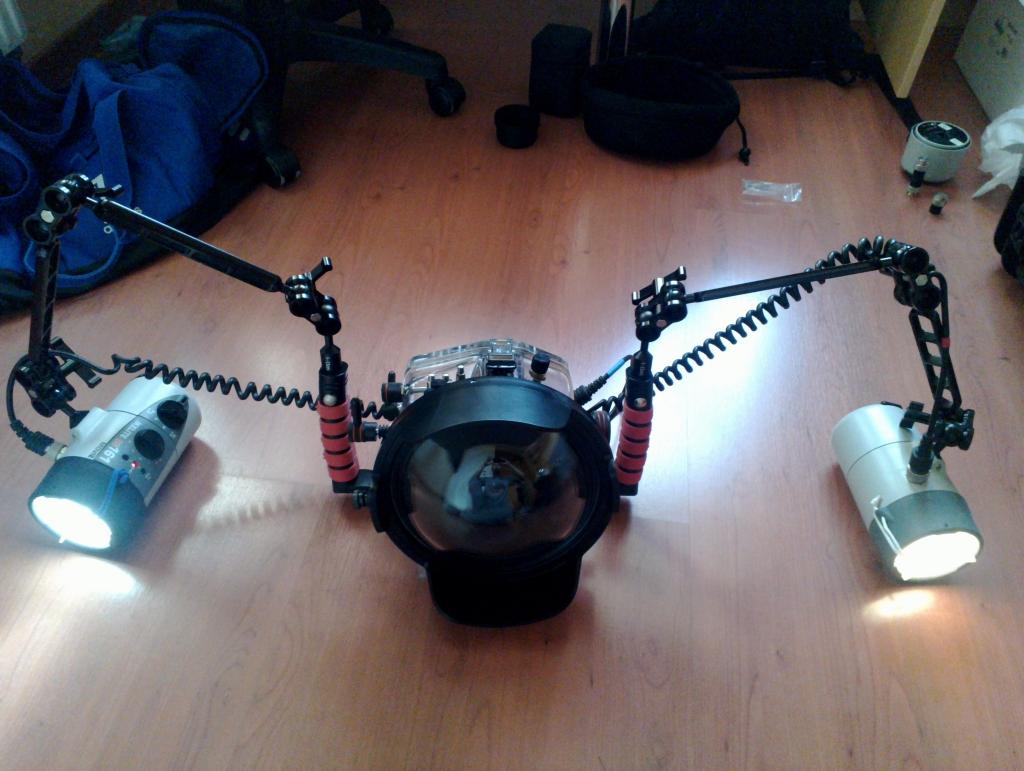
Hi,
I'm selling my complete Ikelite/Sony setup. All parts are in used but good condition and never flooded.
Housing:
- Underwater TTL Housing for Sony Alpha A57, Alpha A65 DSLR (6842.65): € 600
- Universal Zoom Set for Lenses up to 3.0-inch Diameter (5509.28): incl.
- Focus Clamp (9059.8 ): incl.
- Explorer Case (3818): € 200
Ports:
- Modular 8-inch Dome (5510.45): € 150
- Modular 2.75-inch Lens Extension (5510.11): € 75
- Dome Port 4-inch Length (5503.50): € 50
- Flat port 3.5-inch Length (5502): € 100
Strobe:
- Alu Arm System 9"/9" (2x): € 180
- DS161 Strobe + Video Light (4061): € 500
- DS125 Strobe (4065): € 300
- NiMH Battery Pack (4066.5): incl.
- Smart Charger for NiMH and NiCad (4066.1): incl.
- Ikelite-to-Ikelite TTL Dual Sync Cord (4103.52): € 100
- (Variable) Neoprene Floats for DS125/160/161: incl.
I prefer the complete ready-to-shoot setup being sold as a whole but will also sell individual items (with those buyers preferred who buy more parts).
I recommend getting one Explorer Case (3818) when buying the housing as the foam is customized for the Housing + macro port + both flash units (without batteries) and offers protection. I have a second 3818 Explorer Case in which the 8" dome, arms & clamps, and battery packs fit. So best is getting both strobes, arms, housing and 8" dome with the two cases.
Shipping from Austria worldwide.
Of course you can also buy the corresponding photo gear:
- Sony A65V: € 300
- Tamron 17-50/2.8: € 100
- Tamron 60/2 Makro: € 200
- Sigma 10/2.8 Fisheye: € 300