Skip to content

Lights, Strobes, and Lighting Technique / Archived topic

Pre Digital Sea&Sea Strobe - Firing too slow M 4/3?

Started by Tom_.park ·

  • 9Posts
  • 9Replies

Read-only discussion

Pre Digital Sea&Sea Strobe - Firing too slow M 4/3?

9 posts
  1. Hey guys,


    So i have acquired an old pre digital strobe, and a digital adaptor.


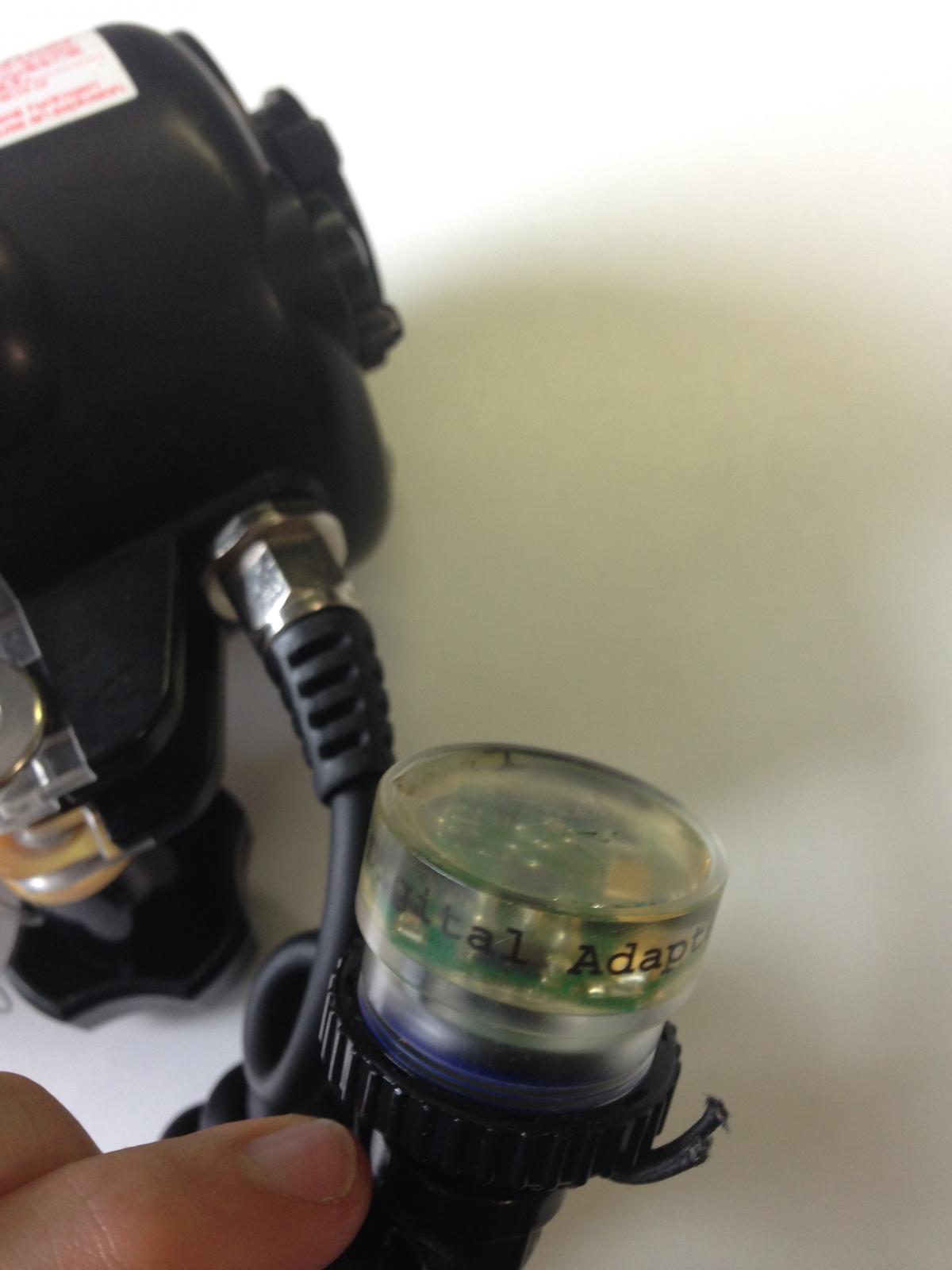
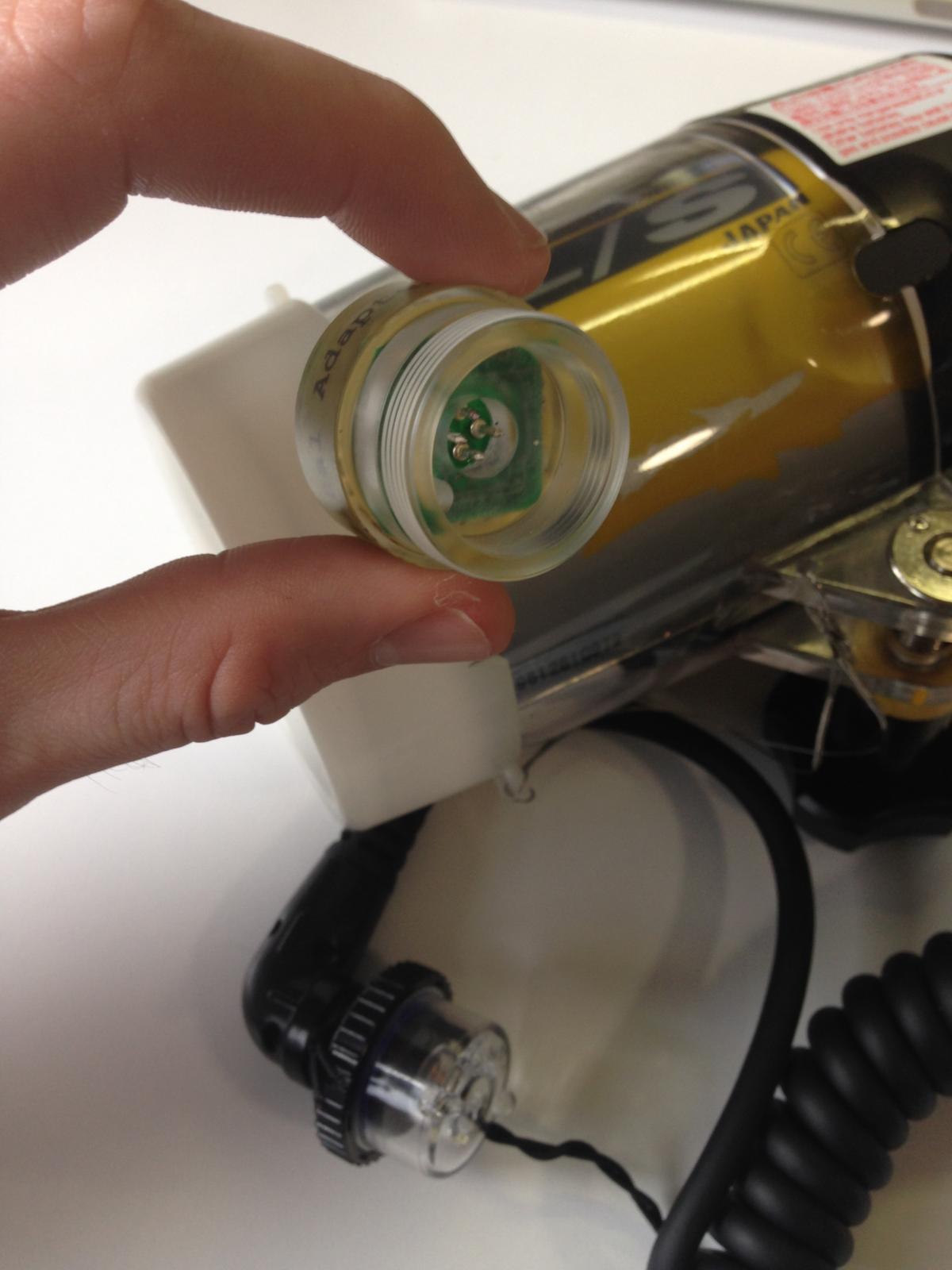
    I have attached photos below - basically the strobe connects to the digital adaptor. When the normal flash from the camera (using a Panasonic GX7) fires, the adaptor senses the light and fires the strobe. Note this is not instantaneous.


    So the issue arises where the strobe fires and lights up the area, but it appears to fire too late. As such the photo is taken before the light from the strobe is activated. (but the strobe does fire, it just appears to fire after the shutter is finished).


    Any suggestions on how to make this work/ make it fire when it is required?? or is it possible to add a preflash to the camera?


    Any help would be greatly appreciated!


    Thanks,


    Tom
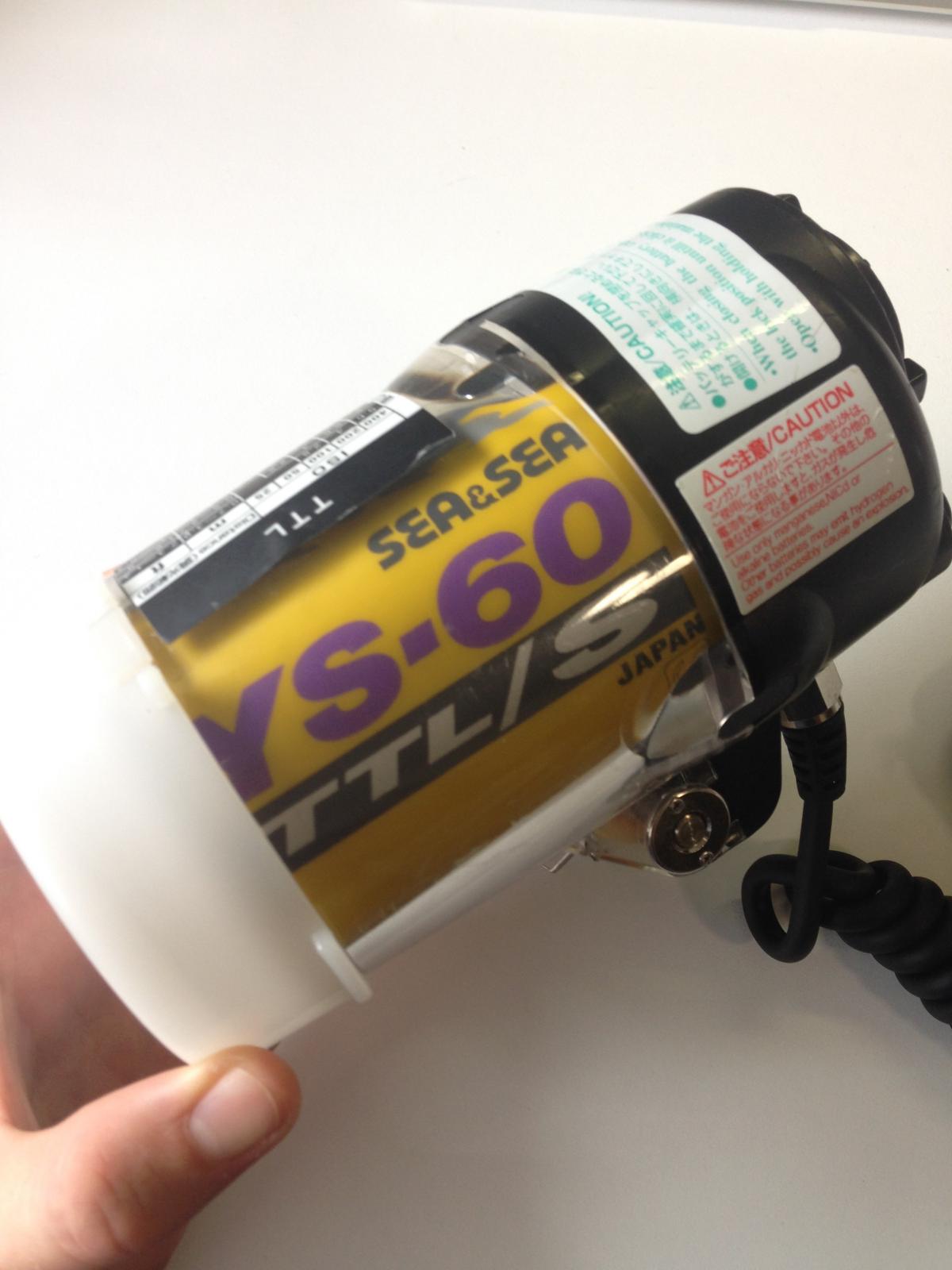

    post-54456-0-97864300-1473742024_thumb.jpg

    post-54456-0-96416800-1473742031_thumb.jpg

    post-54456-0-36017500-1473742037_thumb.jpg

  2. What speed is the camera set to? Have you contacted the manufacturer of the digital adapter about this yet? info@heinrichsweikamp.com


    Bill

  3. Hey Bill,


    No i havnt contacted the manufacturer yet, strobe light is only detected where the camera is set to a long exposure time (around 1" + )


    I'll send the manufacturer a message,


    Any other advice would be great!


    Tom

  4. Do you have the adapter set to fire on the pre-flash or the flash?


    Middle age S&S strobes (YS-110a for example) have a manual 1 and manual 2 settings as well as TTL. Depending on your camera you should be able to figure out whether you need to set your adapter to TTL, manual 1 or 2, to read the camera correctly and pass the right trigger timing to the YS-60 strobe, which may have to be set to slave.


    Sent from my iPhone using Tapatalk

  5. Hey Bnf-austin,


    Honestly im not sure - i'm guessing its on pre-flash. Can this be changed? ( i have no idea).


    This strobe does have 3 modes (1/2, full, and TTL) : i havent tested the TTL mode, but the 1/2 and full modes result are firing late. Any ideas how to set the adaptor, or set the strobe to slave? (Sorry i'm real new to this!)


    Tom

  6. Well that answers that... The GX7 is not compatible. and no i dont have the magnet unfortunately.


    Thanks for your help!


    Tom

  7. Almost any magneg do. (if they are strong enough).


    You can try with a pin fridge magnet. If it does not have power enough, you can buy some cheap on ebay

  8. It appears that the Panasonic GX7 has a built in flash and hot shoe:

    From: http://www.adorama.com/alc/0014688/article/panasonic-lumix-dmc-gx7-guided-tour


    "Operating The Flash


    The GX7 has a small built-in flash as well as a hot shoe that can accommodate a larger flash that has a greater range and projects more light. The built-in flash is good for fill-flash in bright, sunny days, and when shooting nearby subjects. Flip it up and on by moving the on-off switch


    Access the flash options via the Q Menu and choose force flash on, on with red-eye reduction, slow-sync flash with or without red-eye. Slow Sync is great when you want a longer exposure to fill in the image with ambient light, creating a more natural look. You can also use this method to capture frozen and moving subjects, since the long exposure paired with an active subject can convey a strong sense of motion in your photos. This technique takes practice!"


    So, the question that comes to mind is: Does your housing support or can it be modified to support an e-TTL bulkhead? If your housing already has the bulkhead support, a hot shoe to e-TTL bulkhead, then an e-TTL sync cable may be your most straight forward and best performing option, since it would eliminate the need for the adapter entirely.

    Edited by bnf-austin
Ultralight Control Systems

Account

Navigation

Search

Search

Configure browser push notifications

Chrome (Android)
  1. Tap the lock icon next to the address bar.
  2. Tap Permissions → Notifications.
  3. Adjust your preference.
Chrome (Desktop)
  1. Click the padlock icon in the address bar.
  2. Select Site settings.
  3. Find Notifications and adjust your preference.