JUST SERVICED!!
Service Details:
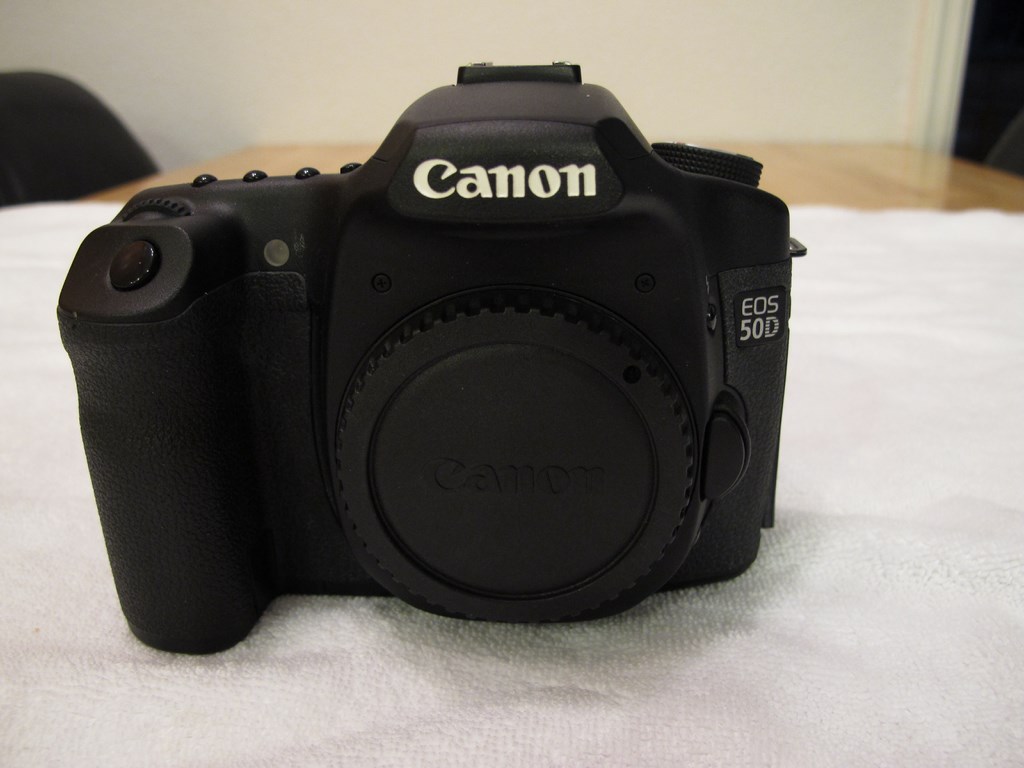
CAN 50D
Sn: 0320110352
Initial observation:
Received camera 3/16/17
REPAIR:
TESTED ALL FUNCTIONS
CAMERA WORKS FINE
REPAIR COMPLETED: 3/20/17
Performed DSLR 17 point maintenance.
17 point maintenance includes:
- Clean Image Sensor
- Clean External Viewfinder
- Clean Camera Body
- Clean Mirror
- Clean Focus Screen
- Clean External LCD Surface
- Check Moving parts (buttons, doors, latches)
- Check Operation of Hot Shoe
- Check Memory Card Insertion and Removal
- Check Lens Attachment and Removal
- Check Camera/Lens Communication
- Perform Image Test (check exposure and shutter speed)
- Verify Camera Shutter Count (30,015)
- Check Internal Error Messages (Cleared errors)
- Check Operation of Terminals and Jacks
- Tighten External Screws
StartFragment EndFragment
- Verify Firmware Version and Update if Applicable
CAN EFS 17-85
StartFragment EndFragment
Sn: 23715599
Initial observation:
Received lens 3/16/17
Repair:
Replaced power aperture diaphragm assembly.( CAN YG2-2169-010)
Repaired and cleaned focus drive mechanism
Repaired and lubricated zoom helical assembly
Repair completed: 3/20/17
Perform 10 point lens maintenance:
- CLEAN EXTERNAL LENS OPTICS
- CLEAN EXTERNAL LENS BODY
- CHECK LENS ATTACHMENT AND REMOVAL
- CHECK CAMERA/LENS COMMUNICATION
- CHECK EXTERNAL LENS BARREL
- CHECK OPERATION OF FOCUS, IRIS AND ZOOM RINGS
- CHECK OPERATION OF TRIPOD COLLAR (If Applicable)
- CHECK APERTURE FUNCTION
- PERFORM IMAGE TEST (Check Exposure and Shutter Speed)
- TIGHTEN EXTERNAL SCREWS
NOTES:
Front and Rear element are clean and scratch free.
The AF and Zoom are smooth.
The IS (Image Stabilization) functions fine. Manual Focus is smooth. The lens is sharp at all focal lengths and apertures.
Zoom ring works fine..
StartFragment EndFragment
Manual Focus is smooth.




.jpg.857dbbfbdc4d79d9c6ebf7b4ba96ed1b.jpg)

