Skip to content

Classifieds / Archived topic

Aquatica 5D mkIII housing and Aqua View finder

Started by bradsheard ·

  • 5Posts
  • 5Replies

Read-only discussion

Aquatica 5D mkIII housing and Aqua View finder

5 posts
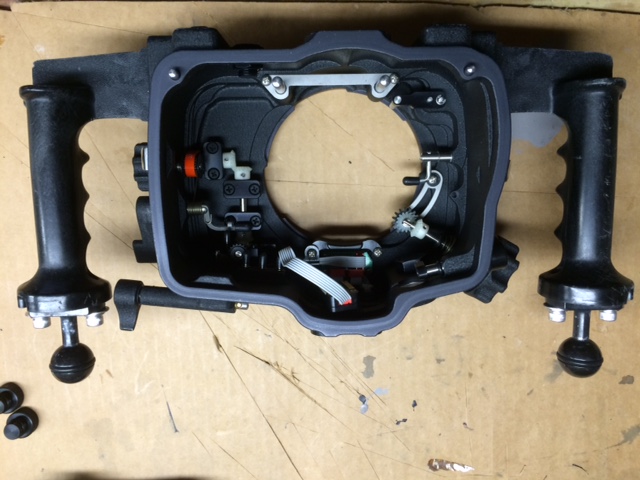
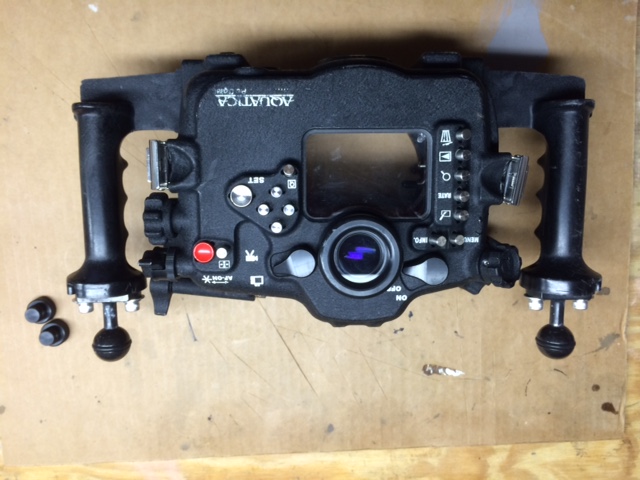
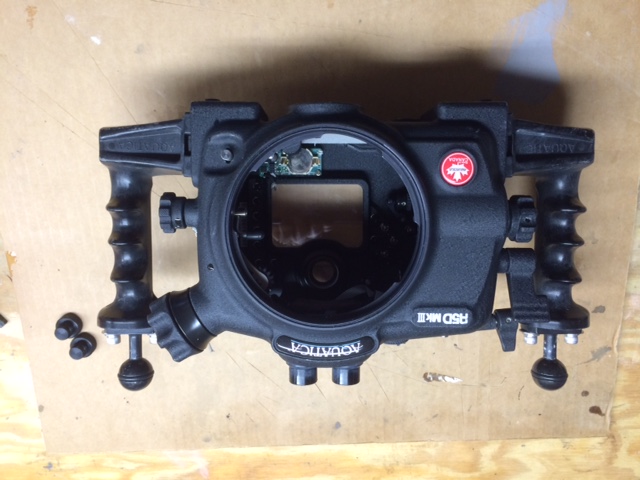
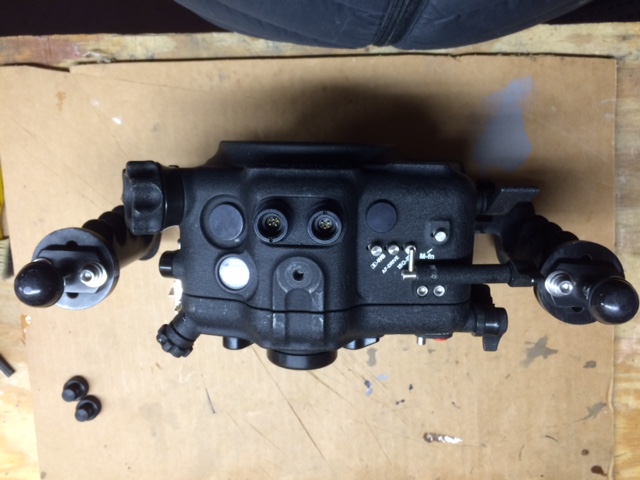
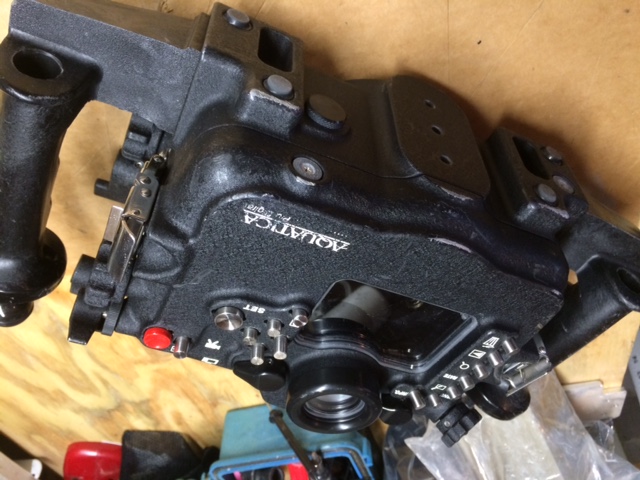
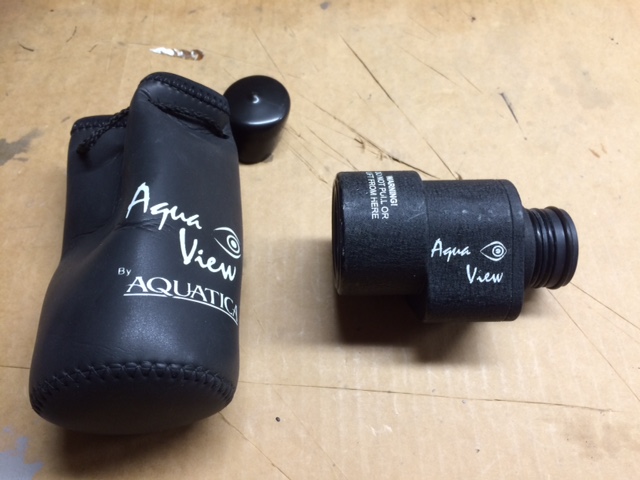
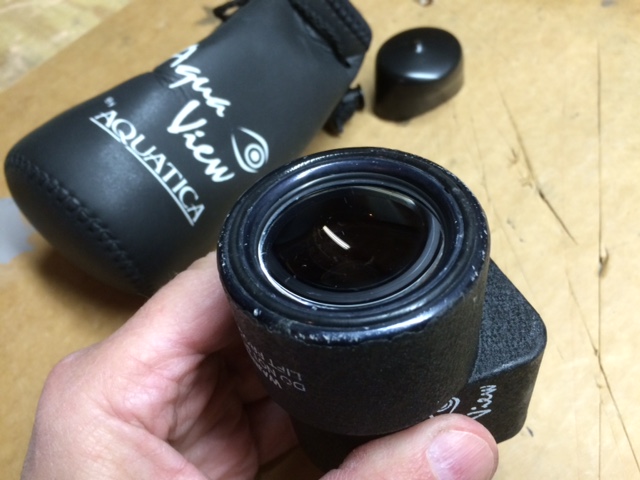
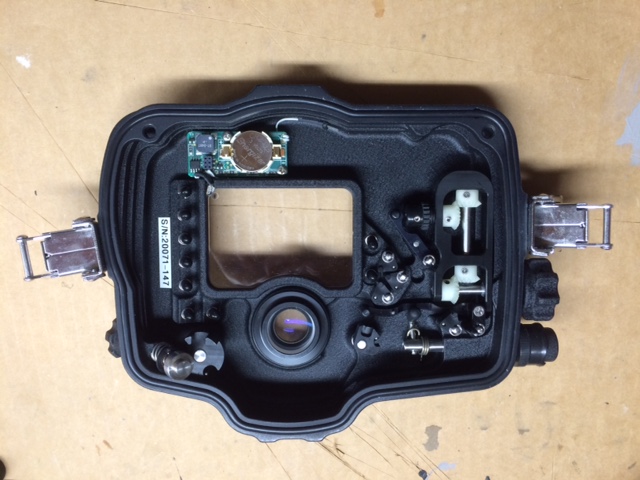
  1. For sale, very good condition Aquatica 5D mark III housing and Aquaview viewfinder. Housing is approximately 3 years old and has cosmetic exterior scratches and wear marks, but otherwise in excellent condition (the coating that Aquatica uses is very durable and it has held up very well). Has dual Nikonos sync bulkheads and internal moisture alarm, no ports included. Also has the optional ISO lever installed, two Ultralight balls on top of the handles, and factory-installed “deep spring kit”. Included is the “stock” viewfinder, as well as the Aqua View 180-degree finder. Finder has a few more scratches than housing, and a couple of very small scratches/nicks around the periphery of the rear lens. The Aqua View finder is really excellent—(once you use one you won’t want to go back the stock viewfinder.) It is my understanding that Aquatica will offer an upgrade for this housing to accommodate the new Canon 5D mark IV, but I have no confirmation of this.


    Housing and Aqua View finder, original manuals and T-handle wrench: $2200

    Continental US only
    post-39381-0-98734300-1482955048_thumb.jpeg

    post-39381-0-38045100-1482955058_thumb.jpeg

    post-39381-0-80388200-1482955066_thumb.jpeg

    post-39381-0-19202800-1482955073_thumb.jpeg

    post-39381-0-32094800-1482955081_thumb.jpeg

    post-39381-0-03664800-1482955089_thumb.jpeg

    post-39381-0-64169700-1482955098_thumb.jpg

    post-39381-0-57928900-1482955105_thumb.jpg

  2. I am also looking to sell a Canon 5D mark III camera in excellent to like-new condition for $1500.

  3. Hi,

    I would like the AquaView. Is the viewfinder still available ?


    Thanks.


    Frederic

  4. I was looking to sell the housing and Finder together. I'm not willing to break them up separately, since if no one wants the housing, I may as well keep both as a backup outfit.

  5. Withdrawn, no longer for sale.

Turtle

Account

Navigation

Search

Search

Configure browser push notifications

Chrome (Android)
  1. Tap the lock icon next to the address bar.
  2. Tap Permissions → Notifications.
  3. Adjust your preference.
Chrome (Desktop)
  1. Click the padlock icon in the address bar.
  2. Select Site settings.
  3. Find Notifications and adjust your preference.