



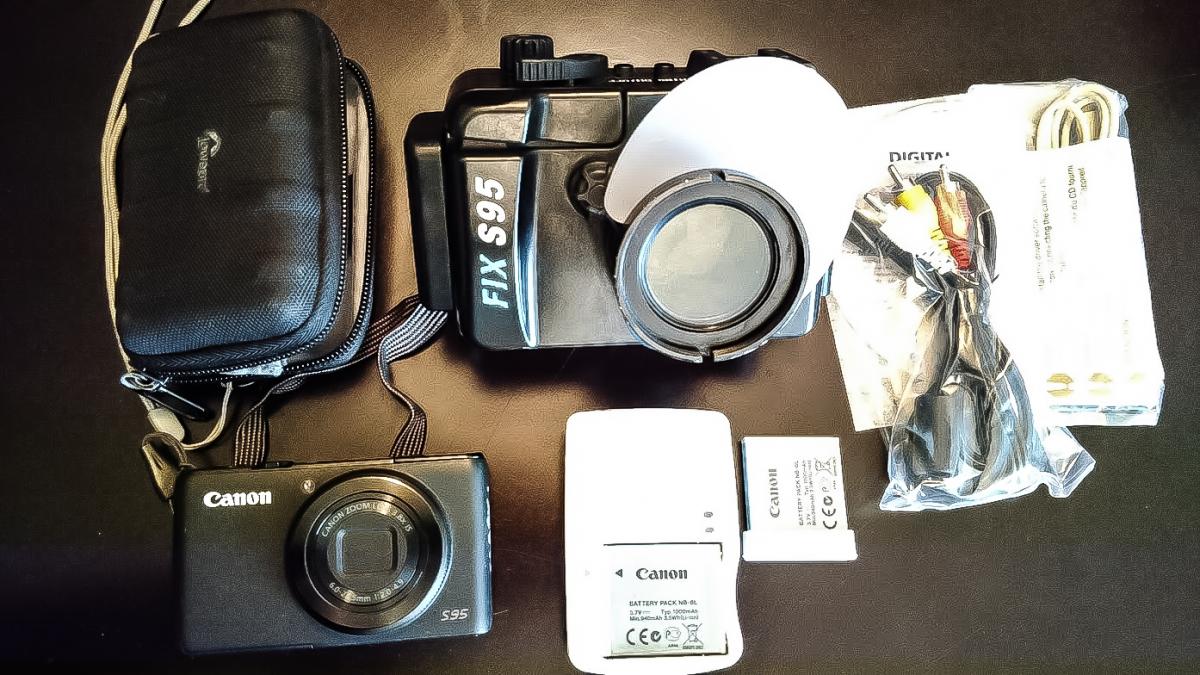
I have a Canon S95 and FIX Underwater housing in like new condition for sale due to my recent upgrade to a mirrorless setup. This package is perfect for someone who is starting out into UW photography but wishes to have room to grow with the full control of manual settings as well as RAW images to work with as your skills develop - $550 US or $700 CDN. Buyer pays shipping from either Vancouver, BC Canada or Seattle, WA (whichever is most cost-efficient for you).
1. Canon S95 camera and related accessories (i.e. diffuser, cables, and two o-rings)
2. Two batteries and one charger
3. FIX S95 Underwater housing
4. Hard camera case for S95 camera
The housing has never flooded, is in near new condition (this was my spare camera and housing to another identical system), and I am only selling my old system due to a recent upgrade.
The ergonomics of the FIX housing are terrific and very easy to use with gloves in cold water.
Camera information:
Max resolution 3648 x 2736
Effective pixels 10 megapixels
Sensor size 1/1.7" (7.44 x 5.58 mm)
Sensor type CCD
ISO Auto, 80-3200
Focal length (equiv.) 28–105 mm
Max aperture F2–4.9
Screen size 3″
Screen dots 461,000
Max shutter speed 1/1600 sec
USB
USB 2.0 (480 Mbit/sec)
Weight (inc. battery) 195 g (0.43 lb / 6.88 oz)
Dimensions 100 x 58 x 30 mm (3.94 x 2.28 x 1.18″)
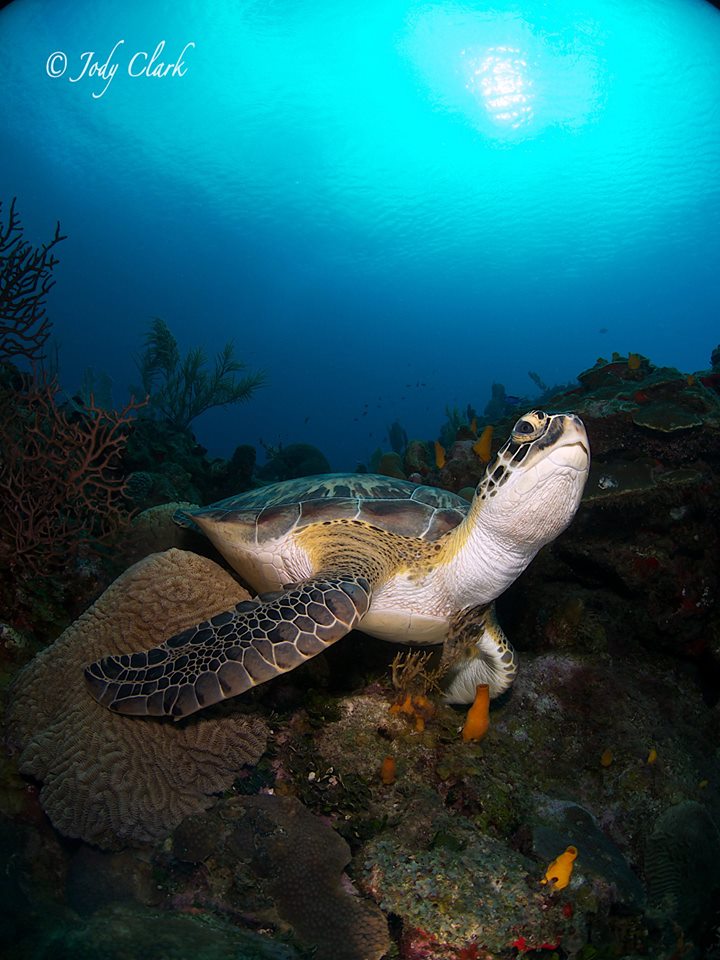
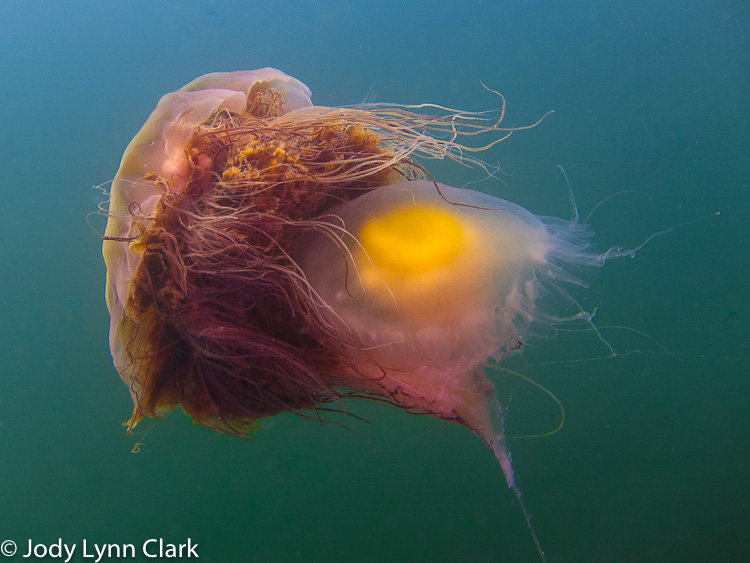
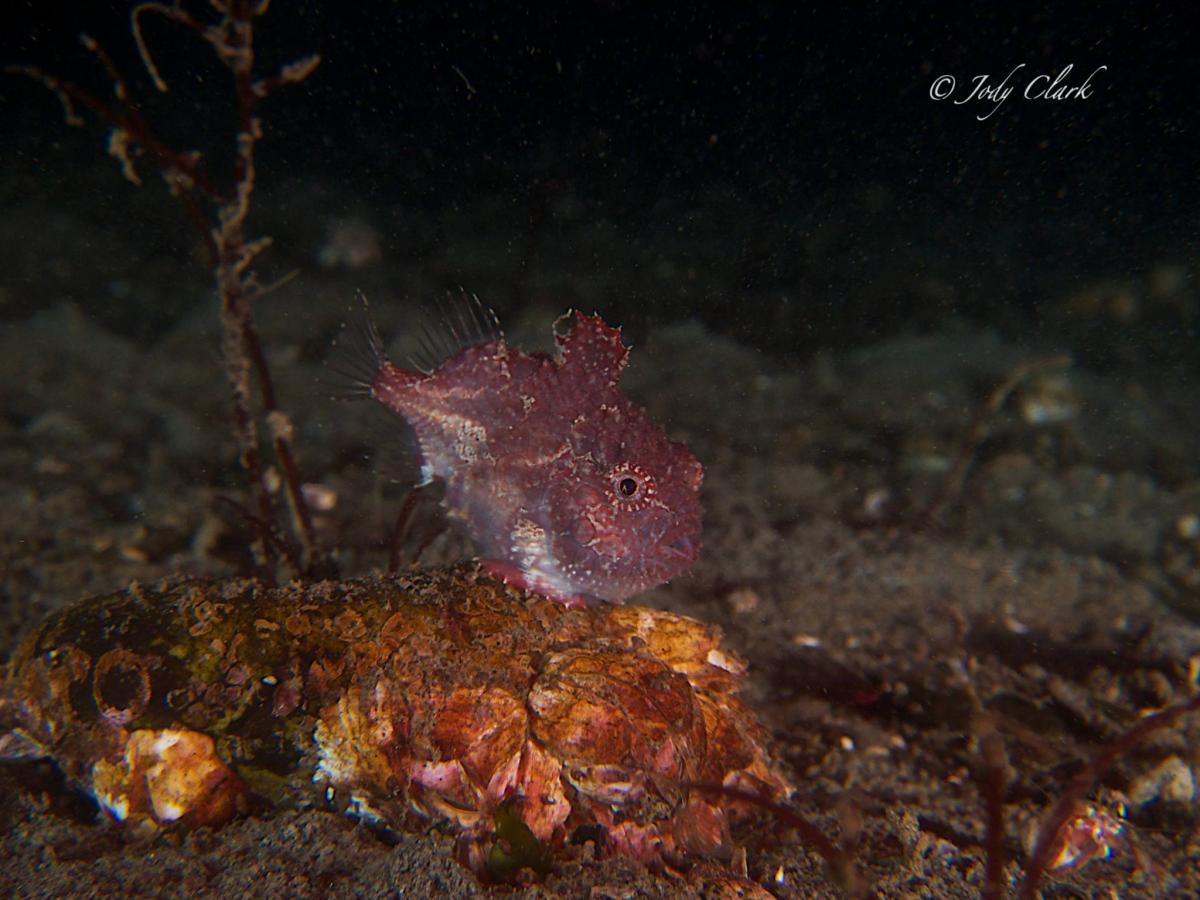
Here is a sampling of some of the photos I took with this camera.

.jpg.857dbbfbdc4d79d9c6ebf7b4ba96ed1b.jpg)

