Skip to content

Photography Gear and Technique / Archived topic

Yet Another DIY Leak Sensor

Started by vsc ·

  • 8Posts
  • 8Replies

Read-only discussion

Yet Another DIY Leak Sensor

8 posts
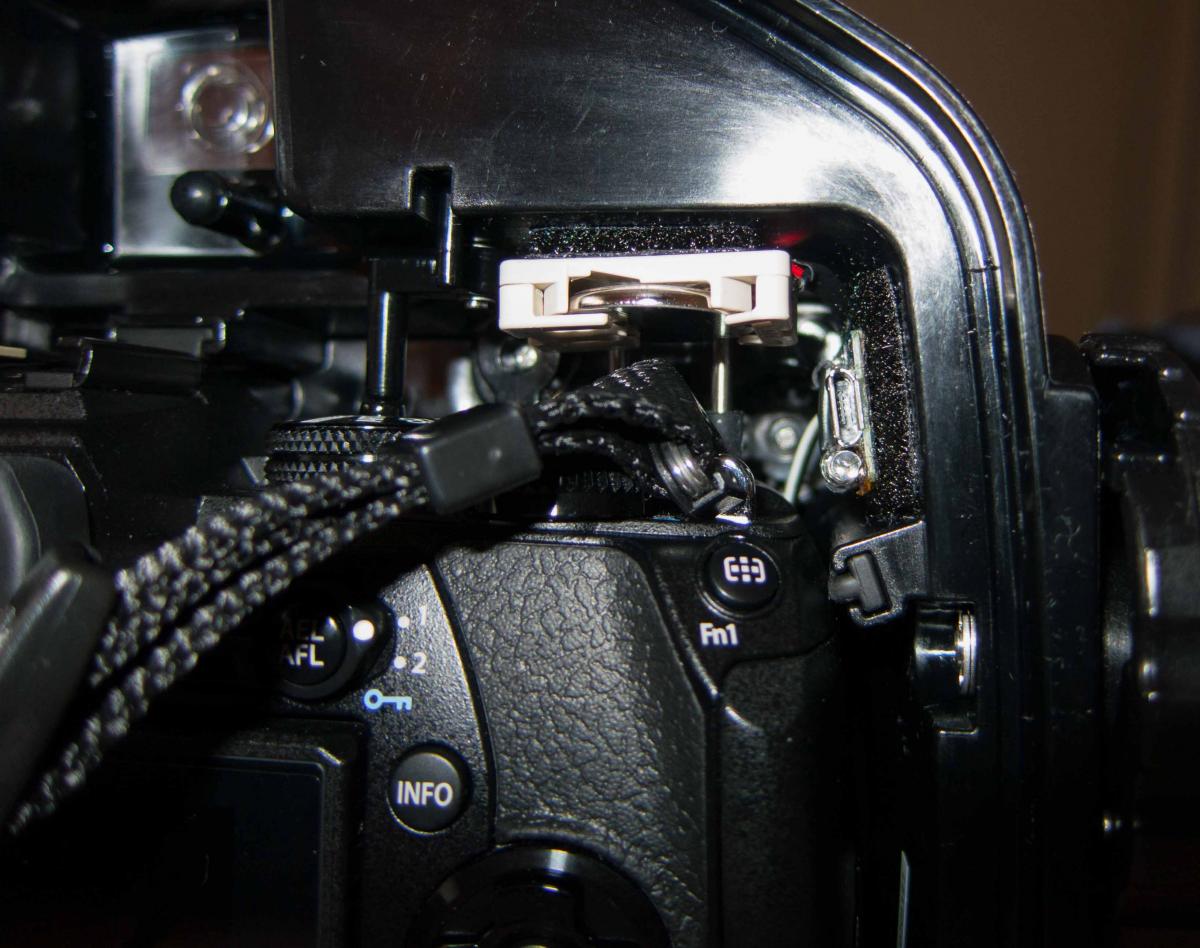
  1. A number of DIY leak sensors have been published over the years where SparkFun published a project in 2013 based upon an Arduino. This project builds upon the SparkFun design using an AdaFruit Trinket and a few other components.


    The following is a link to the instructions for this project,


    https://www.instructables.com/id/Underwater-Camera-Housing-Leak-Detector/


    post-53499-0-52159100-1495508572_thumb.jpg


  2. Awesome project, thanks for sharing!

  3. This looks fantastic. That'll be my next project.

  4. Sweet! Thanks for sharing.

  5. I must admit a few weeks ago getting the enclosure wet for the first time, at 100 feet the leak detector sounded. In short a small fiber, most likely from a lens wrap, was on the main o-ring. I missed it. That said there was only a few drops of water in the bottom of the housing and the leak detector picked it up doing its job. The fact that there is an audible alert ensured that I immediately reacted to the situation, heading for the surface.


    That said after rinsing out the enclosure and in theory drying it, I locked it up for the night without desiccant. At some point in the middle of the night the alarm went off again. It would appear enough residual moisture was present, most likely between the wires and the heat shrink tubing used at the end of the sensor circuit board.


    Note I updated the firmware on Instructables to include a power savings mode which should extend the battery life to a year of standby time. The leak detector in the power savings mode polls the sensor every four seconds. When on travel, test at the start of the trip. The detector shifts to polling the sensor once per second, shifting back to power savings mode after two weeks. The older source code file is still present on Instructables which should yield three months of continuous monitoring (e.g. once per second polling), using a CR2032 battery. The updated file is what was in use when the small flood occurred, thus I'm rather sure the code is working.


    Edited by vsc
  6. hi

    i can't upload trinke m0

    Do you mind if I ask you a favor?


    sorry my english very bad


    thank you


    Arduino:1.8.4 (Windows 10), 開發板:"Adafruit Trinket M0"

    C:\Users\hank\Downloads\H2OhNo\H2OhNoM0\H2OhNoM0.ino:23:19: fatal error: power.h: No such file or directory
    #include <power.h>
    ^
    compilation terminated.
    exit status 1

    sorry my english is very bad

Fotosub Shop

Account

Navigation

Search

Search

Configure browser push notifications

Chrome (Android)
  1. Tap the lock icon next to the address bar.
  2. Tap Permissions → Notifications.
  3. Adjust your preference.
Chrome (Desktop)
  1. Click the padlock icon in the address bar.
  2. Select Site settings.
  3. Find Notifications and adjust your preference.