



Skip to content

Classifieds / Archived topic

FS: 2 x Inon Z240 with lots of accessories

Started by Pedro Carrillo ·

  • 3Posts
  • 3Replies

Read-only discussion

FS: 2 x Inon Z240 with lots of accessories

3 posts
  1. Hi,


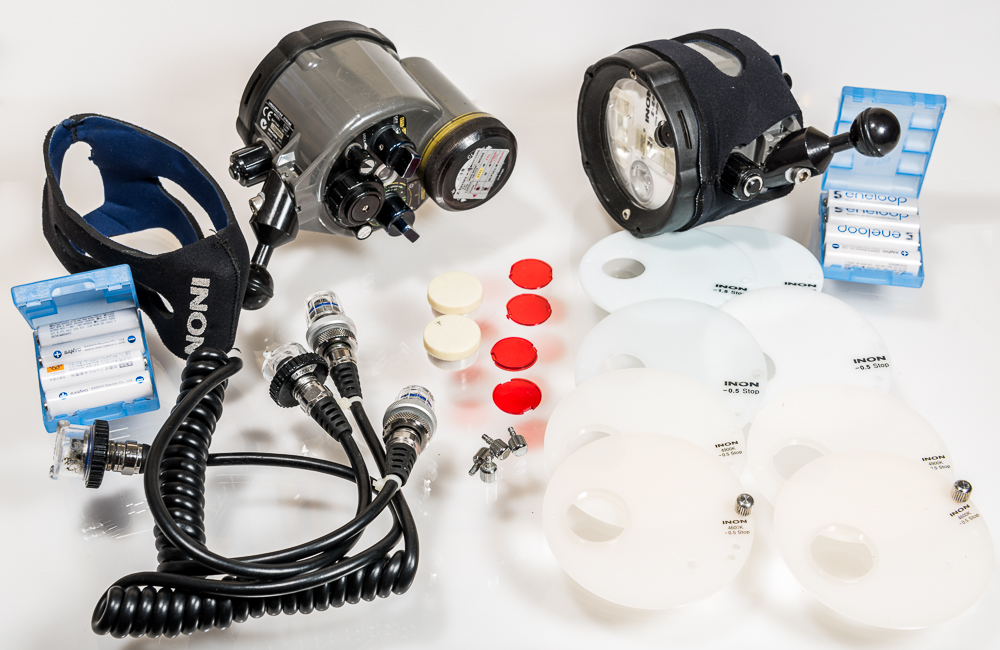
    would like to sell my two Inon Z240, in perfect working condition, good cosmetics and with a ton of goodies:


    2 x Inon Z240

    2 x neoprene Inon covers

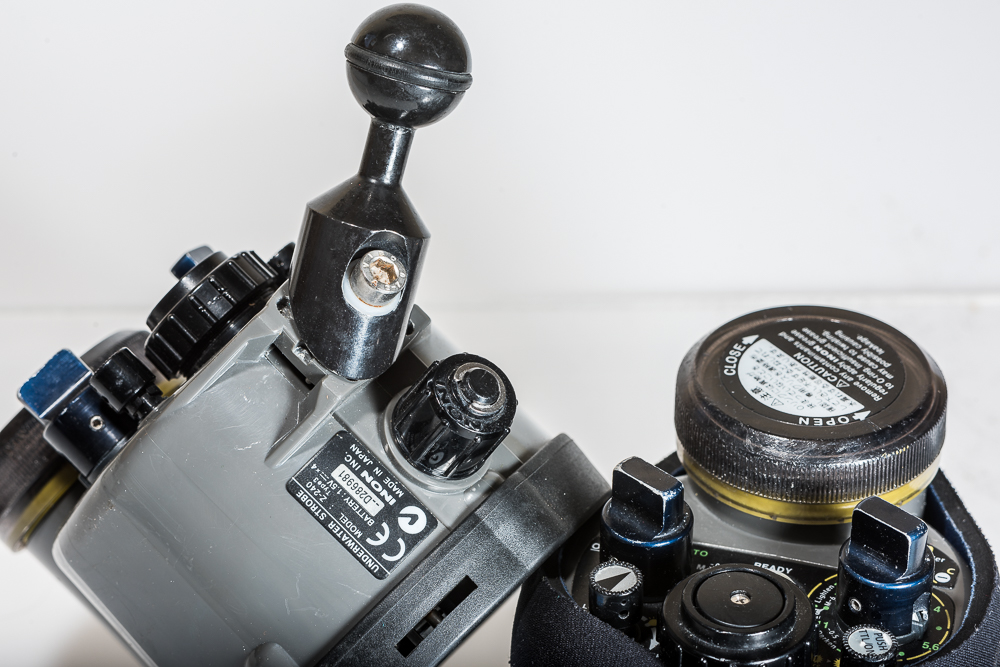
    2 x Ultralight balls (modified to accept an allen head screw so they are virtually fixed -the typical screws are harder to secure than if you use an allen key-). See photo #2

    2 x Knob extensions (to better handling with gloves). See photo #2

    2 x Nikonos sync cables

    8 x diffusers: standard -1,5 (x2) and -0,5 (x2) stops plus newer -0,5 stops at 4600K (x2) and 4900K (x2)

    4 x red filters

    8 x Eneloops with case

    2 x O-ring grease


    Shipping would be from Madrid, Spain, at the expense of the buyer. Original boxes would be used plus extra packaging to ensure safe delivery door to door.


    Asking price EUR 1.200 for the pair.


    Thanks for looking!


    Pedro
    post-8554-0-89186300-1511386142_thumb.jpg

    post-8554-0-61775200-1511386155_thumb.jpg

    Edited by Pedro Carrillo
  2. Shipping would be from Madrid, Spain, at the expense of the buyer. Original boxes would be used plus extra packaging to ensure safe delivery door to door.


    Asking price EUR 1.200 EUR 1.000 for the pair.


    Thanks for looking!


    Pedro
     

    A 20% discount to make it more attractive.


    BTW, I will be in New York from the 30th of Dec to the 7th of Jan, so if someone from the US is insterested, he/she will spare customs and substantially reduce shipping costs! How about that? ;)

  3. Still for sale?

    airesveleda@gmail.com

Scuba.com

Account

Navigation

Search

Search

Configure browser push notifications

Chrome (Android)
  1. Tap the lock icon next to the address bar.
  2. Tap Permissions → Notifications.
  3. Adjust your preference.
Chrome (Desktop)
  1. Click the padlock icon in the address bar.
  2. Select Site settings.
  3. Find Notifications and adjust your preference.
