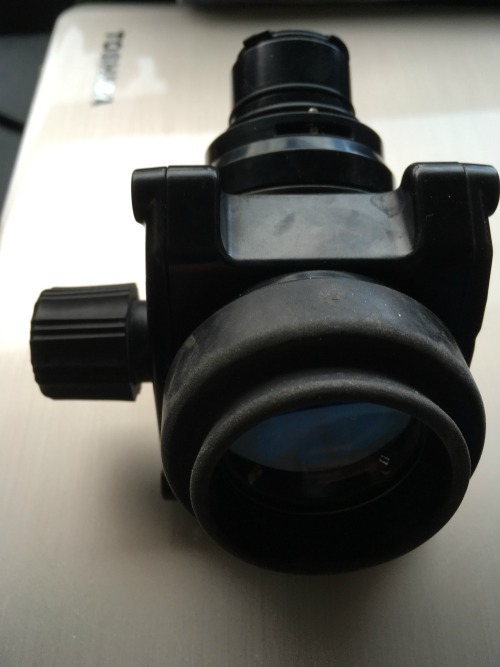
Nauticam 45 Degree Viewfinder
Part #: Nau-32203
Product Overview:Nauticam's viewfinder provides a 1:1 view for your your image to aid your composition. Perfect tool for serious macro shooters.
The enhanced 45° viewfinder is another new addition to your Nauticam housing; it is able to provide a bright, clear and undistorted 1:1 image of the camera's finder and is most advantageous for precise focusing and artistic composition.
Long sighted or short sighted? The viewfinder features an external knob for eyesight compensation; hassle-free dioptor adjustment can now be easily performed even when you are underwater, no disassembling of the viewfinder is necessary. The viewfinder also features a 360° rotating viewfinder body to suit different view angle.
The casing is made of anodised aluminium, all lenses and prisms in the viewfinder are precisely ground and multi - layer coated to ensure optimum light transmission and no distortion.
With Nauticam housings, it is simple to switch between the standard 0.66x and our two patented viewfinder.
Compatible Mirrorless Housing:To use this viewfinder with a mirrorless housing, you will also need a replacement Nauticam LCD window
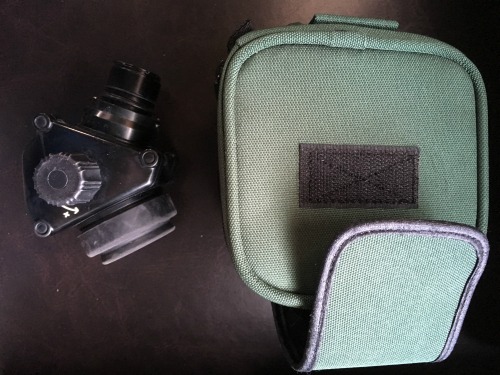
Very good condition
Great for aging eyes, only selling because I am getting a different system
Don't have original pouch, but will include better, very cushy protective case
Sells new for $990
Will sell for $700 with free shipping in US