Skip to content

Classifieds / Archived topic

Nauticam NAD-7100 Housing and Port for Sale

Started by PhotoNamaste ·

  • 7Posts
  • 7Replies

Read-only discussion

Nauticam NAD-7100 Housing and Port for Sale

7 posts
  1. Hello All!
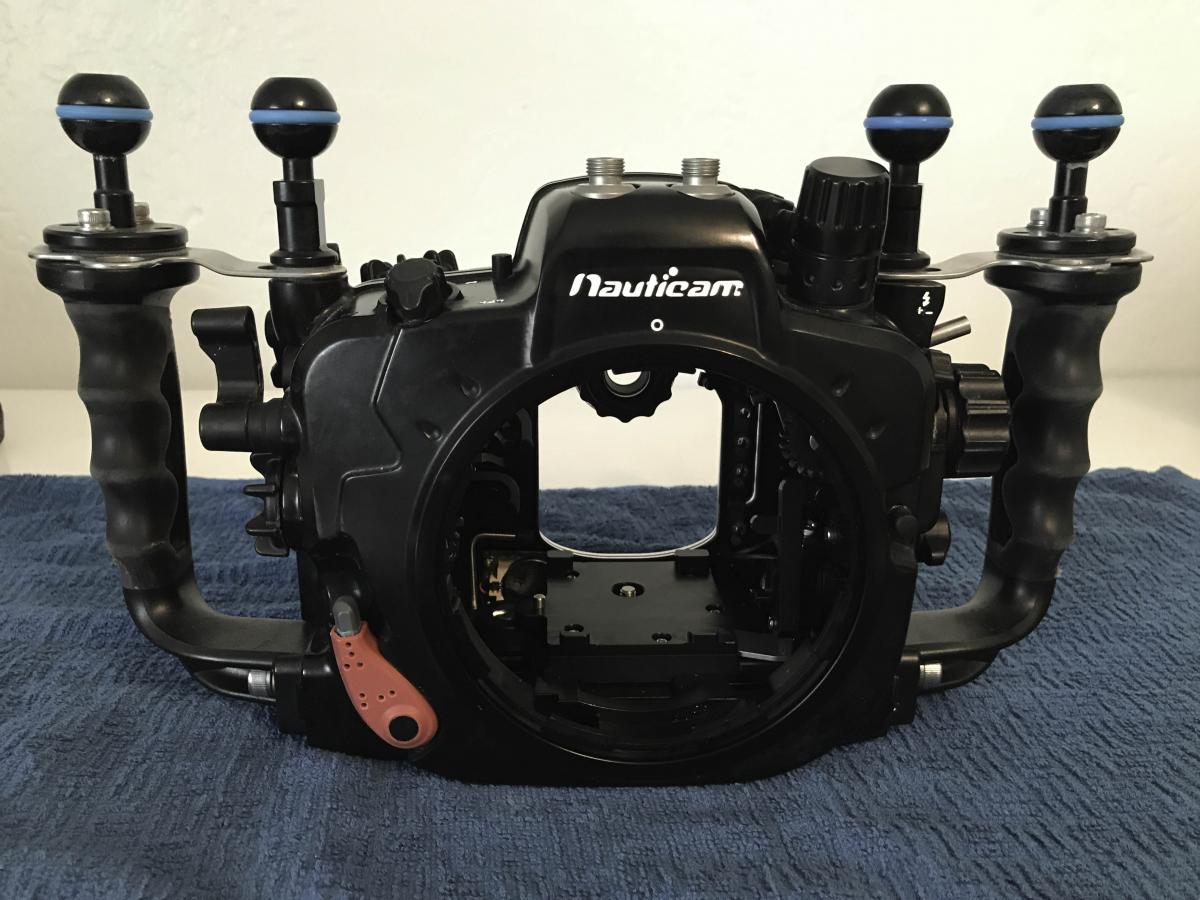
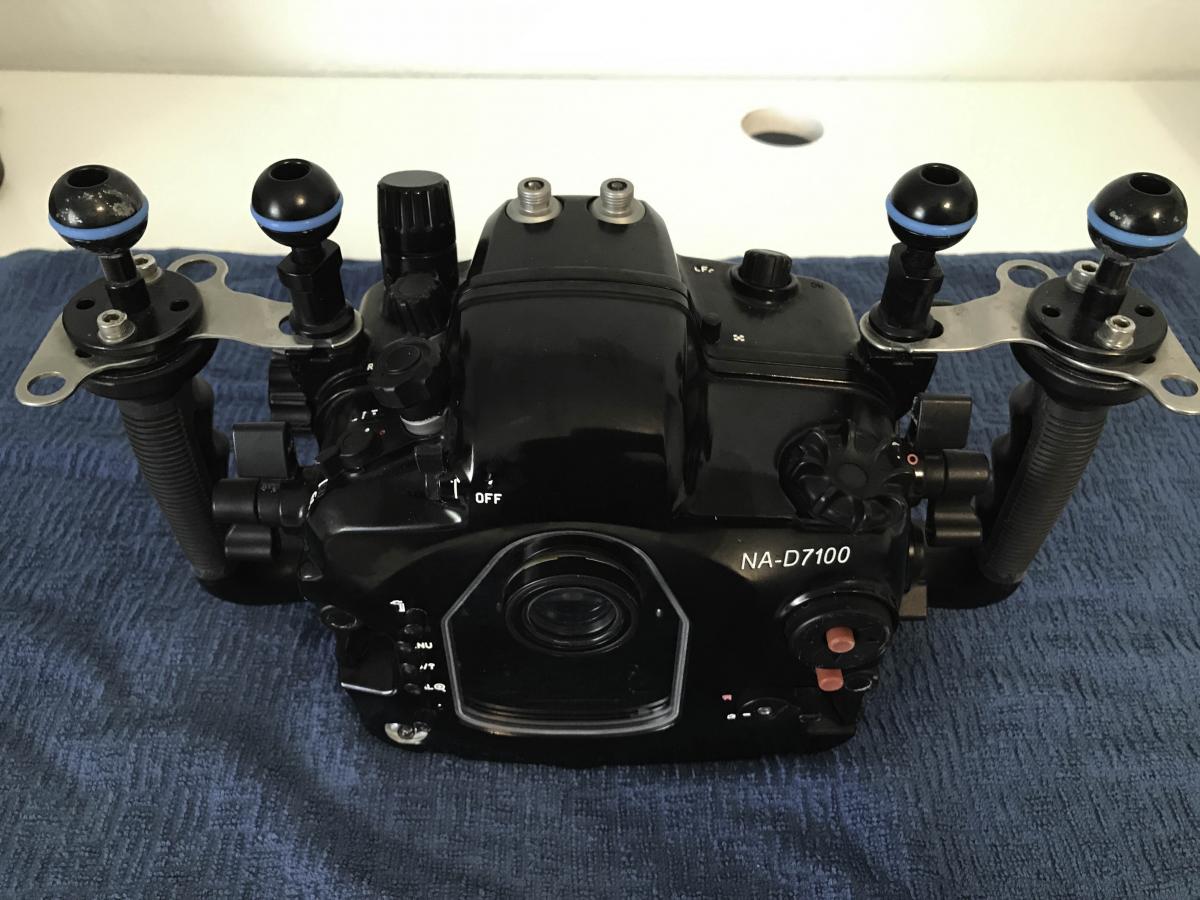
    I am selling a very clean and in very good condition Nauticam NA-D7100 Housing body only.

    No Ports included with this but I have a 11-16 wide angle port also for sale.

    What you see in the photo is what you get.

    She has the vacuum valve alert installed by Reef Photo to make sure your camera stays dry.

    Price is $1200.00
    I have babied for this amazing housing and it has provided some amazing shots.
    She has traveled with me all over the world and has great Karma.

    Purchased from Reef Photo so they can tell you about me and this housing.

    Check out my Facebook for examples for examples of my pictures.

    https://www.facebook.com/Hanxplace

    https://www.facebook.com/PhotoNamaste
     

    post-46501-0-45505400-1515168556_thumb.jpg

    post-46501-0-75011600-1515168558_thumb.jpg

    Henry

    Contact me here or via email at hcmather@gmail.com

  2. Will it fit the D7200?


    Sent from my iPhone using Tapatalk

  3. Will it fit the D7200?


    Sent from my iPhone using Tapatalk

    Yes, the D7200 will fit in this Housing. In fact there are several threads on Wetpixel that confirm this.

    Henry

  4. And the wide port? How much for all the package?


    Sent from my iPhone using Tapatalk

  5. Hello!

    The Wide port I am selling is the Zen Underwater 170mm wide angle dome port DP-170 for the nauticam housing.

    It normally sells for $999 but if you buy it with the housing and I will sell it all for $1500 plus shipping.
    Henry

  6. Henry hi. I have sent you an email


    Sent from my iPhone using Tapatalk

    Edited by spyros.spyrou
  7. Hello All!

    Thank you for your posts.

    I sold this housing and port this morning.

    Henry

Retra

Account

Navigation

Search

Search

Configure browser push notifications

Chrome (Android)
  1. Tap the lock icon next to the address bar.
  2. Tap Permissions → Notifications.
  3. Adjust your preference.
Chrome (Desktop)
  1. Click the padlock icon in the address bar.
  2. Select Site settings.
  3. Find Notifications and adjust your preference.