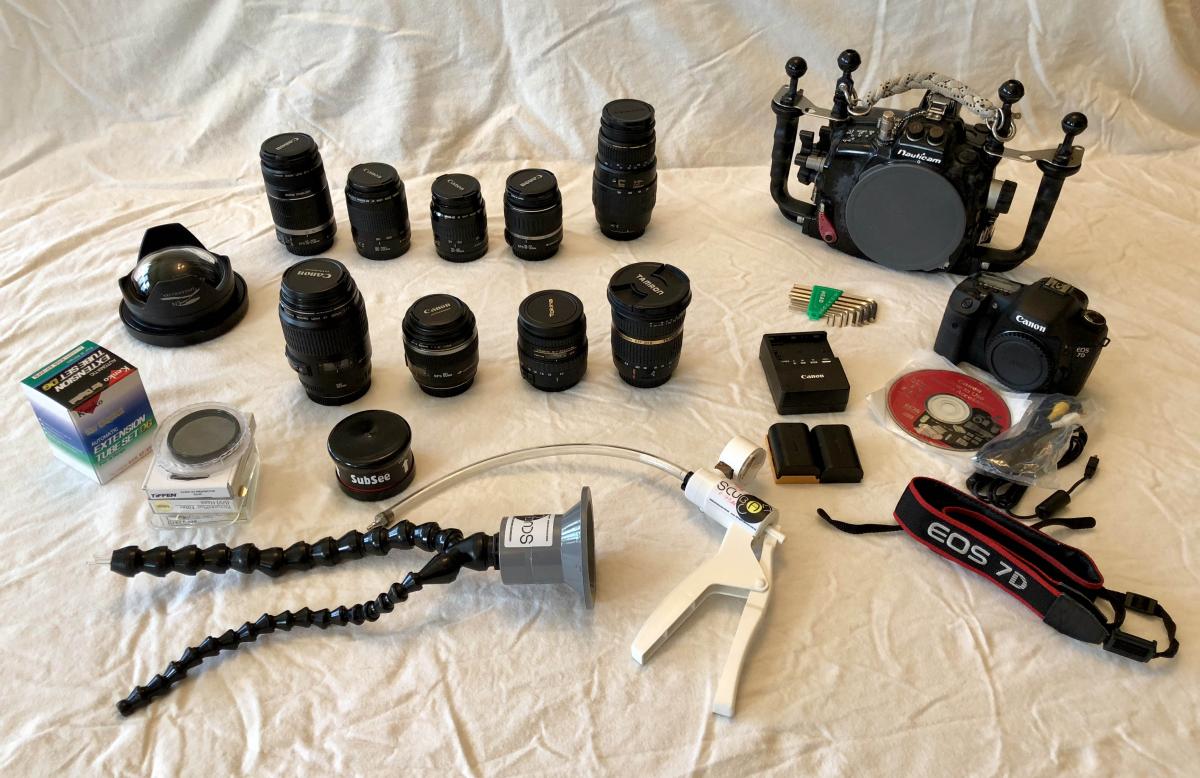
I’m selling my Canon 7D with lenses, housing, and accessories as I have recently switched over to the Nikon platform. The housing has never been flooded and I have always rinsed it in fresh water after each use. I’d like to sell the system as a package. I’m pricing the overall package based on the items highlighted in blue but all items listed will be included in the package. Here’s what I’ve got:
Total for everything: $4200. Buyer pays for shipping.
Camera & Housing:
- Canon 7D body (purchased new in November 2017 very low # of clicks)
- Nauticam NA-7D Underwater Housing with ball mounts & vacuum system
Ports:
- Zen DP-100mm Dome Port (for Tokina 10-17mm)
Lenses:
- Tokina 10-17mm fisheye
- Canon 100mm 2.8 USM
- Canon 60mm 2.8 USM
- Tamron 10-24mm rectilinear lens
- Reefnet Subsee +10 diopter
- Canon EFS 55-250mm (autofocus slow on the higher end of the focal range)
- Tamron SP AF-90mm f2.8
- Quantaray 70-300mm
- Canon EFS 18-55mm kit lens
- Canon 35-80mm EF lens
- Canon 80-200mm 4.5-5.6 (only works in the 110mm-200mm range)
Accessories:
- 6 ULCS clamps (they have about 350 dives on them so they aren't great but will get you started)
- Extra battery for Canon 7D
- Scubacam fiber optic snoot for Inon z240 strobe
- Nauticam zoom gear (works on Tamron 10-24mm and with rubber bands, also the Tokina 10-17 without having to take the rubber off the lens)
- 2x Tiffen 52mm UV lens protector
- 2x Sunpak 58mm UV lens protector
- Sunpak 58mm circular polarizer
- Kenko extension tube set DG 3 rings (12mm, 20mm, 36mm) for Canon mount