Hey, guys! I just returned from the Solomon Islands, and wanted to share some of the photos I came back with. Again, I'd like to thank James, Herb, and Craig -- and all of you -- for keeping the community going.
great work! especially like the mantis shrimp and i think the garden eel or jawfish with the yellow eyes...very nice!
M.
Hey Eric -
great work! especially like the mantis shrimp and i think the garden eel or jawfish with the yellow eyes...very nice!
M.
Some nice work there Eric.
ps Zach cooked for us but the Tiger shark vis was poor that day, lots of particles in the water.
Based on a recent thread here...
I see you were shooting the 100mm a fair bit. Were you running it is autofocus or manual. Or utilizing the USM and going to FTMF. Not sure if you port allow switching.
Hey, Todd -
I always shoot USM autofocus with full-time manual focus override. I also always shoot with focus on a different button, so the shutter never focuses. That way, I can focus manually or automatically all the time.
I shot manual on the 180mm most of the time, bt autofocus was there for really bright situations.
Thanks Eric,
I think I will research the manual on the Rebel but have the feeling that may well require the Russian hack for the Rebel. Haven't downloaded it yet but have this strange feeling it will happen soon.
Thanks Eric,
I think I will research the manual on the Rebel but have the feeling that may well require the Russian hack for the Rebel. Haven't downloaded it yet but have this strange feeling it will happen soon.
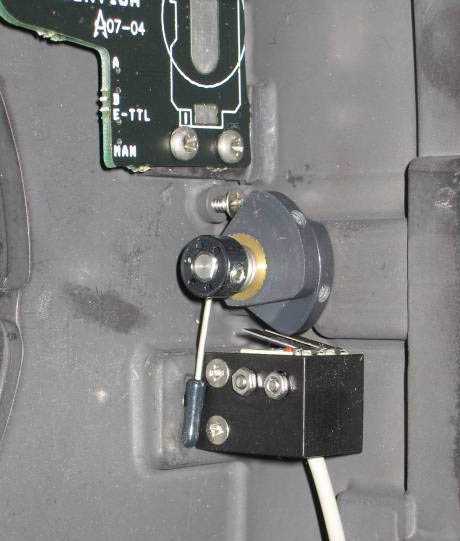
Even with the current hack, it won't do what Eric described. Maybe with the next release. There may be another way to do that. The shutter is done electronically in the Aquatica housing, and the focus and shutter are seperated into two switches.
I think all we have to do is wire those independently and find another button to wire the focus switch to. I was thinking... I never use the mode selection knob.
Me thinks you're at the mercy of the Rebel with its AI Focus limitation in M mode. :wink:
Me thinks you're at the mercy of the Rebel with its AI Focus limitation in M mode. :wink:
That's been fixed in the latest hack. It's now possible to select between one-shot and AI focus.
I didn't know that, I no longer have a Rebel and haven't kept up closely with latest developments related to the Rebel. Great news for using the USM lenses with the Rebel.
Excellent Eric. My hats off to you on the last two shots. Wonderfull.