MDX-RX100ii Monitor o-ring - Not the main housing o-ring
Started by DJash_e ·
3Posts
3Replies
Read-only discussion
MDX-RX100ii Monitor o-ring - Not the main housing o-ring
3 posts
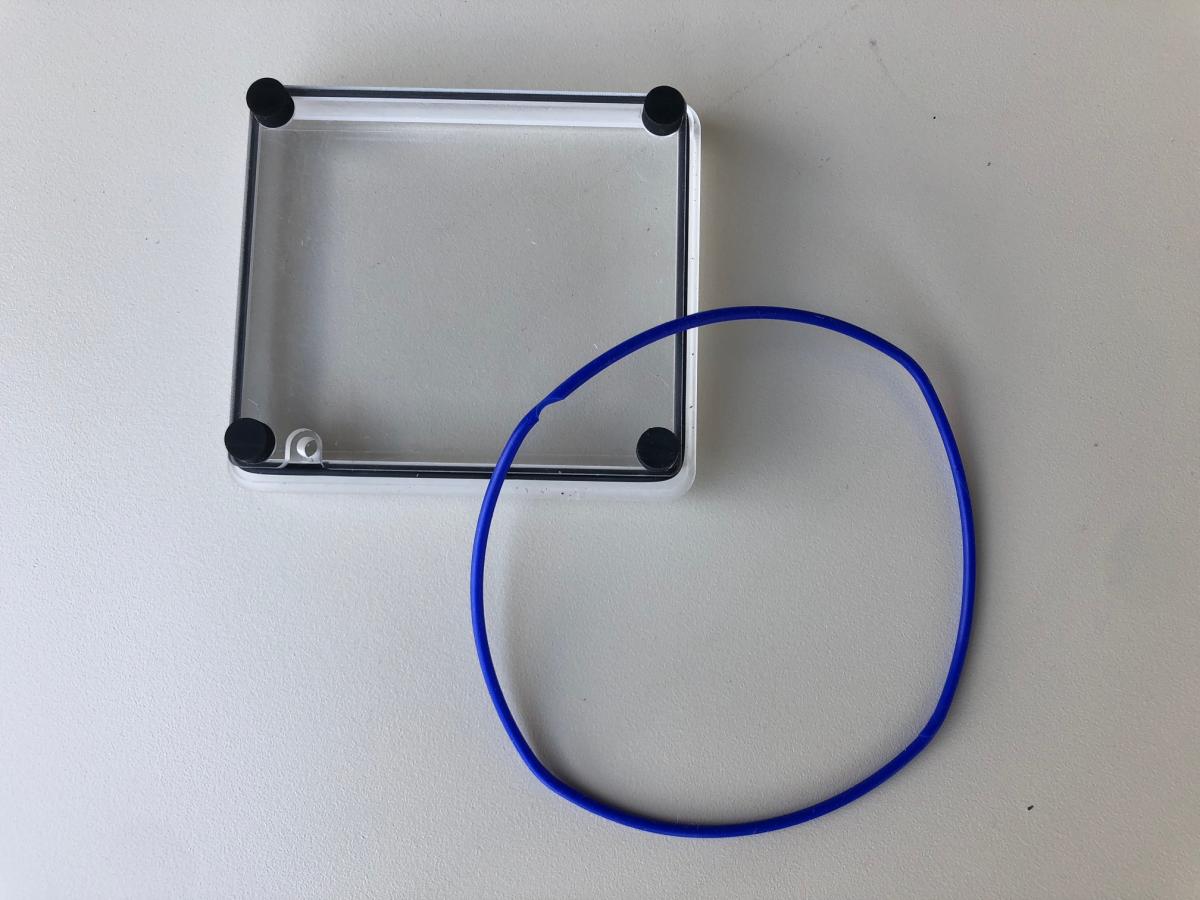
I am looking for an o-ring for the viewfinder on my housing. I have a Sea & Sea MDX-RX100 ii and I have searched everywhere to try and find the o-ring in question. It's easy to find the main o-ring for the housing but that's not the one I need. I removed the viewfinder/monitor window as I need to replace one of the o-rings and there are two. One black one and one thin blue one which is the part in question. I was hoping that somebody might be able to point me in the right direction of where to get the replacement, or a part number or something.
Thanks in advance!
Ash
You would probably need to buy an overhaul kit, assume you mean the o-ring for the rear window. I found this:
which is for the RX100III, maybe call B&H and ask if they can get one for the RX100II ?
Thanks buddy, yeah that looks like it would cover the parts needed. I've now had a reply from Sea & Sea Head Office and they have quoted me the part numbers to order. If anybody in the future needs these o-rings I have attached a picture of the parts I mean and here are the part numbers as quoted by Sea & Sea (although I haven't ordered them yet so I can't guarantee this is 100% accurate.
"O-Rings inside of View Finder in the back of the housing where the part is see-through