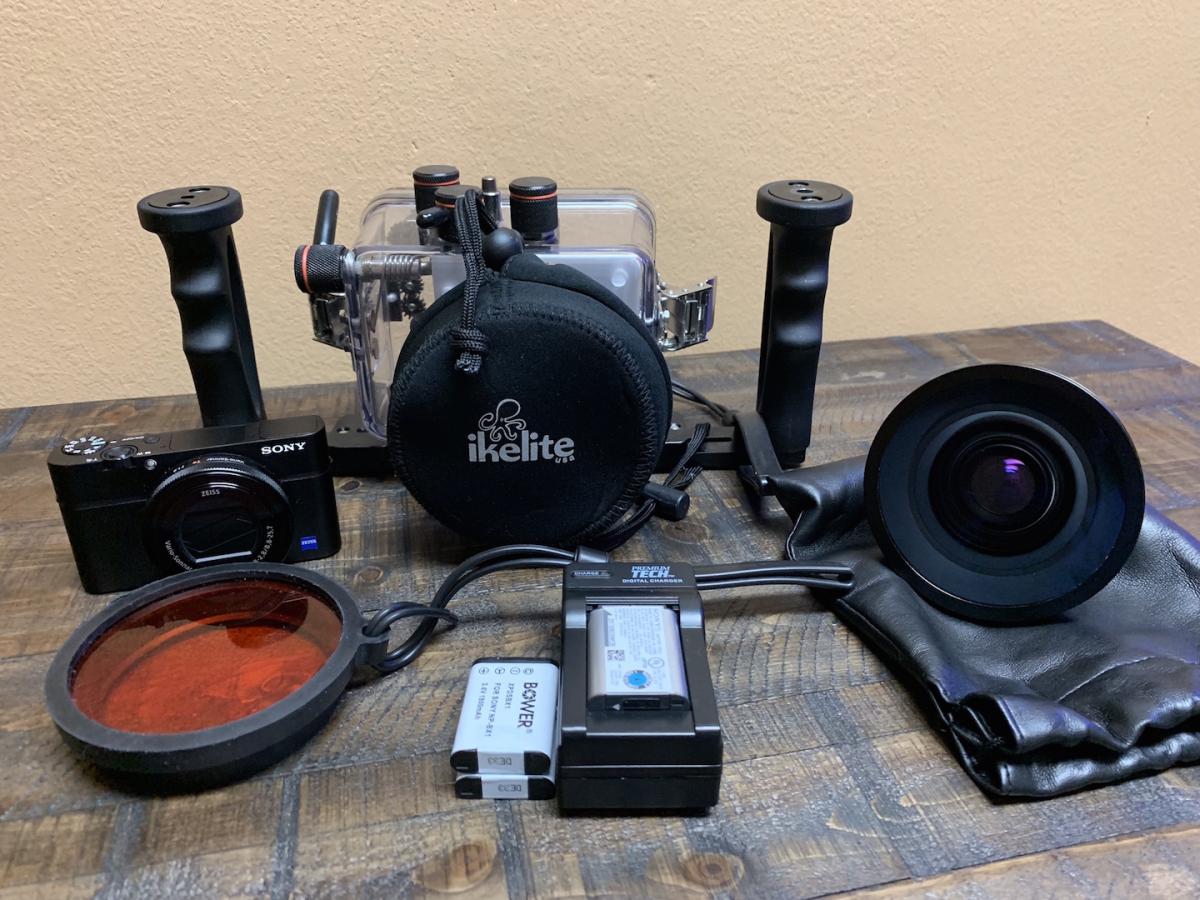
Sony RX100 IV & Ikelite Underwater Set-up
Purchased new – one owner, used for approximately 100 dives with no issues. Currently has only minor wear with minimal scratches – see note about dome port below.
Selling in order to upgrade!
Approximate cost new $2,600.00
Asking $750.00 plus shipping from Texas (or free local pick up in the Dallas/Fort Worth area, near DFW airport)
See detailed photos here: https://www.icloud.com/photos/#00xj1FkCsq2K_Euys0U9dAPuQ
Includes the following:
Camera
Sony Cyber-Shot DSC-RX100 IV Digital Camera
https://www.bhphotovideo.com/c/product/1166302-REG/sony_cyber_shot_dsc_rx100_iv_digital.html
(1) OE Sony Battery NP-BX1
(2) Bower Batteries XPDSBX1
(1) Single Bay Charger
Ikelite Housing & Accessories
Underwater Housing for Sony Cyber-shot RX100 Mark IV
Product # 6116.14 https://www.ikelite.com/products/underwater-housing-for-sony-cyber-shot-rx100-mark-iv
W-30 Wide Angle Wet Lens
Product # 6430. https://www.ikelite.com/products/w30-wide-angle-wet-lens
Color Correcting Filters for 3 inch Diameter Ports
Product # 6441.41. https://www.ikelite.com/products/color-correcting-filters-for-3-inch-diameter-ports?variant=40765042886
DLM Extended 6 inch Dome Port
Product # 5516.12. https://www.ikelite.com/products/dlm-extended-6-inch-dome-port
(Minor scratches present, will need to be acrylic polished.)
Let me know if I can answer any questions. Thank you!
See detailed photos here: https://www.icloud.com/photos/#00xj1FkCsq2K_Euys0U9dAPuQ