Skip to content

Video Gear and Technique / Archived topic

Panning Underwater Shots Technique

Started by Interceptor121 ·

  • 5Posts
  • 5Replies

Read-only discussion

Panning Underwater Shots Technique

5 posts
  1. Just wanted to share an experience I recently had with panning.


    Typically underwater I do not really pan or zoom I set a given focal length and then use my fins at least for wide angle


    During shark dives however you are told not to move from your position so I started panning to follow the shark movement.


    At longer focal lengths it was total judder nightmare (I am shooting 24p) but even at wide end it was not coming that nice moreover although the sharks are big I really wanted to fill the frame. Additional complication I had long arms and two keldan 8x however at 1 meters plus the effect was zero


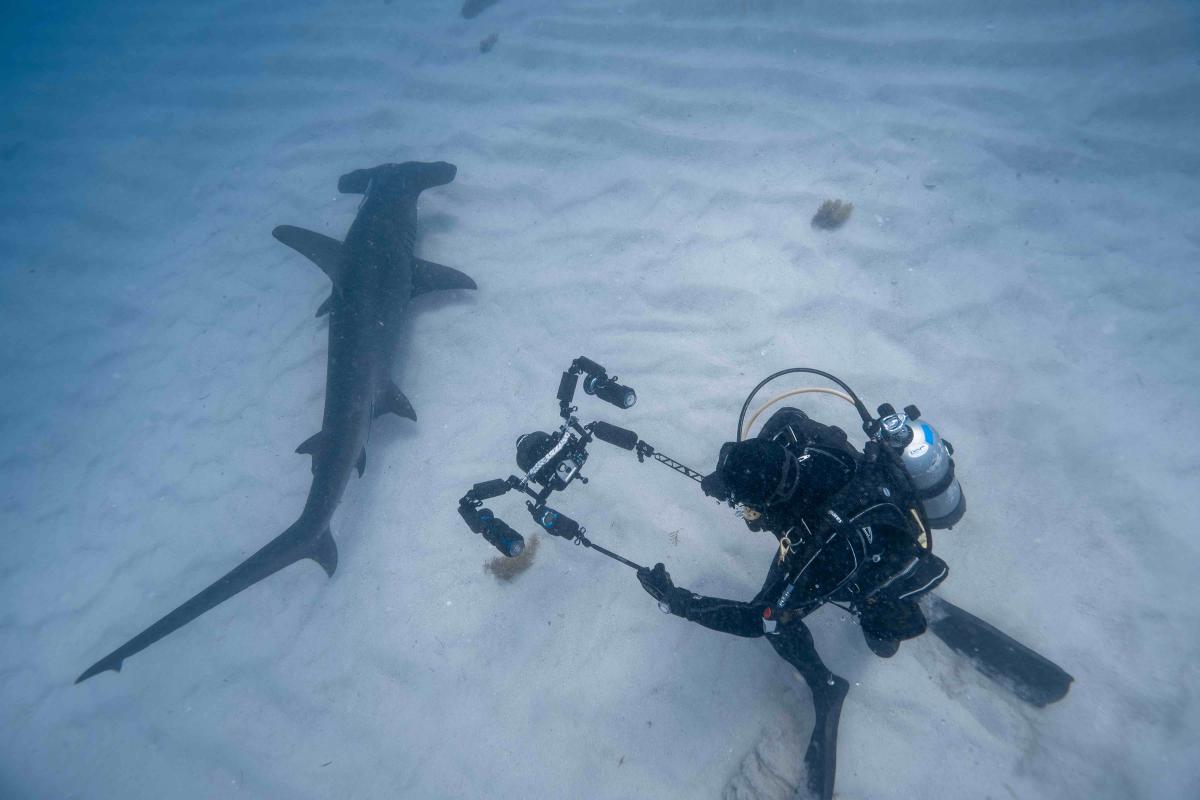
    So I had to come up with some alternative ideas. I first tried to create a monopod out of the 5" tripod legs however this was twisting and moving too much so I disassembled the arms and came up with this dual solution not sure what it has to be called however instead of panning the camera this very much shifts the camera and pans so the judder is none and the footage I believe very smooth


    To give an idea this clip had the standard configuration it is ok but the subject is too far for the lights to have effect


    This one instead has the dual pod solution


    In my opinion much better. I had one challenge not having a monitor I could not really see what I was shooting so I aimed the centre of the lens to the dorsal fin and hoped for the best
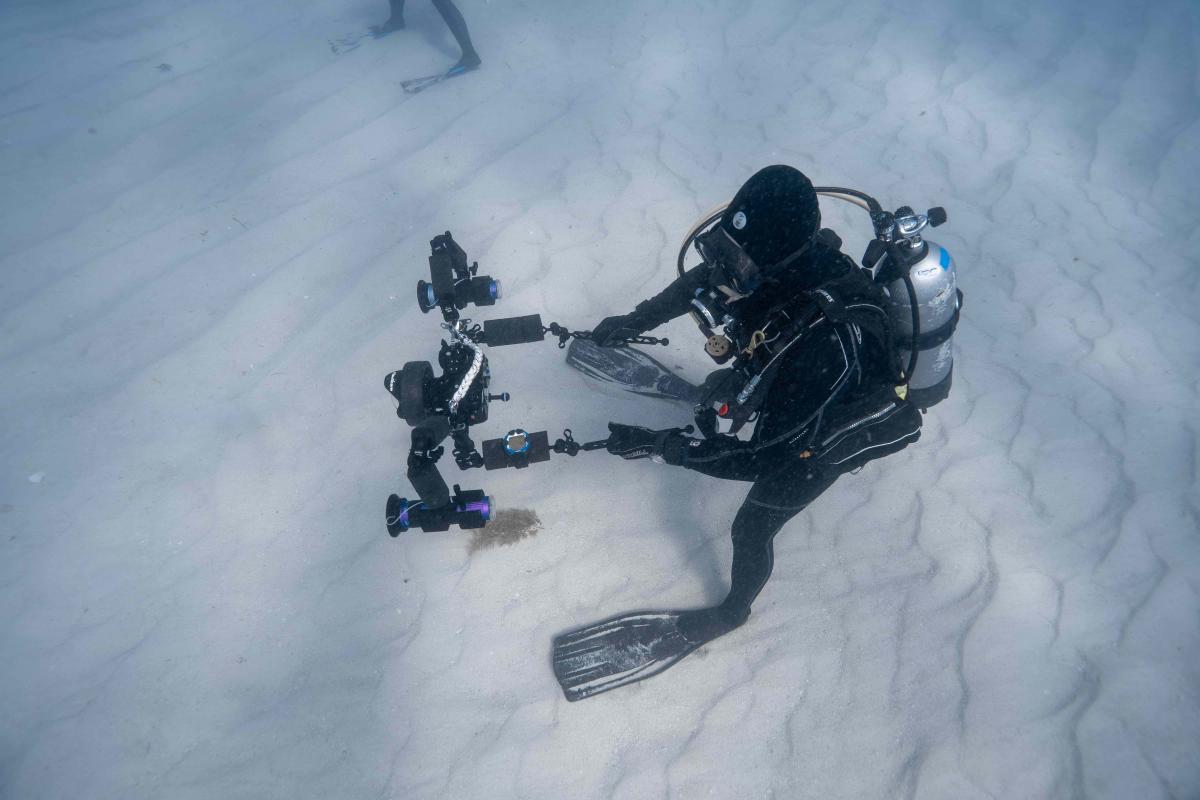
     

    post-34353-0-44058000-1552678326_thumb.jpgpost-34353-0-31390900-1552678371_thumb.jpgpost-34353-0-94694500-1552678410_thumb.jpg


    Obviously if I had a 5+ inch monitor it would have been much better but I think it worked quite well


     

  2. Nice, I remember seeing a picture awhile back ago somewhere it was some setup like yours but instead of holding the tripod leg attachment he is having it against his shoulder and was holding the housing handle i think this might create more stability? I cant find the picture now. But your video look pretty stable and nicely shot.

  3. I remember seeing an episode of Johnathan Birds Blue World where the camera man demonstrated his technique. It involved using one hand on an arm coming out from the side and the other on the hand grip - his theory being that the plane of the hands are at 90 degrees and this eliminates a lot of the camera shake from the wrists. This is especially pronounced with DSLR type cameras. I have used this technique with my tripod and I find that it helps quite a bit.


    There relevant part starts at about 3:00


  4. I remember seeing an episode of Johnathan Birds Blue World where the camera man demonstrated his technique. It involved using one hand on an arm coming out from the side and the other on the hand grip - his theory being that the plane of the hands are at 90 degrees and this eliminates a lot of the camera shake from the wrists. This is especially pronounced with DSLR type cameras. I have used this technique with my tripod and I find that it helps quite a bit.


    There relevant part starts at about 3:00


    I would never use locline but I see the point. Still this doesn’t make you any closer to the subject. With the system I had I got 22” closer to the shark. I noticed that they didn’t mind the camera but were not so pleased with the bubbles. Also I could keep my bubbles outside the shot. Ideally you would have a single segment screwed in so you don’t have torque on the joints but if the rig is neutral ball and clamp is not an issue


    Sent from my iPhone using Tapatalk

  5. I use this technique for filming any type of wide angle! Think it works well. Been using the xit tripod legs for this but they add a lot of weight, gonna get some long lightweight arms and attach them just like u did interceptor and give that a try for the next trip.

Ultralight Control Systems

Account

Navigation

Search

Search

Configure browser push notifications

Chrome (Android)
  1. Tap the lock icon next to the address bar.
  2. Tap Permissions → Notifications.
  3. Adjust your preference.
Chrome (Desktop)
  1. Click the padlock icon in the address bar.
  2. Select Site settings.
  3. Find Notifications and adjust your preference.