



Skip to content

Photo / Video Showcase / Archived topic

Homosassa Springs Manatee Experience

Started by longbord1 ·

  • 10Posts
  • 10Replies

Read-only discussion

Homosassa Springs Manatee Experience

10 posts
  1. Awesome time out there. Truly recommend the experience to any and everyone! Awesome photography and wildlife interactions. These animals are truly not what I expected. I thought they would be slow and relatively boring to watch. No, they are full of personality and beauty and even seek interactions. Some of my highlights. Canon SL2, Canon 15mm f2.8, Ikelite housing. My lens' focus gears promptly failed right after these shots, I was so lucky it worked during the interactions.


    The area is also fantastic. A real old Florida vibe, with some great restaurants. We rented a boat and saw a ton of dolphins and manatees as well.

    I went out with Birds Underwater and they were nothing but professional and educational.


    46650196862_400abb61fc_h.jpgUntitled by Michael Freefield, on Flickr


    46734057211_af10472d03_h.jpgUntitled by Michael Freefield, on Flickr
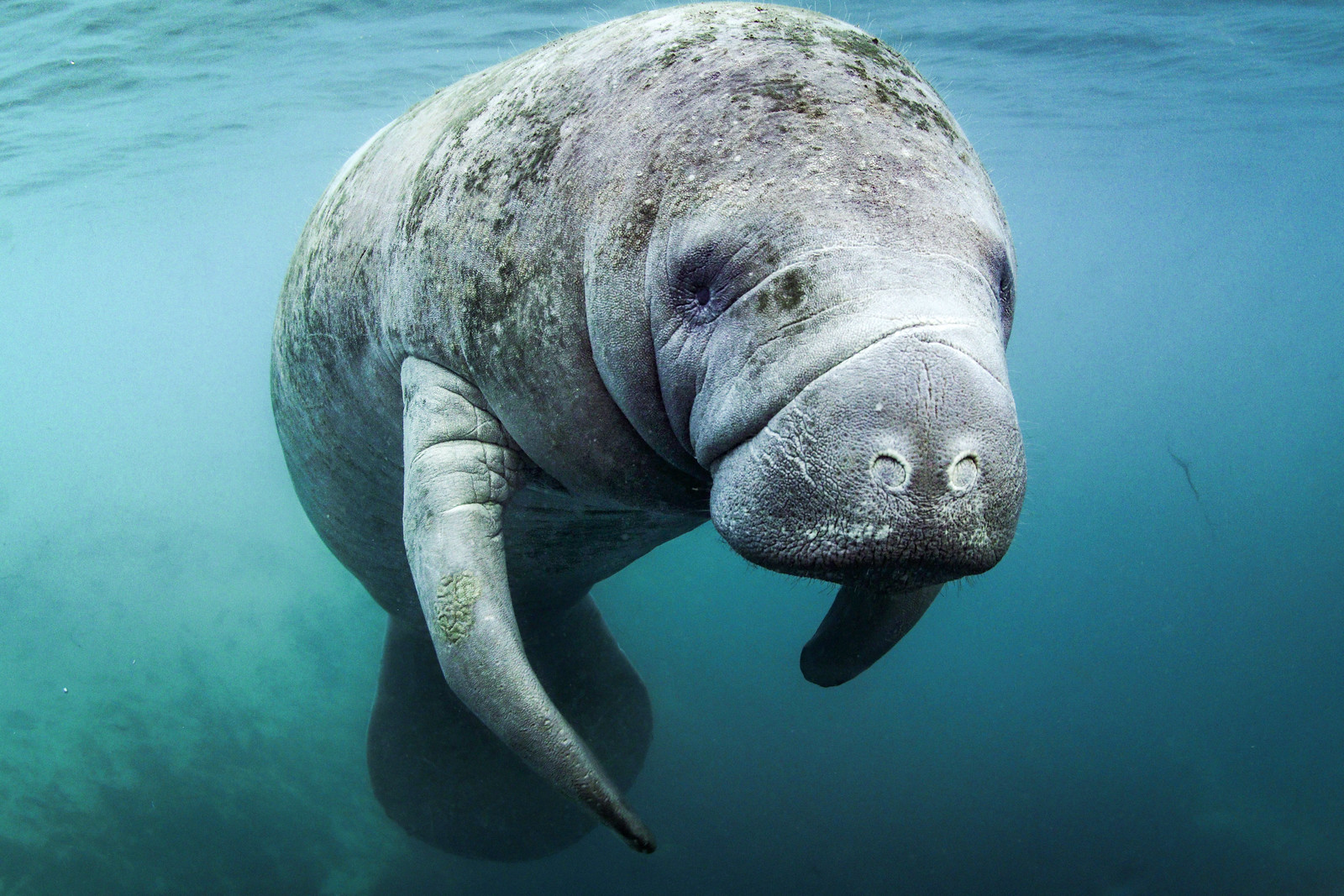
     

    39773727513_74536f5efb_h.jpgSiren by Michael Freefield, on Flickr


    45837843725_cd81ce38c8_h.jpgUntitled by Michael Freefield, on Flickr


    Enjoy!

    Edited by longbord1
  2. Very nice, looks like fun.

  3. where did you stay? Pictures are taken without strobes I imagine

  4. Yes no strobe!


    I did an Airbnb with friends

  5. Confused - Bird's usually goes to Three Sisters and Kings Bay. Homosassa is quite a distance away.


    Very nice photos, by the way - especially the last two!

    Edited by wydeangle
  6. I did my own self guided experience and Bird's.

  7. Where was the house you rented?


    Sent from my iPhone using Tapatalk

  8. Homosassa!

  9. Homosassa!

    I meant which house? Was it on a canal?


    Sent from my iPhone using Tapatalk

  10. haha yes it was! Fun area! Good kayaking and even some emus!

AOI

Account

Navigation

Search

Search

Configure browser push notifications

Chrome (Android)
  1. Tap the lock icon next to the address bar.
  2. Tap Permissions → Notifications.
  3. Adjust your preference.
Chrome (Desktop)
  1. Click the padlock icon in the address bar.
  2. Select Site settings.
  3. Find Notifications and adjust your preference.
