Skip to content

Classifieds / Archived topic

Nauticam Rig (Sony a7RII/Zeiss 16-35mm F4) Camera and Glass NOT included

Started by sclarge ·

  • 5Posts
  • 5Replies

Read-only discussion

Nauticam Rig (Sony a7RII/Zeiss 16-35mm F4) Camera and Glass NOT included

5 posts
  1. Hello all,

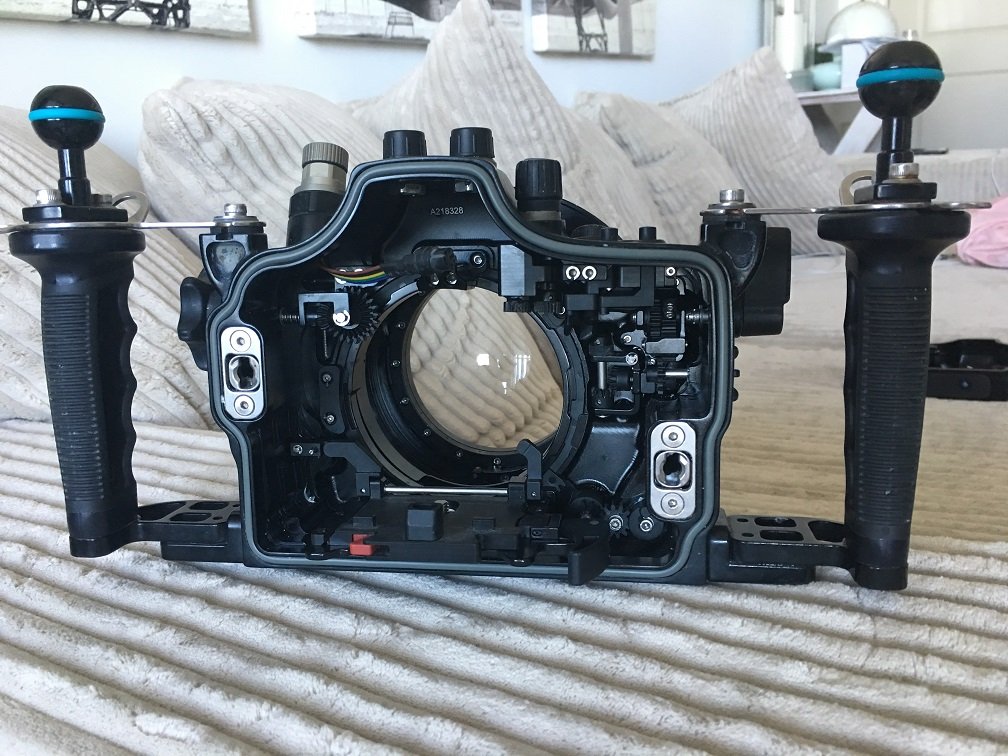
    I am selling my rig mostly because I just don't have the time to devote to the hobby. Please feel free to inquire with any questions, specific pictures or information I can provide. 

    I bought the camera and housing rig together from a friend who was upgrading. I plan on keeping the camera and glass.

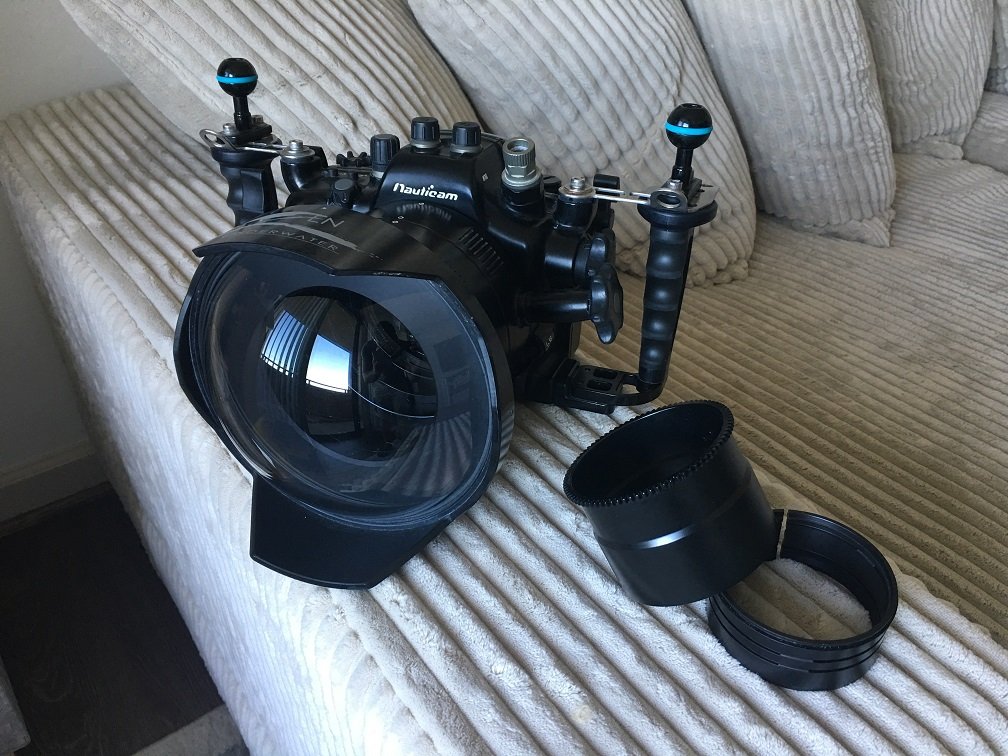
    What is included:

    Nauticam NA-A7II / $3190

    https://www.nauticam.com/collections/sony-mil-housings/products/na-a7ii-housing-for-sony-a7-ii-a7iir-camera

    Nauticam Focus Ring and 40mm Port Adapter / $520

    https://www.nauticam.com/products/n100-to-n120-40mm-port-adaptor-with-zoom-focus-knob-for-na-a7

    Extension Ring 60 with Lock / $370

    https://www.nauticam.com/products/extension-ring-60-with-lock

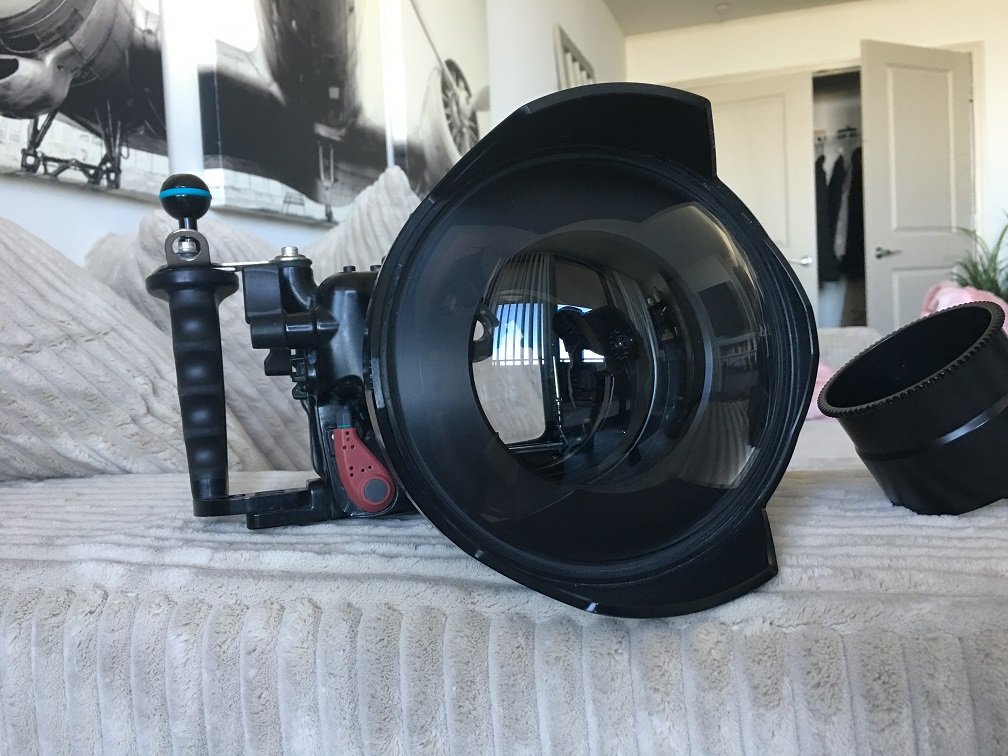
    Zen 170mm Port / $999

    https://www.zenunderwater.com/collections/optical-glass-ports/products/dp-170

    Nauticam Focus Gear for Zeiss 16-35mm f4 / $200

    https://www.nauticam.com/products/se1635-z-zoom-gear-for-sony-vario-tessar-t-fe-16-35mm-f4-za-oss

    Total New: $5279


    SHIPPED and PAYPALLED to lower 48 US: $3000


    There is a small imperfection on the dome that can be seen in the close up at the 7 o'clock position, about 1 inch from center. It is a small imperfection and isn't noticeable in the camera shots.
     

    IMG_6465.JPG

    IMG_6467.JPG

    IMG_6470.JPG

    Edited by sclarge — Added photos
  2. Bump!

  3. Bump!

  4. Hello Sclarge, I sent a PM regarding one item of your equipment with no reply.

  5. 5 hours ago, Phil Rudin said:

    Hello Sclarge, I sent a PM regarding one item of your equipment with no reply.

    Apologies, I had my notification settings turned off and didn't see your message. 

    All messages have been replied to!

Turtle

Account

Navigation

Search

Search

Configure browser push notifications

Chrome (Android)
  1. Tap the lock icon next to the address bar.
  2. Tap Permissions → Notifications.
  3. Adjust your preference.
Chrome (Desktop)
  1. Click the padlock icon in the address bar.
  2. Select Site settings.
  3. Find Notifications and adjust your preference.