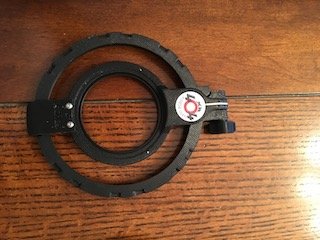
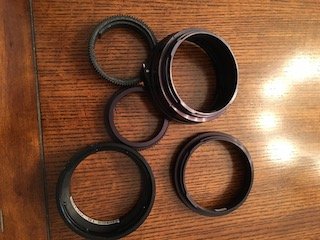
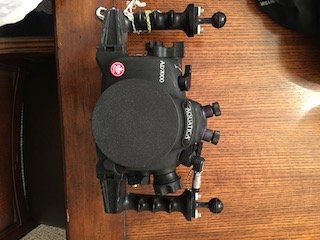
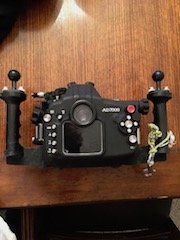
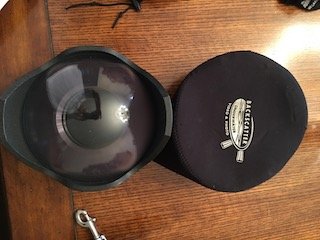
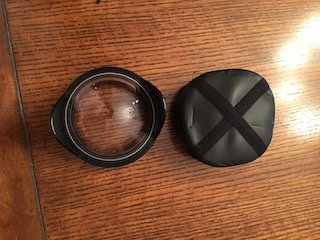
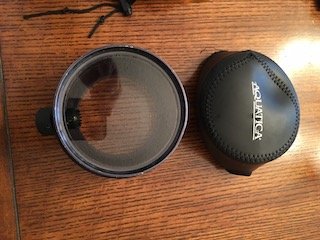
I am changing to a mirrorless system and therefore selling my beloved DSLR set up. I am selling it with everything except strobes ( using on my new set up ) and lenses ( sold with ALL my Nikon gear except the D7000 body ) The housing has one dive trip since a FULL service at Aquatica and has NEVER seen as much as a tiny drop of water inside. Comes with surveyor vacuum system and pump. There is some evidence of use but absolutely nothing that affects use. The camera body also is in pristine condition. Also available are an 8" dome port with shade, a macro port with focus knob, a 4" glass dome port for the Tokina 19-17 fisheye. There are all the extension rings for use with the Tokina lens in the dome port or the mini dome port, for using the Nikon 105mm macro with the macro port, for a Sigma 10-20 lens in the dome port and a locking ring for the dome ports when used with one of the extension rings. Zoom rings for the Tokina fisheye and the Sigma wide angle lenses.EVERYTHING has been well maintained and I have never had an issue with any of the equipment. Also available are a Pelican case 30X18X12 with padded dividers, A Fisheye 1000 L focus light and a flip holder for a 67mm diopter that is custom made ( Xit 404 ) for the macro port. I can ship from Toronto or Buffalo. Paypal preferred and paypal payments need to add 3%. Shipping will be at actual cost and by your preferred method.