Nauticam NA-A72 Underwater Housing for Sony A7RII, A7II & A7SII
Started by laurengreider ·
9Posts
9Replies
Read-only discussion
Nauticam NA-A72 Underwater Housing for Sony A7RII, A7II & A7SII
9 posts
https://www.ebay.com/itm/143423150047
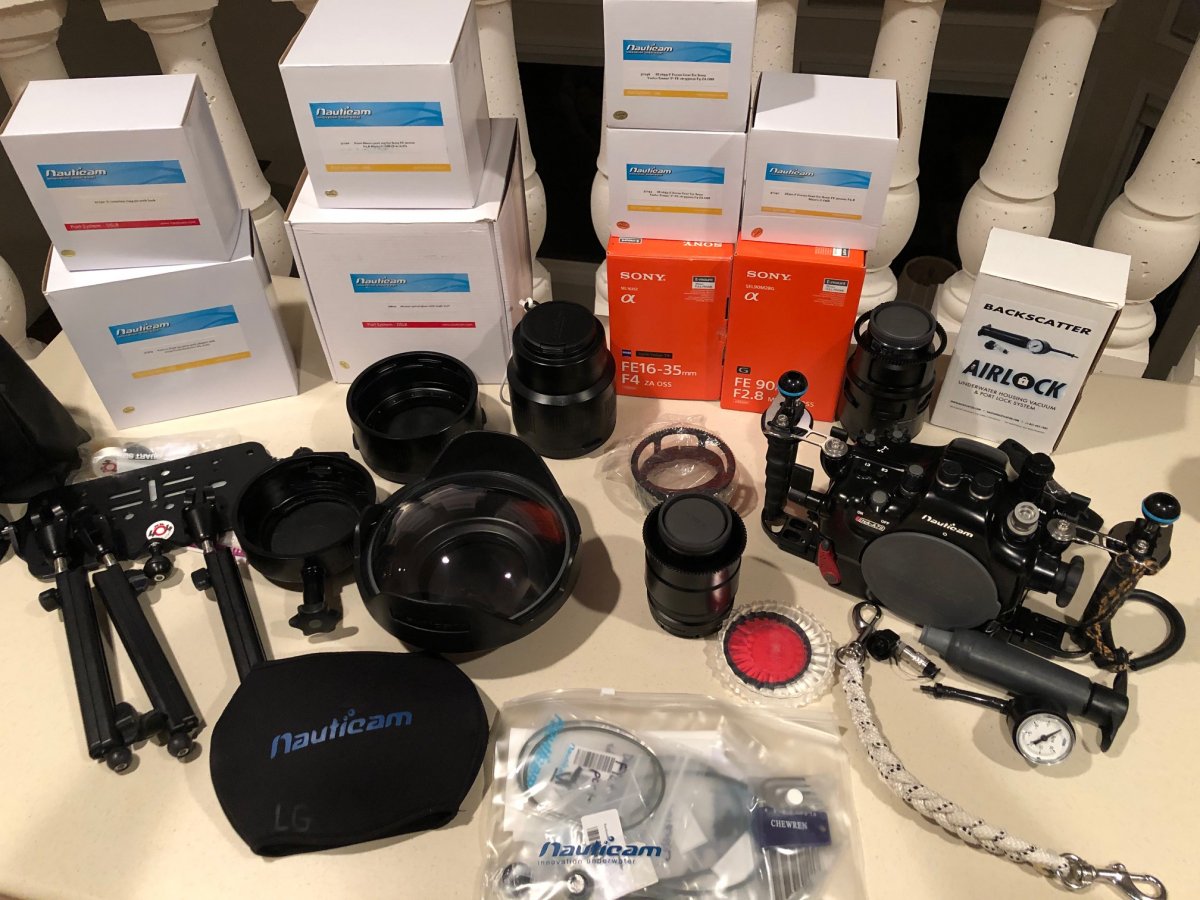
I am selling this Nauticam NA-A72 Underwater Housing for Sony A7rII, A7II, A7SII. Right now it is listed on eBay, item #143423150047, as a complete system. I'm willing to sell individual pieces but wanted to first present my system as ready to go for someone with a camera body. It is listed with the Sony FE 16-35mm f4 lens, Sony FE 90 mm f2.8 lens, ports for each lens, adaptor ring and extension ring for the wide angle port, vacuum system, tripod with legs. The system has been used on 4 trips and is in excellent condition. The price of everything new from Backscatter was close to $13,000. The current list price $4250. I also have 2 Ikelite DS161 strobes with sync cords and Ultralight arms that I'll be listing. Thank you!
Do you have more info on the tripod please?
Sent from my CLT-L29 using Tapatalk
I will be interested in N100-N120 part #37303
Is the camera included?
Hello I am interested the housing only
On 10/29/2019 at 4:02 AM, Placebo365 said:
Do you have more info on the tripod please?
Sent from my CLT-L29 using Tapatalk
Sorry I didn't see this sooner, my complete system has sold on eBay.
On 10/29/2019 at 11:07 AM, nickga69 said:
Is the camera included?
Nick, no and it appears that my complete system has sold on eBay.
Sold on eBay but pending payment. Thank you all for your interest.
On 11/2/2019 at 7:27 AM, Eransalah said:
Hello I am interested the housing only
On 11/2/2019 at 7:27 AM, Eransalah said:
Hello I am interested the housing only
My entire system has sold on eBay but pending payment. Thank you