Skip to content

Classifieds / Archived topic

REDUCED - BRAND NEW - Aquatica Ports + Domes + Viewfinder + More

Started by danrees ·

  • 9Posts
  • 9Replies

Read-only discussion

REDUCED - BRAND NEW - Aquatica Ports + Domes + Viewfinder + More

9 posts
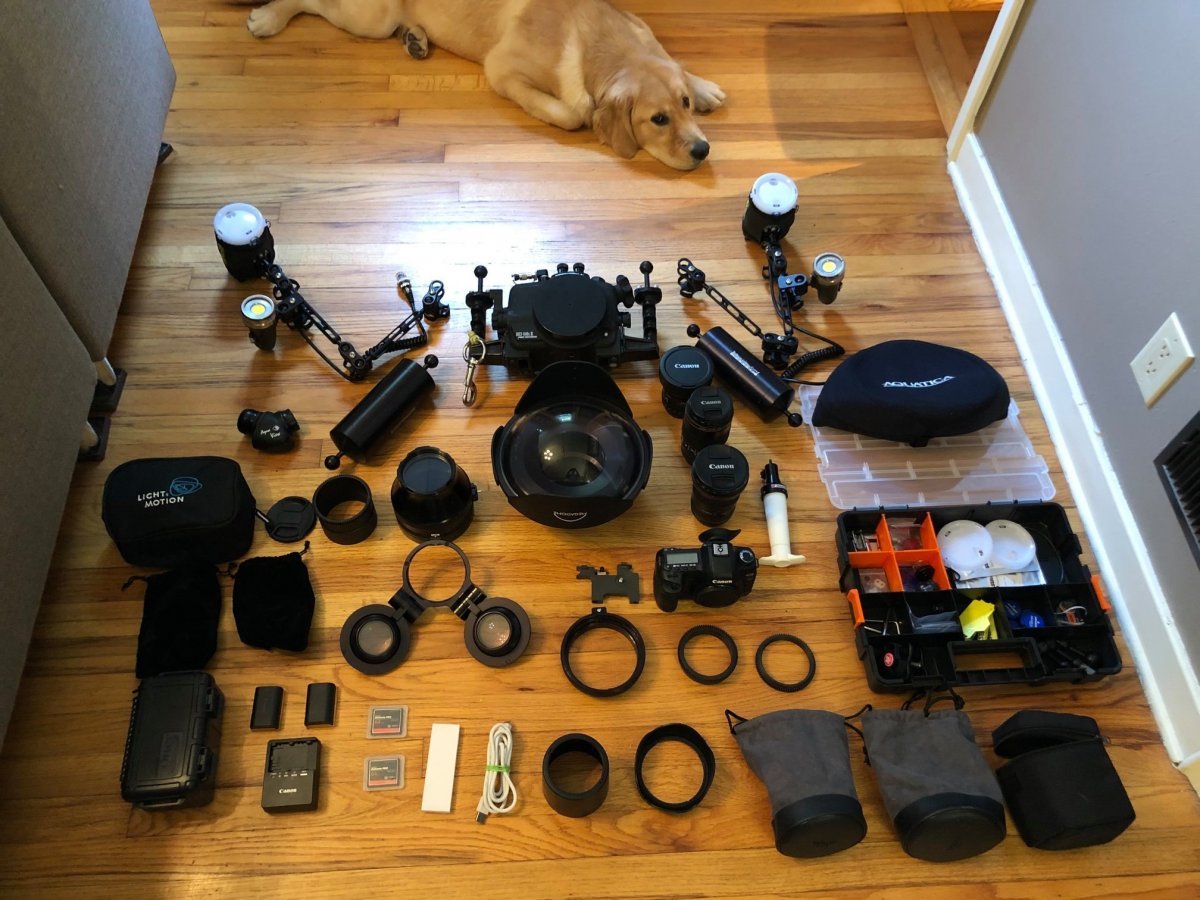
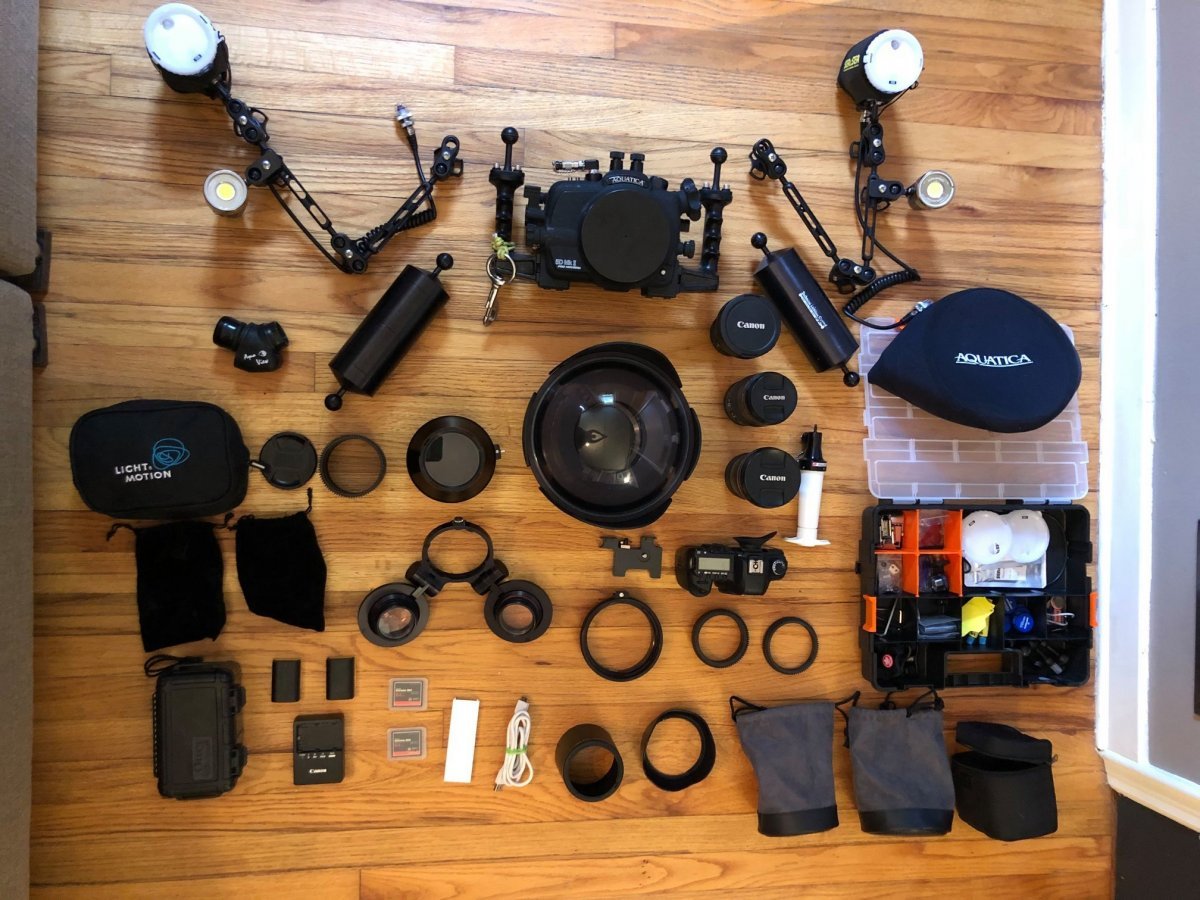
  1. REDUCED - Full array of BRAND NEW Aquatica ports, domes, viewfinder, accessories & 5DM2 housing body.

    All equipment was all bought new in 2018 either from Aquatica directly or from B&H. Everything was USED A TOTAL OF 3 TIMES. Twice it was used in a pool setting, and the other time was on a wreck dive to 100ft. The 5DM2 housing body was bought used off Jill Heinerth, and is in perfect working order. Camera is not included.

    The equipment was maintained meticulously, and I even replaced every component that was replaceable on the housing when I bought it. Everything is in perfect working order and ready to hit the water, No scratches on any glass, corrosion on any metal, etc.

    Asking prices are listed by each item in USD. All prices are reduced substantially from when I first posted this kit.

    Willing to ship worldwide, and coordinate payment through PayPal.

    Housing:
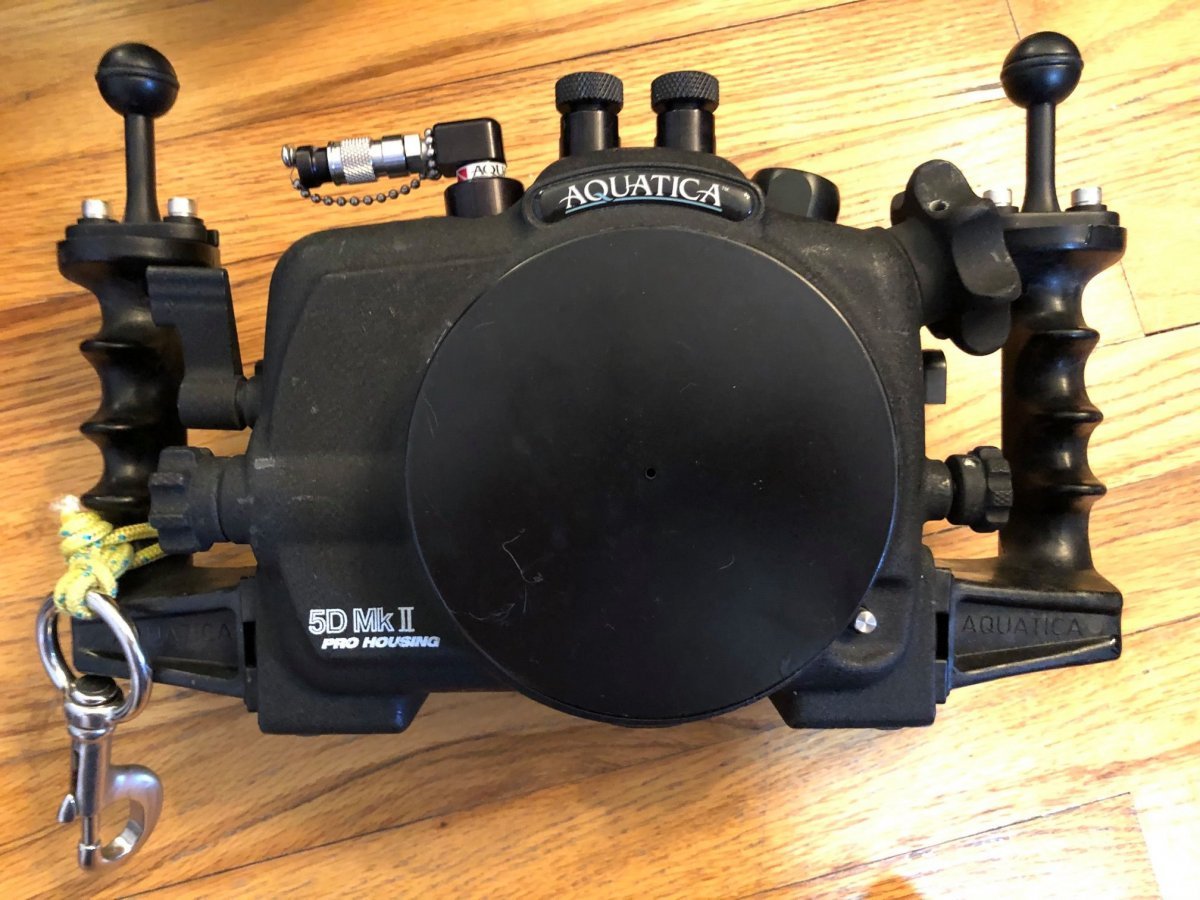
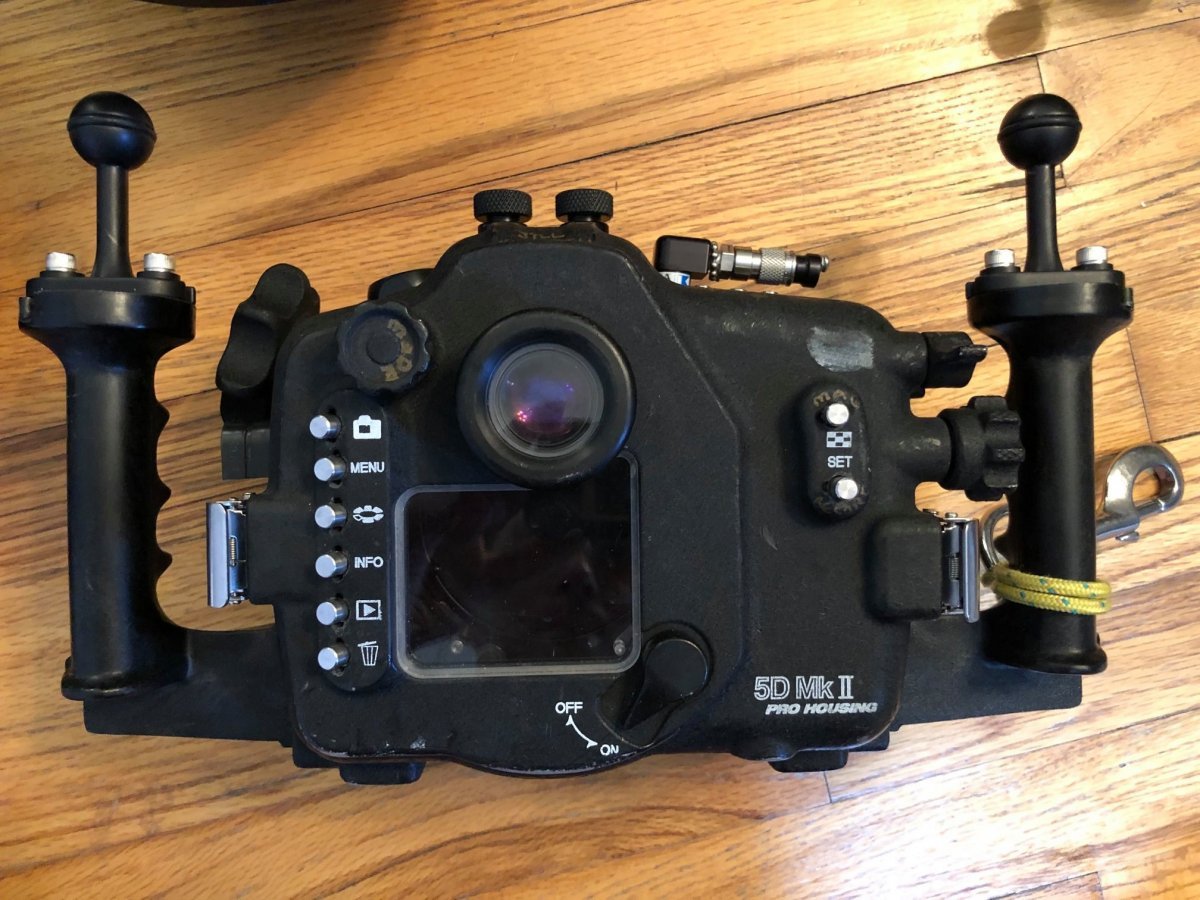
    Aquatica 5DM2 Pro Housing w/ newly installed vacuum sensor - $400
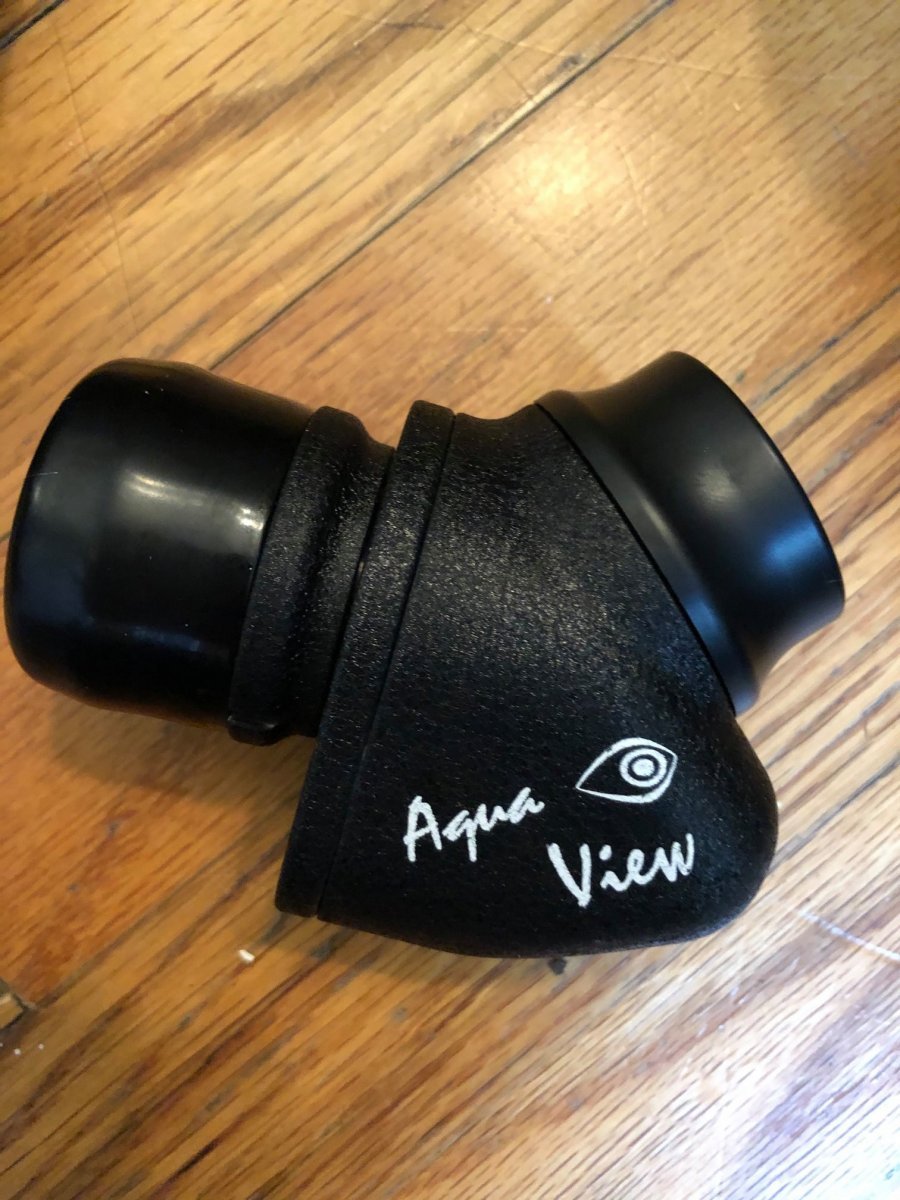
    Aquatica 45 degree Magnifying Viewfinder - $1000
    Full tray of accesories + equipment for maintenance - $40

    Ports & Port Extensions:
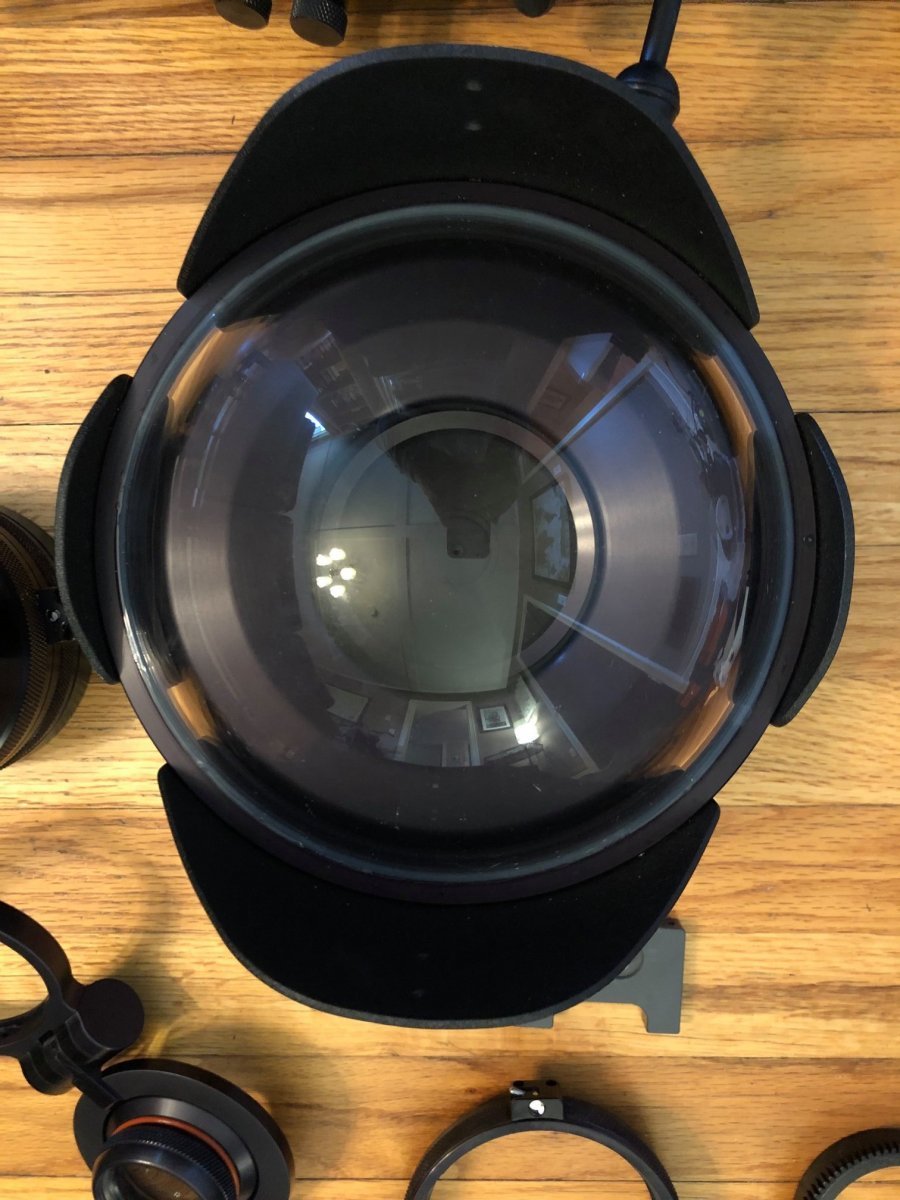
    Aquatica 9.25” "Mega-Dome", Dome Port, Bk-7 Coated Mineral Glass - $1250
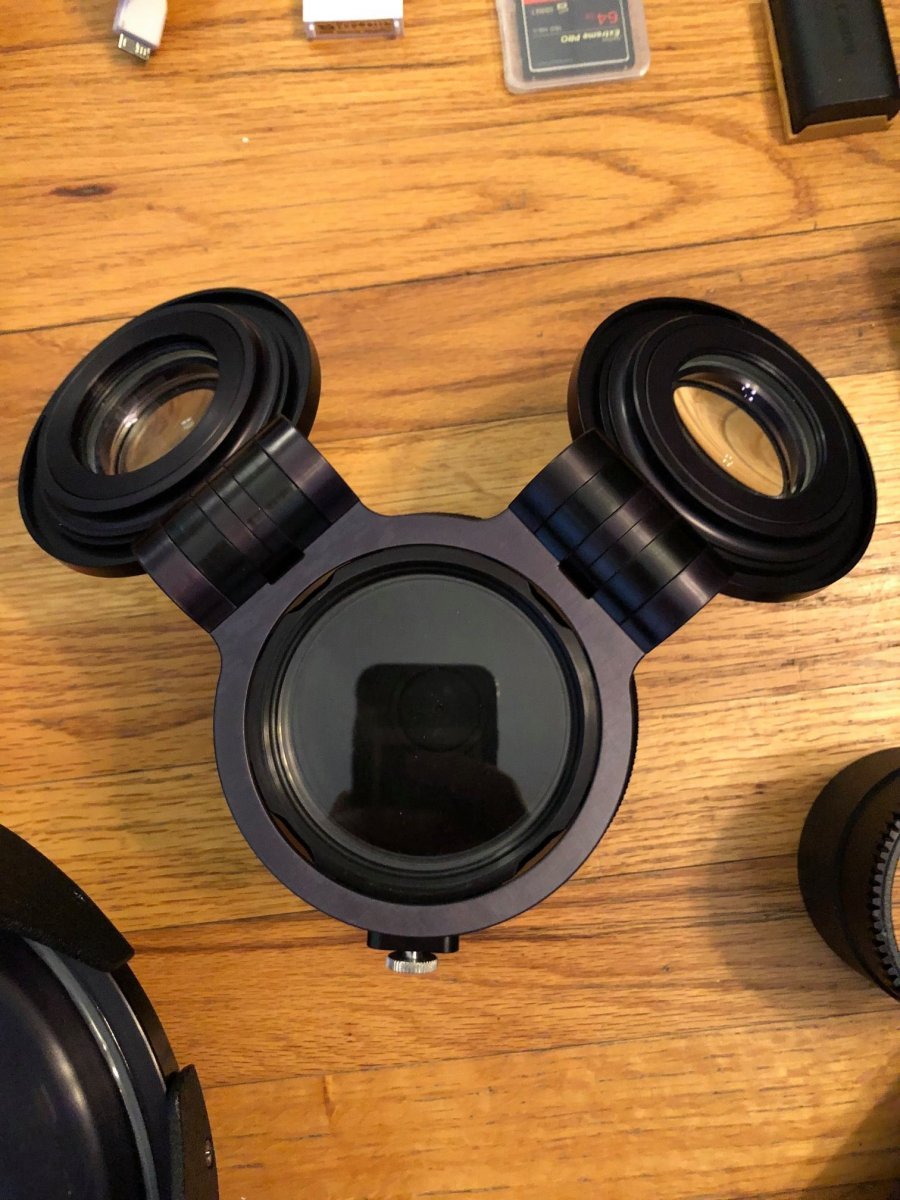
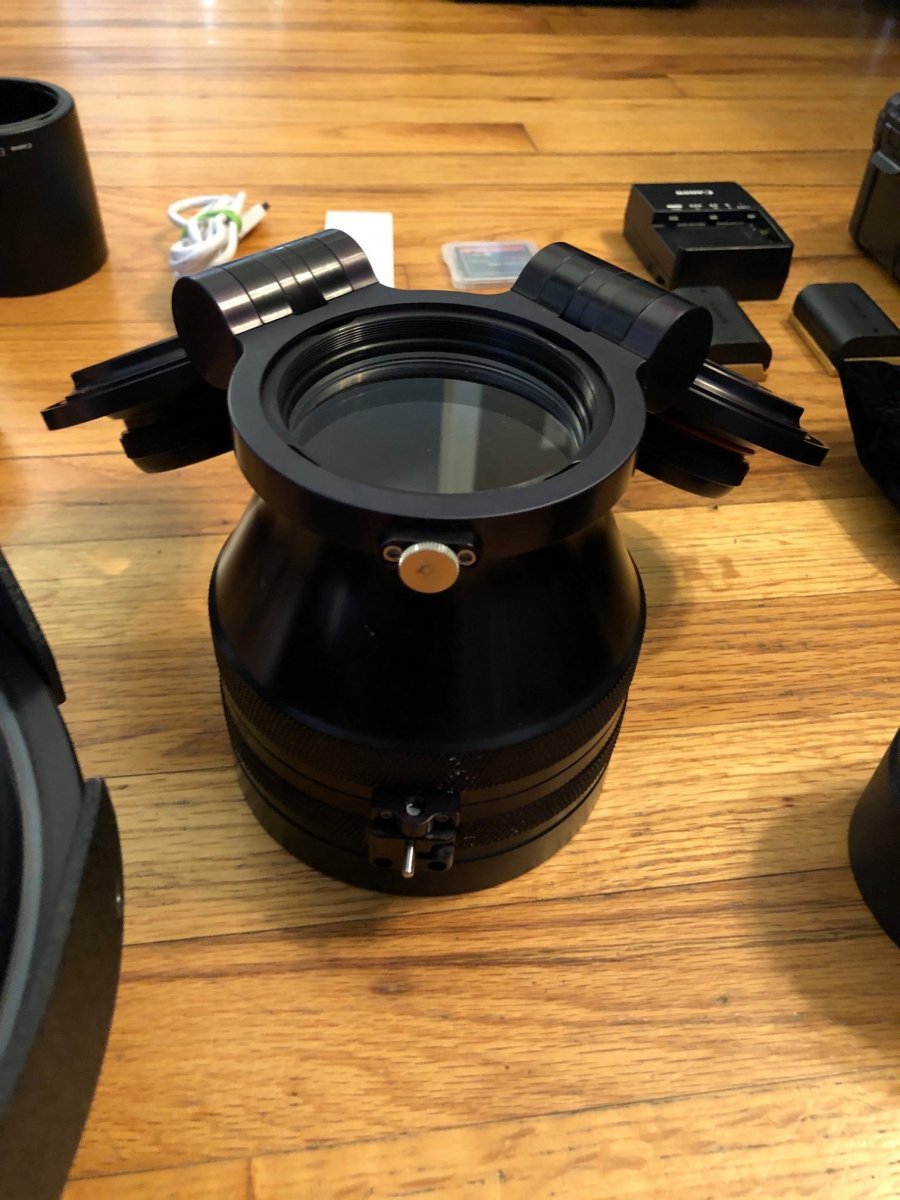
    Aquatica Mini Macro Port w/ 'Close-Up' Double-Flip System - $700
    Aquatica Port Extension for 16-35mm lens - $150
    Aquatica Port Extension for 8-15mm lens - $100
    Aquatica Port Extension for 100mm lens - $100

    Message or comment to make on offer. This stuff needs to go!

    Cheers,
    Dan
  2. 72041765_10157647969737962_812853742230568960_o.jpg.faa169c4e88c9deab2cdf47f1429f3a0.jpg

  3. 73019905_10157647969722962_6042610757420449792_o.jpg.8dcf1d8ea9dbcc1b819edc25310faa3b.jpg

  4. 72476945_10157647970427962_4350026689380614144_o.jpg.d70f71b85249269bf463dc1cdfd4b263.jpg

  5. 71834367_10157647970882962_9102356956718301184_o.jpg.1aa193507309d5098f452c77e08b2e0d.jpg

  6. 72970022_10157647970987962_6057484456799764480_o.jpg.d7444cd6bf6a16576c9cd1d6f563ea62.jpg

  7. 71950676_10157647996037962_6094176839150862336_o.jpg.e90e09e80d8d7c4fbf9abac8fbbfa1d4.jpg

  8. 72523156_10157647969892962_4597881495321837568_o.jpg.d907480cda047b7916f57671a7920d07.jpg

  9. 73205266_10157647969942962_8181659012341694464_o.jpg.a912295fd4c3814bbffba435a7988c78.jpg

Turtle

Account

Navigation

Search

Search

Configure browser push notifications

Chrome (Android)
  1. Tap the lock icon next to the address bar.
  2. Tap Permissions → Notifications.
  3. Adjust your preference.
Chrome (Desktop)
  1. Click the padlock icon in the address bar.
  2. Select Site settings.
  3. Find Notifications and adjust your preference.