Skip to content

Lights, Strobes, and Lighting Technique / Archived topic

Detachable arms experience? Particularly for snooting?

Started by sinetwo ·

  • 5Posts
  • 5Replies

Read-only discussion

Detachable arms experience? Particularly for snooting?

5 posts
  1. Hi all,


    Does anyone have experience with detachable arms like these? http://www.fun-in.com.tw/oc/index.php?route=product/product&keyword=detachable&product_id=3040

    ...particularly for the use of snooting where you need to have the flexibility of sometimes freehanding it?

    How sturdy are they? Seems like quite a fragile mechanism with a single spring. Even the Carbon Arms branded one seems to be exactly the same?


    Thanks in advance

    Edited by sinetwo
  2. Looks like another thing to go wrong to me. You come out of the water and..... bingo.... there's a strobe missing :lol: Fabulous.

    Unscrewing the usual ULCS-style clamp to release a strobe isn't that difficult to do. It's simple, safe and costs nothing......

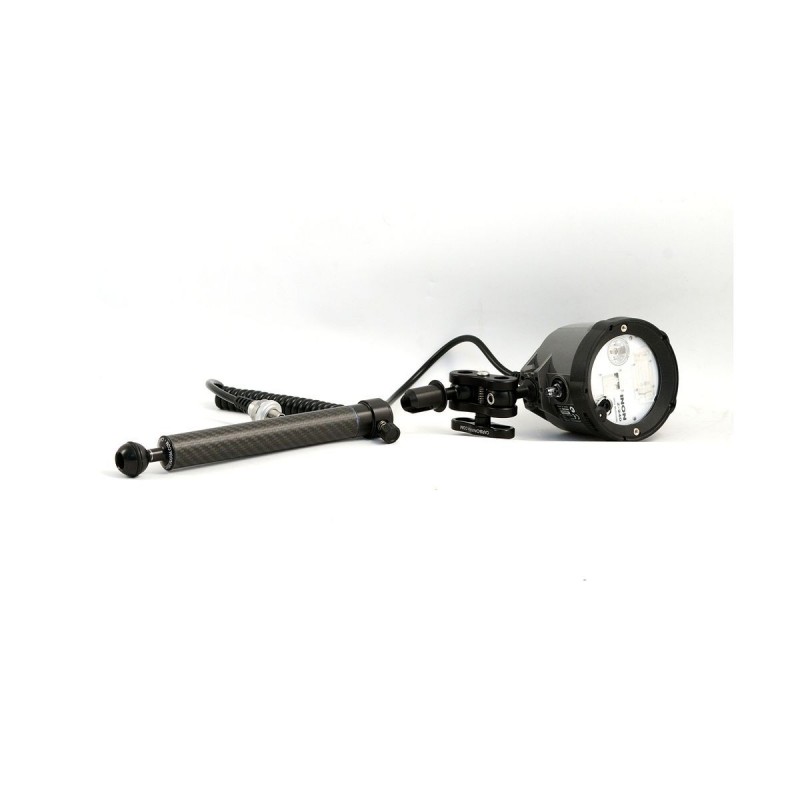
  3. I use a Carbonarm Quick Release arm for the strobe I use with my LSD for a couple of years now and it works great. Lets me release/attach the strobe without having to play with the clamp.  I have never had a problem with the strobe coming off of its own accord and use this arm on every dive whether I'm snooting or not:


     

    https://www.carbonarm.com/en/quick-release/48-arm-with-quick-release-24cm-0806808286321.html


    carbonarm-24-quick-release.jpg


    Edited by Gudge
  4. I use Ultralight detachable arms:  light sturdy and easy to detach and put back underwater ....   and yes I did use it for snooting and not only!

    However they may not make them anymore

    Andrea

  5. Kraken is coming out with some new detachable arms, I played with them a bit at DEMA. They are spring loaded and lock into place pretty well.

Scuba.com

Account

Navigation

Search

Search

Configure browser push notifications

Chrome (Android)
  1. Tap the lock icon next to the address bar.
  2. Tap Permissions → Notifications.
  3. Adjust your preference.
Chrome (Desktop)
  1. Click the padlock icon in the address bar.
  2. Select Site settings.
  3. Find Notifications and adjust your preference.