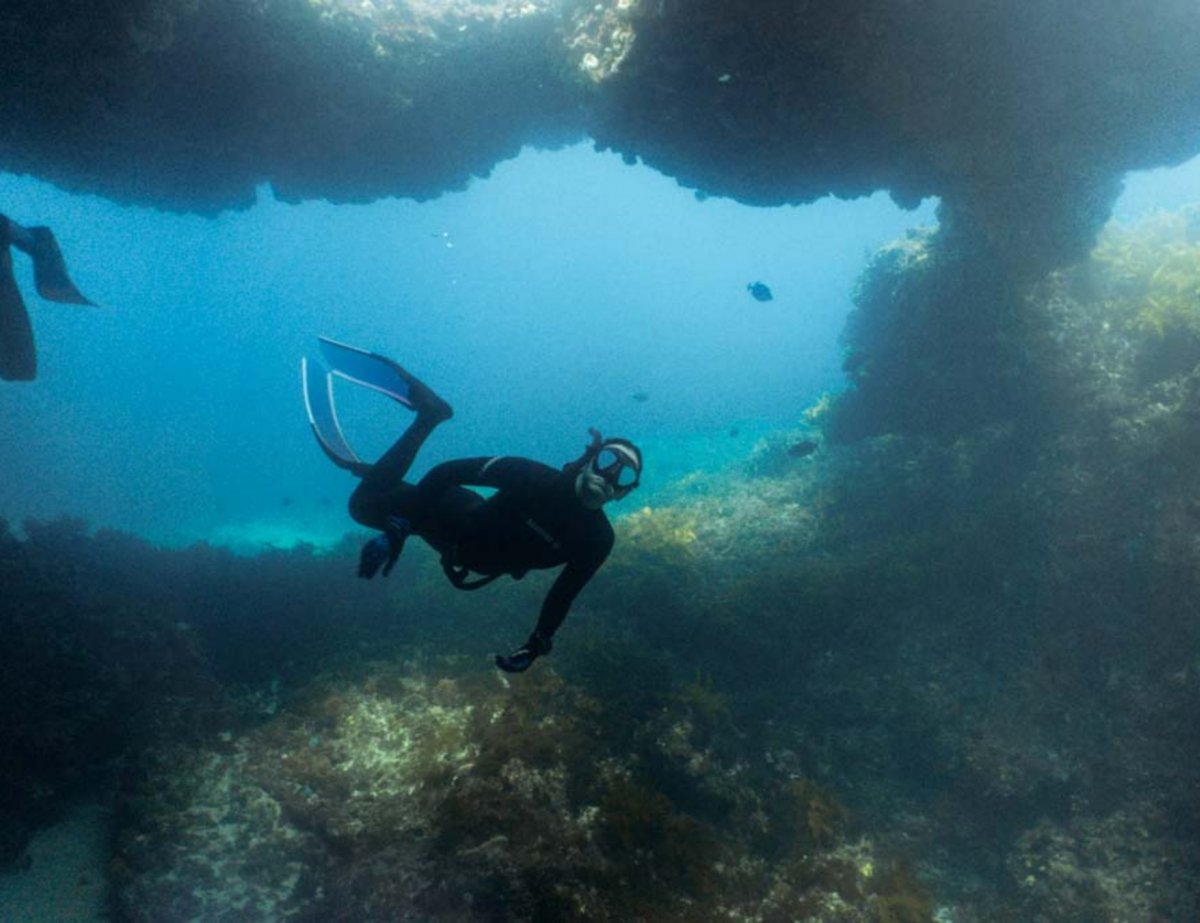
I'm just wondering if anyone has an idea of what causes reddish rings when shooting with a wet dome. I've attached an image showing the ring - mostly prominent on the right side of the image.
I'm shooting with a Sony A6000 with a Sea Frogs housing and wet dome. The dome does have some scratches that were buffed out - could the imperfect finish on the dome cause this?
It would help the readers if you would provide the all the settings for this shot. From the picture, it could be a number of issues. Need more info.
The image is very soft. Is this a wet lens or a proper dry dome?
Wet lenses tend to generate fringing at the borders especially low cost ones
12 hours ago, Interceptor121 said:
The image is very soft. Is this a wet lens or a proper dry dome?
Wet lenses tend to generate fringing at the borders especially low cost ones
It's a wet lens. Would a dry dome be a better option? Or even trying to get a better wet lens...
14 hours ago, bill1946 said:
It would help the readers if you would provide the all the settings for this shot. From the picture, it could be a number of issues. Need more info.
Okay, can do.
F4.5, exposure 1/60s, 16mm focal length, ISO 320, auto WB, and ambient lighting if that's relevant
Thanks!
It's a wet lens. Would a dry dome be a better option? Or even trying to get a better wet lens...
Dry domes have different problems The fringing is due to the fact that the wet lens is not achromatic It is typically not improved much by closing the aperture of the camera lens