



Thanks DRT Malaysia 2020 for choosing both of my submission.

Details of Pic above
LIVE BENEATH A JETTY
Location: Pulau Bidong, Terengganu
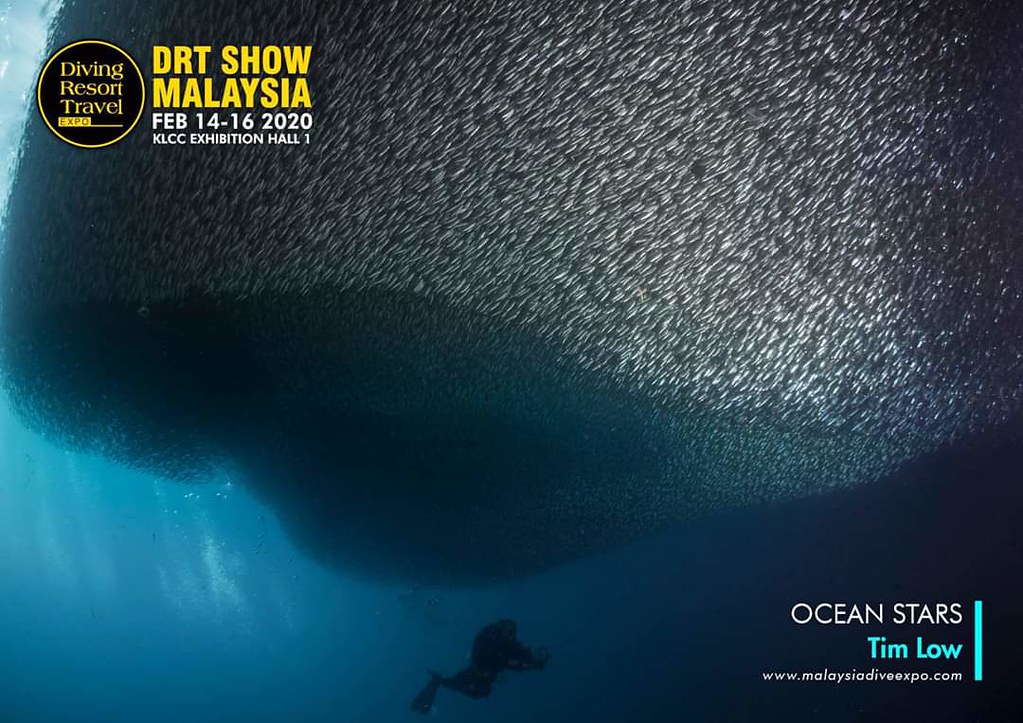
Details of Pic above
UNDER THE SARDINE SCHOOL
Location : Moalboal, Philippines
Read-only discussion
Thanks DRT Malaysia 2020 for choosing both of my submission.
Details of Pic above
LIVE BENEATH A JETTY
Location: Pulau Bidong, Terengganu
Details of Pic above
UNDER THE SARDINE SCHOOL
Location : Moalboal, Philippines
Terrific top pic. Nice work!
wow! amazing photos!
Thanks...Terrific top pic. Nice work!
Thanks...wow! amazing photos!
Congratulations, nice work!
(BTW, as aside, DRT has an entirely different meaning to EMS first responders...).
Thanks.Congratulations, nice work!
(BTW, as aside, DRT has an entirely different meaning to EMS first responders...).
To those of us who are firefighters and EMTs (ie, first responders), DRT = Dead Right There
On 3/19/2020 at 7:18 PM, SwiftFF5 said:To those of us who are firefighters and EMTs (ie, first responders), DRT = Dead Right There
Ah... My respect goes to you and your colleagues. All the EFR team and medical team. Esspecially during this pandemic season.
On 3/21/2020 at 12:44 PM, Timz said:Ah... My respect goes to you and your colleagues. All the EFR team and medical team. Esspecially during this pandemic season.
Thank you, I appreciate that - and sorry for the thread hijack.
Nice pic i love it, good work!
Outstanding photo, good work

Terms of Use Privacy Policy Guidelines We have placed cookies on your device to help make this website better. You can adjust your cookie settings, otherwise we'll assume you're okay to continue.

A worldwide community for underwater imaging.
