Skip to content

Classifieds / Archived topic

Aquatica AD7000 Housing & Camera

Started by clownphoto ·

  • 5Posts
  • 5Replies

Read-only discussion

Aquatica AD7000 Housing & Camera

5 posts
  1. Aquatica AD7000 / Nikon D7000 Complete Set-Up

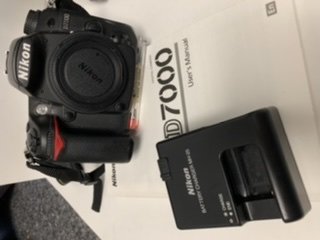
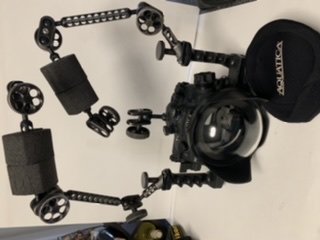
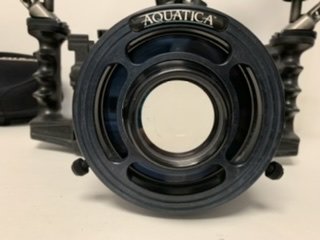
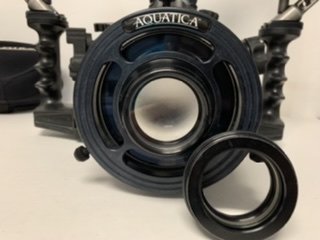
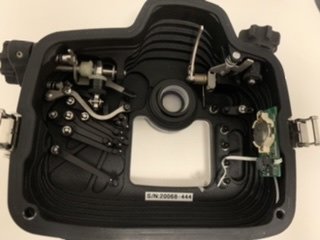
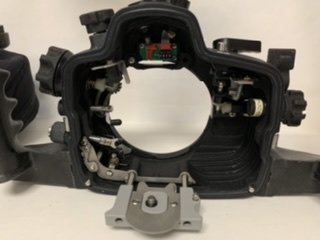
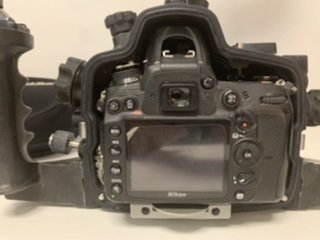
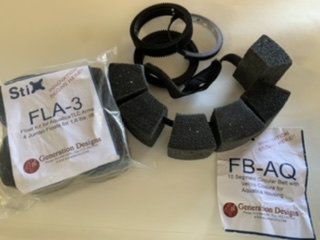
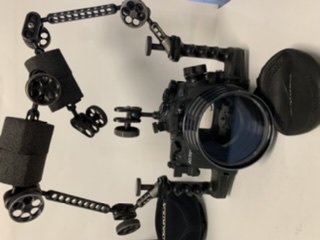
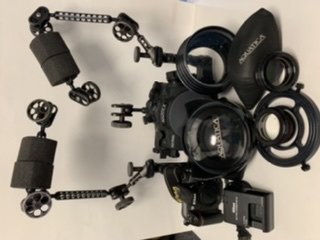
    Along with camera I’m including a Nikon 60mm F2.8 lens; all related accessories & manual; housing package includes 6” dome port w/18mm extension to accommodate Tokina 10-17mm lens & 10-17 zoom gear ( but not the lens) & dome shade; a Stix FB-AQ circular float belt w/Velcro closure for the dome port; one glass flat port; Aquatica close-up +5/+10 wet diopter kit; one fiber-optic bulkhead option & one 5-pin Sync cord option; TLC arm system consisting of 4-6” arms (2 w/Stix FLA-3 floats and extra floats);7 ball joint clamps; strobe arm mounting bases on housing arms; a housing body cap; moisture alarm. All Aquatica manuals are included as well. Never flooded (thankfully!). Also will ship in a nice, padded Pelican 1610 case. Located in Mesa, AZ. Asking $2900.00.  Will accept Apple Pay, Google Pay, Credit Card or Wire transfer.  Will ship to US addresses at my expense.
    76DAE5E6-62D7-4C4D-9E00-85059C95CD11.jpeg

    DDC47A81-F807-4E1A-A4B7-6393A3A460F7.jpeg

    82D45FBE-E680-40B4-B188-83C033E60B32.jpeg

    4E857396-1C47-4ED6-A7FE-9D381B2A0DA1.jpeg

    B2AFB363-C957-4D51-8E9E-FC046AD31835.jpeg

    D9D0AA4F-950F-4C31-829B-BAAFE2EA44C4.jpeg

    7940B4A7-BD87-4111-B761-F612E8D795DE.jpeg

    87F968DC-524D-4E16-9570-19A819374EE5.jpeg

    8145712C-379F-44B2-A24A-6F9BCFB36F2D.jpeg

    7F6EF121-969D-404A-807C-23B8135AE07E.jpeg

    Edited by clownphoto — Added payment, shipping info..
  2. still for sale?

  3. Yes, it is. 

  4. Hi, Is camera body part of package?  Thanks!


  5. Yes, it is along with a 60mm macro lens. 

Isotta

Account

Navigation

Search

Search

Configure browser push notifications

Chrome (Android)
  1. Tap the lock icon next to the address bar.
  2. Tap Permissions → Notifications.
  3. Adjust your preference.
Chrome (Desktop)
  1. Click the padlock icon in the address bar.
  2. Select Site settings.
  3. Find Notifications and adjust your preference.