Wetpixel Live: Field Maintenance of UW Imaging Systems
Started by adamhanlon ·
5Posts
5Replies
Read-only discussion
Wetpixel Live: Field Maintenance of UW Imaging Systems
5 posts
Underwater photography equipment represents a significant investment, and a frequently asked question in theWetpixel Forumis how best to ensure that it remains functional in the field. Regular contributorAlex Mustardand Wetpixel Editor Adam Hanlon discuss their essential tips for looking after your underwater imaging gear in the field
Wetpixel Liveis a series of discussions that aim to answer some of the questions that frequently crop up on theWetpixel Forum. With over 20 episodes posted, and many more being created daily, they are a resource for all underwater photographers. Please subscribe to theWetpixel Live channelto be informed when new episodes are posted.
I have to shout out that I am really enjoying these regular Wetpixel Live videos! It's great content and I love the frequency that you are putting them out at! I am sure it takes a lot of work to prepare and keep a full list of content ideas. Keep up the amazing work.
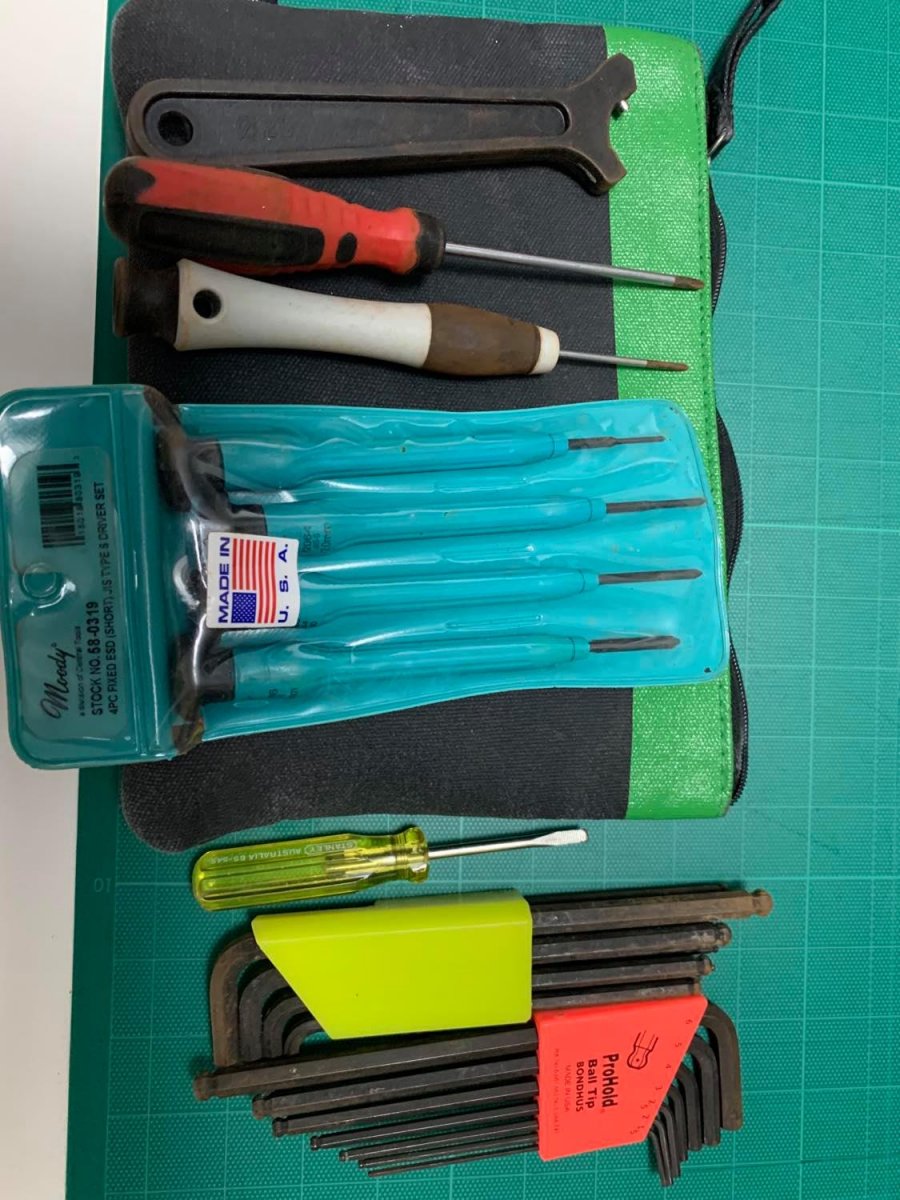
On this topic of maintenance, one thing that I'd like to see is the set of "Tools and Spares" you each bring with you on a trip. What redundant or replacement parts do you bring along?
Cheers,
Dave
Interesting video - one thing I would comment on is the comment about getting water droplets in housings and the water vaporizing if the housing is heated up - this is the cause of the mis-conception that getting a housing hot in the sun causes fogging. The cause is not the heating , the cause is water droplets which vapourise and then condense on the coldest surface when you hop in the water. If the housing is dry heating it up won't make any difference.
On that point I'd like to ask a question about how you deal with water droplets - when I open my housing there is invariably a few droplets clinging to the o-ring and the mating seal when I open the housing - generally at the bottom of the housing. It's a Nauticam EM-1 mk-II housing - clam shell style. I have microfibre cloths but they seem to just move the water around and capillary action pulls the water into the groove on both sides of the seal. I could soak it up with something but I end up pulling it, shaking it off and running it through my fingers and inspecting. I generally have to mop up some small drops in the o-ring groove.
1 hour ago, davehicks said:
I have to shout out that I am really enjoying these regular Wetpixel Live videos! It's great content and I love the frequency that you are putting them out at! I am sure it takes a lot of work to prepare and keep a full list of content ideas. Keep up the amazing work.
On this topic of maintenance, one thing that I'd like to see is the set of "Tools and Spares" you each bring with you on a trip. What redundant or replacement parts do you bring along?
Cheers,
Dave
I always carry a small tool kit with me when travelling Allan key set, small screwdrivers - I have a set of JIS drivers for camera screws, I use an airline amenity kit pouch to carry them. This is quite small and goes in my checked bag.
I also carry at least one of each port/housing/strobe o-ring spare and a small spares kit with spare reg mouthpiece, zip-ties, regulator hose o-rings etc., they fit in another amenity pouch with o-ring grease, o-ring pick. I also carry a blower bulb, microfibre cloth and +4 readers for close inpection of o-rings etc.
Hey Chris...we have a while episode coming up about tool kits!
Regular contributor Alex Mustard and Wetpixel Editor Adam Hanlon discuss how they clean and maintain their underwater photography gear between dive trips and assignments.