



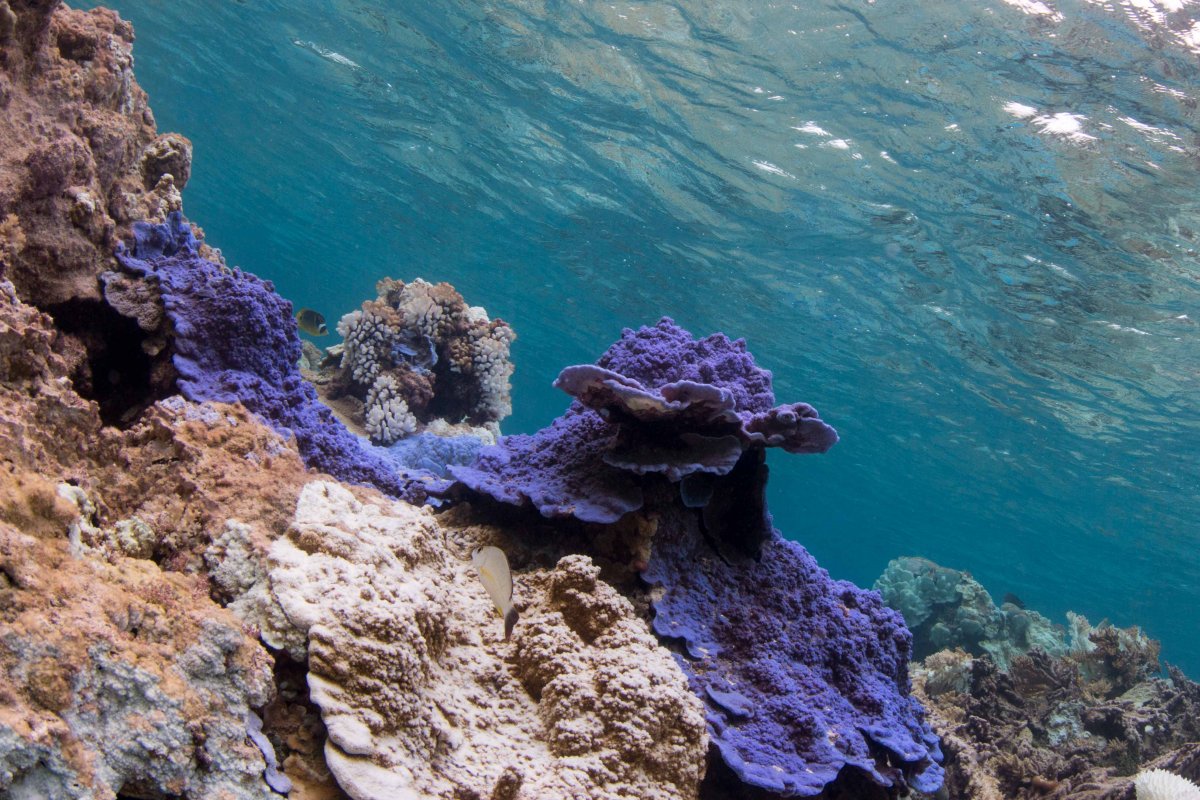
This image was taken while I was snorkeling on Palmyra Atoll. I am not sure what kind of coral it is, but I love the purple hues and the subtle reflection of the corals in the water. Canon 70D, 8-15mm f/4 fisheye, ISO 250, 1/200 at f/11.
Read-only discussion
This image was taken while I was snorkeling on Palmyra Atoll. I am not sure what kind of coral it is, but I love the purple hues and the subtle reflection of the corals in the water. Canon 70D, 8-15mm f/4 fisheye, ISO 250, 1/200 at f/11.
10 hours ago, BLPhotography said:This image was taken while I was snorkeling on Palmyra Atoll. I am not sure what kind of coral it is, but I love the purple hues and the subtle reflection of the corals in the water. Canon 70D, 8-15mm f/4 fisheye, ISO 250, 1/200 at f/11.
It may be better, if you are looking for comments, to upload the pic to your post. It's easy to do..... 
8 hours ago, TimG said:It may be better, if you are looking for comments, to upload the pic to your post. It's easy to do.....
Thanks, Tim! I thought I read that Wet Pixel preferred links to websites, but I'll try and upload the photo and see how it goes. On a separate note, I checked out some of your images on Adobe Stock. They are beautiful! I especially like the images with dramatic lighting that make the subjects pop. I'm just a beginner and am excited to keep honing my skills.
35 minutes ago, BLPhotography said:Thanks, Tim! I thought I read that Wet Pixel preferred links to websites, but I'll try and upload the photo and see how it goes. On a separate note, I checked out some of your images on Adobe Stock. They are beautiful! I especially like the images with dramatic lighting that make the subjects pop. I'm just a beginner and am excited to keep honing my skills.
Hey, thanks for that! Much appreciated.
You're right if you want folks to look at your whole website; put up the link. But if it's just one image on which you'd like views, much better to post it and folks can see it straightaway and, often, offer constructive views - if that's what you want.

Terms of Use Privacy Policy Guidelines We have placed cookies on your device to help make this website better. You can adjust your cookie settings, otherwise we'll assume you're okay to continue.

A worldwide community for underwater imaging.