Skip to content

The Galley: General Chat / Archived topic

Lightroom WB Selector Sets 50,000K

Started by DS256 ·

  • 3Posts
  • 3Replies

Read-only discussion

Lightroom WB Selector Sets 50,000K

3 posts
  1. I'm trying to understand what is happening here. 

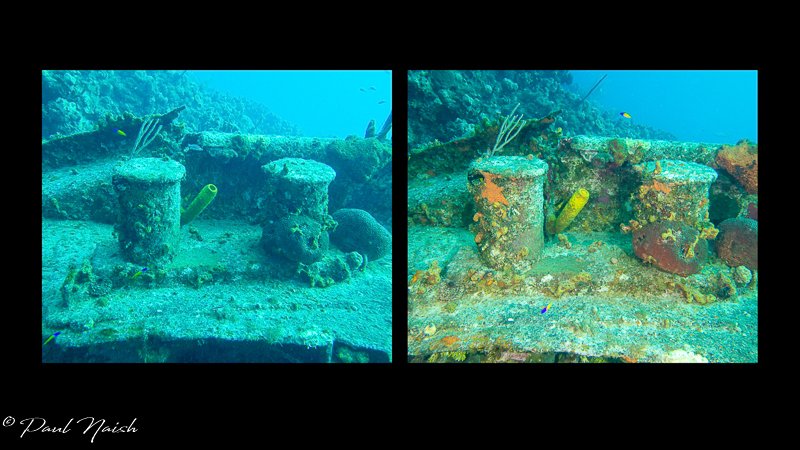
    The picture with the mooring bits (Colour Loss.JPG) has the left picture taken without flash (as shot) and with flash on the right. The WB for each is 5,800 and 7,450

    The picture of the rear of the wreck (Colour Loss 2.JPG) has the left picture 'as shot' and with WB selected in LR from the white card held by the diver on the right. The WB's are 5,900 and 50,000 (as calculated by LR)

    Is the 50,000 an anomaly with LR? I can't get my head around what 50,000K means?

    Thanks
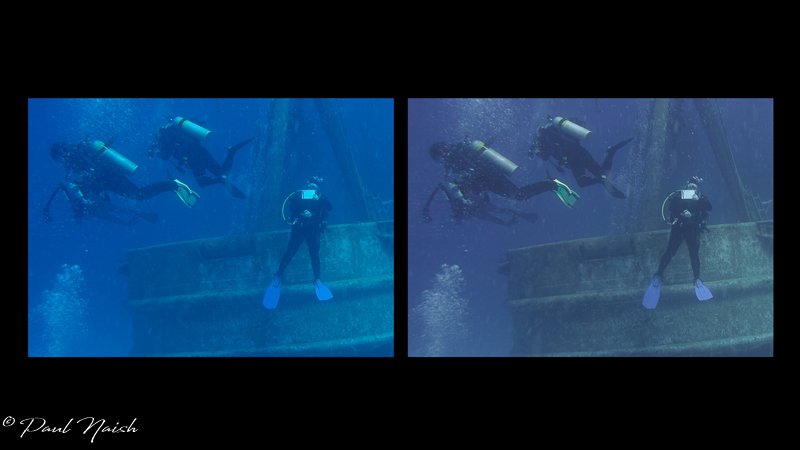
    Colour Loss 2.jpg

    Colour Loss.jpg

  2. It may or may not mean anything - the 50,000 K shot is the one with the diver holding the slate?  Probably just maxxed out the temperature to make it white - looks like zero red light in the frame??


    Edited by ChrisRoss
  3. ChrisRoss, the 50,000K shot is the one with the diver holding the slate. 

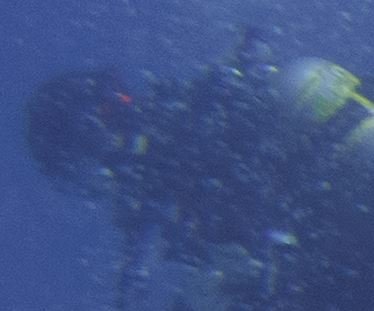
    There is a tiny spot of red on the left hand diver that doesn't appear in the size of the picture I had to upload. Here it is from a screen scrape of LR.

    Capture.JPG

Retra

Account

Navigation

Search

Search

Configure browser push notifications

Chrome (Android)
  1. Tap the lock icon next to the address bar.
  2. Tap Permissions → Notifications.
  3. Adjust your preference.
Chrome (Desktop)
  1. Click the padlock icon in the address bar.
  2. Select Site settings.
  3. Find Notifications and adjust your preference.