Skip to content

Lights, Strobes, and Lighting Technique / Archived topic

Snooting with an OVF?

Started by stuartv ·

  • 12Posts
  • 12Replies

Read-only discussion

Snooting with an OVF?

12 posts
  1. If I can get my new YS-D3 strobes to work, then I'm going to order a snoot attachment.

    Question for those with some experience shooting with a snoot:

    Do you use a viewfinder when shooting with a snoot, or do you use the LCD screen on the back?

    It seems like it would be really hard to hold the camera up to your eye and look through a viewfinder while also adjusting a strobe with a snoot to be aimed just right.

    It seems like it would be easier to do if your face were away from the camera, where you could see the image on the LCD and also see to grab the strobe and aim it at the same time.

    Thoughts?

    Edited by stuartv
  2. Can't help you on the specific question but I would mention that the pilot light is well off centre with the YS-D3 so the strobe output won't land on the same spot as the pilot light.  That issue has been the subject of a number of posts from people pulling their hair out in frustration when trying to aim the snoot. 

  3. 4 minutes ago, ChrisRoss said:

    Can't help you on the specific question but I would mention that the pilot light is well off centre with the YS-D3 so the strobe output won't land on the same spot as the pilot light.  That issue has been the subject of a number of posts from people pulling their hair out in frustration when trying to aim the snoot. 


    But the Sea&Sea snoot for the YS-D3 specifically says "Designed with internal prism which aligns target light`s light axis and strobe`s light axis to the center."

    So, is that just marketing baloney?

  4. OK so you need to use their snoot - if indeed it does what they say it's a good solution. 


  5. 41 minutes ago, ChrisRoss said:

    OK so you need to use their snoot - if indeed it does what they say it's a good solution. 


    Cool. Thanks. I was planning to get one - IF I can get these stupid strobes to work with some combo of the right cables and trigger. Bonus that it's only $75, retail.

  6. I use the optical view finder with a snoot.  The one tip I will offer is to use a Red focus light when using a snoot.  The aiming light gets lost if using a white focus light, and if it's too dark you can't autofocus.  A red focus light will allow you to see the aiming light.  Other than that it just takes a bit of practice.  Get your snoot lined up on a rock or some stationary target before taking a real shot.  I tend to eyeball the scene from above the camera and then go to the viewfinder to fine tune.  

  7. Good points. Thanks, @davehicks!

  8. Like davehicks, I always use optical. 

    I set the snoot up so its on my left hand and adjust the position whilst looking through the viewfinder (on a Nikon D500) and use my right hand to fire the shutter.

    Chances are (most of the time!) if you can see the strobe aiming light in the viewfinder, the snoot is in the right place! Most of the time. 

    It takes a little bit of getting used too but really isn't that difficult. Just don't have the snoot strobe clamped down too tightly.

    Edited by TimG
  9. Thanks for the thoughts.

    I will stick with my OVF for now and see how it goes once I get a snoot.

  10. 28 minutes ago, stuartv said:

    Thanks for the thoughts.

    I will stick with my OVF for now and see how it goes once I get a snoot.

    Hours of sheer joy ahead of you, Stuart :rofl:

    Do let us know how you get on.

  11. 6 minutes ago, TimG said:

    Hours of sheer joy ahead of you, Stuart :rofl:

    Do let us know how you get on.

    :rofl: I can't wait! :D

    Will do.

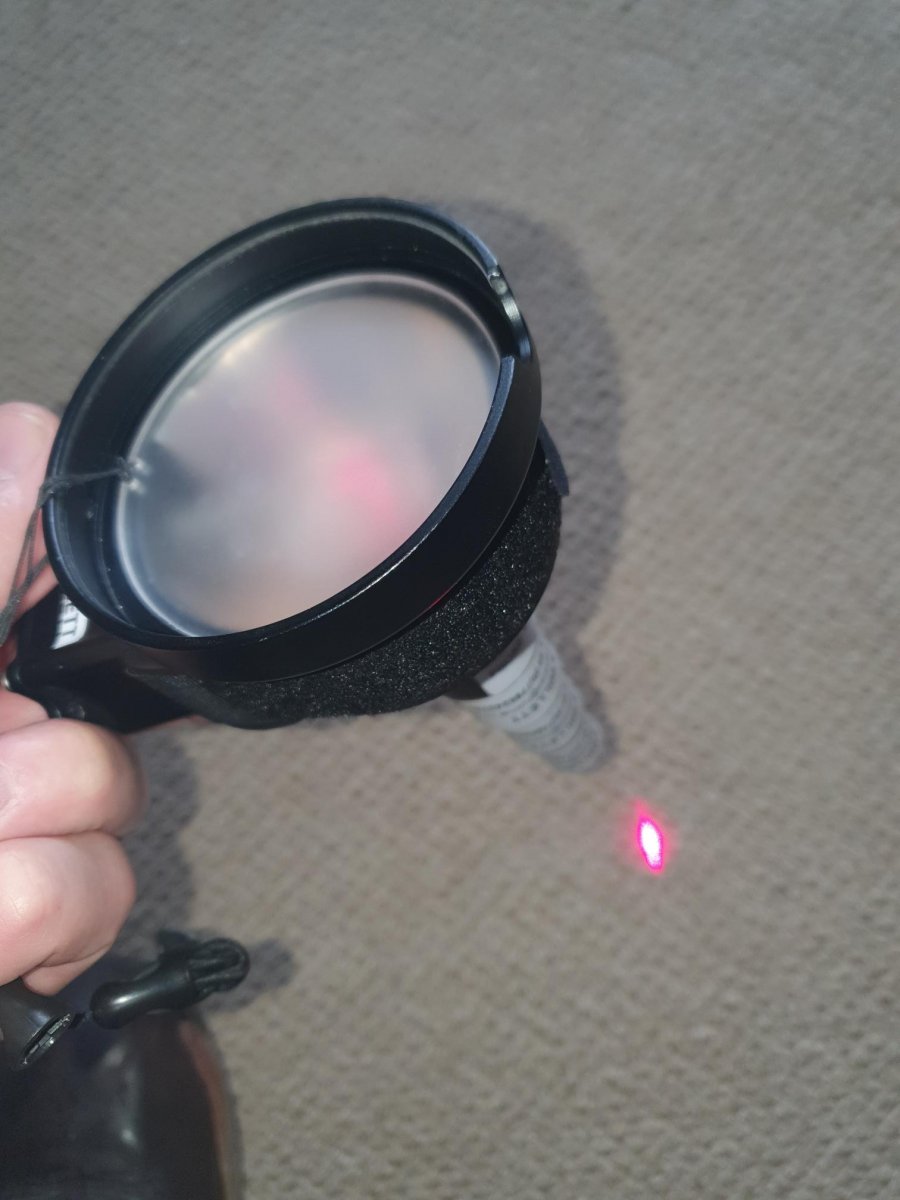
  12. Hi I use a laser guided snoot, works well and you can just see the laser in bright sunlight. The laser turns off when firing.

    The laser wants to be a internal laser so its shows where the strobe light will be. 

    Andy 

    20210305_145218.jpg

Backscatter

Account

Navigation

Search

Search

Configure browser push notifications

Chrome (Android)
  1. Tap the lock icon next to the address bar.
  2. Tap Permissions → Notifications.
  3. Adjust your preference.
Chrome (Desktop)
  1. Click the padlock icon in the address bar.
  2. Select Site settings.
  3. Find Notifications and adjust your preference.