



Skip to content

Classifieds / Archived topic

NOODILAB Moby 3.8x Macro (close-up) Lens

Started by hijodelmar ·

  • 5Posts
  • 5Replies

Read-only discussion

NOODILAB Moby 3.8x Macro (close-up) Lens

5 posts
  1. Noodilab Moby is a professional underwater close-up diopter designed by a dedicated team of optical engineers for serious underwater macro photographers.

    • Very strong ultra macro diopter
    • Better image quality, higher contrast and less chromatic aberration.
    • Magnification up to 3.8x with a full frame DSLR camera and a 60mm, 100mm or 105mm macro lens.
    • This lens can also be used by system cameras with the following lenses as the Panasonic DG Macro-Elmarit 45mm, Olympus M.Zuiko ED 60mm, Olympus M.Zuiko ED 12-50, Olympus M.Zuiko ED 12-40 Pro, Canon EF -S 60mm and Nikon AF-S 60mm lenses.

    I was actually using it on my 90mm Macro Full Frame Sony (A7R2)

    The lens is free of scratches or any damage, it works just perfect.

    Please contact me for more pictures.

    Price = 300 euros.
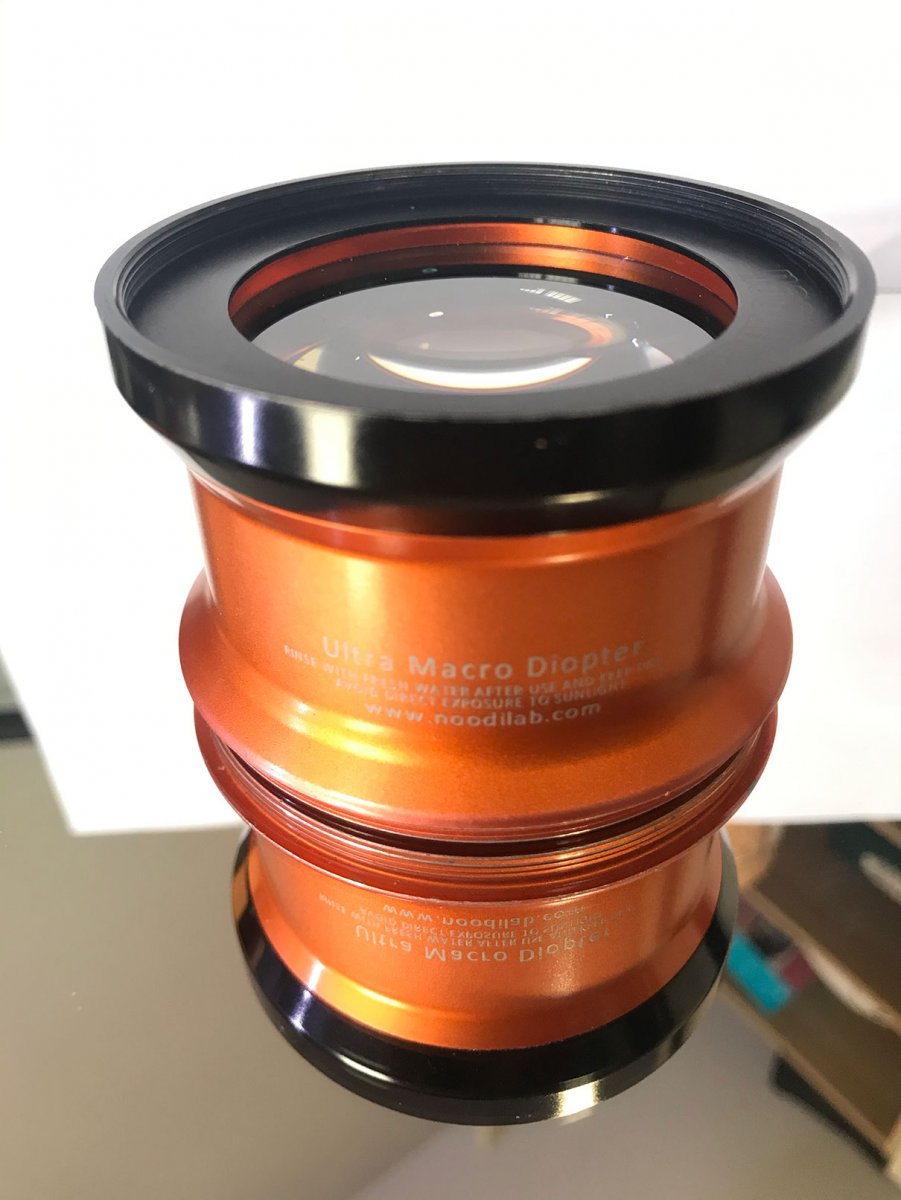
    5.jpg

  2. On 3/3/2021 at 7:37 PM, hijodelmar said:

    Noodilab Moby is a professional underwater close-up diopter designed by a dedicated team of optical engineers for serious underwater macro photographers.

    • Very strong ultra macro diopter
    • Better image quality, higher contrast and less chromatic aberration.
    • Magnification up to 3.8x with a full frame DSLR camera and a 60mm, 100mm or 105mm macro lens.
    • This lens can also be used by system cameras with the following lenses as the Panasonic DG Macro-Elmarit 45mm, Olympus M.Zuiko ED 60mm, Olympus M.Zuiko ED 12-50, Olympus M.Zuiko ED 12-40 Pro, Canon EF -S 60mm and Nikon AF-S 60mm lenses.

    I was actually using it on my 90mm Macro Full Frame Sony (A7R2)

    The lens is free of scratches or any damage, it works just perfect.

    Please contact me for more pictures.

    Price = 300 euros.

    5.jpg

    1.jpg 2.jpg 3.jpg 4.jpg 5.jpg

  3. Just Added more pictures

  4. up

  5. up

Fotosub Shop

Account

Navigation

Search

Search

Configure browser push notifications

Chrome (Android)
  1. Tap the lock icon next to the address bar.
  2. Tap Permissions → Notifications.
  3. Adjust your preference.
Chrome (Desktop)
  1. Click the padlock icon in the address bar.
  2. Select Site settings.
  3. Find Notifications and adjust your preference.

