



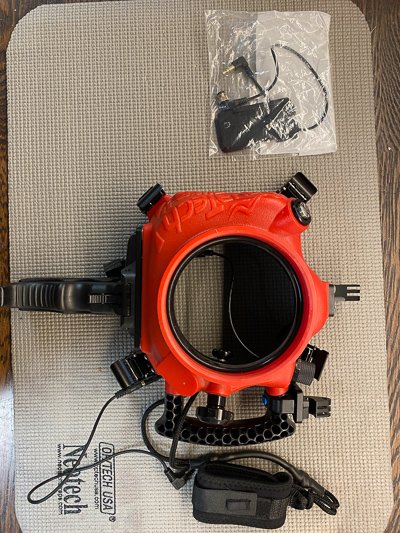
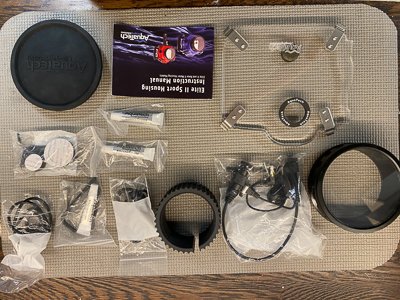
Hi. I am Selling Aquatech Elite 2 Sport Housing for NikonZ7/Z72/Z6/Z62 and Nikon D850 (with conversion kit included) Everything is in excellent condition. some parts (like the flash and flash housing never been used. This is the perfect kit for surfing/snorkeling/split shots. It is up to 30 feet/10 M depth approved. It has all the accessories for convenient shooting. Just add your camera...
Total package including everything is 2200$ . All cables and connectors are all complete and included.
I would like to sell everything together.
Main components are:
Aquatech Elite 2 Sport Housing for NikonZ7/Z72/Z6/Z62
D850 option (dedicated mounting base and back) Please notice that all major functions of the Nikon Z6/62/7/72 are operated from the housing above or under water. If you use this housing with
the Nikon D850 - only focus/shutter is possible when going underwater/in water.
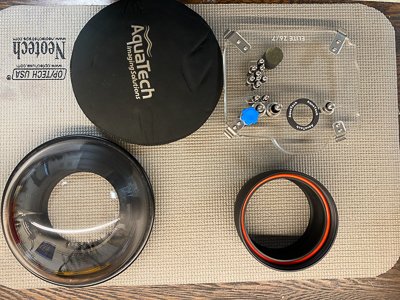
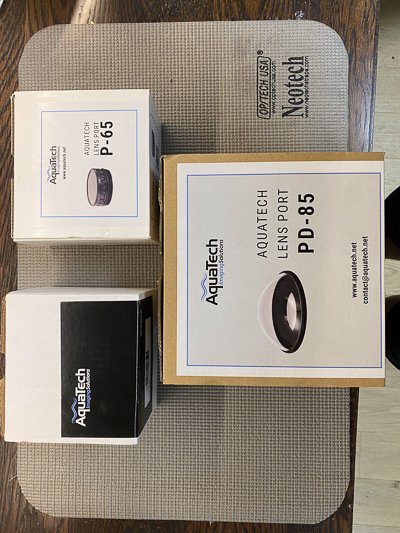
PD-85 Lens Port (for wide angle shots and split shots)
P65 port + extension ring ( for Short to Medium Length Prime Lenses)
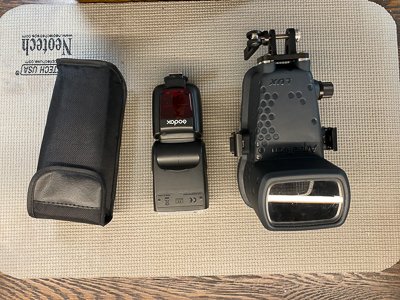
LUX Flash Housing (and Godox flash) all functions can be operated underwater
Nikon Zoom Gear for Nikon 14-30s
|
AquaTech Replacement O-Ring Kit Elite II / Base II Water Housing |
|---|
| Pro Mount V3 |
|---|
|
Lens Port Caps Front & Rear M3 Pistol Grip Sport Housing Leash Housing Grease X3 Side Handle Mount Happy to email photos upon request. Willing to ship internationally at buyers cost. |
|---|
.jpg.857dbbfbdc4d79d9c6ebf7b4ba96ed1b.jpg)

