Skip to content

Photo / Video Showcase / Archived topic

Anilao: keepers from a safety stop

Started by troporobo ·

  • 3Posts
  • 3Replies

Read-only discussion

Anilao: keepers from a safety stop

3 posts
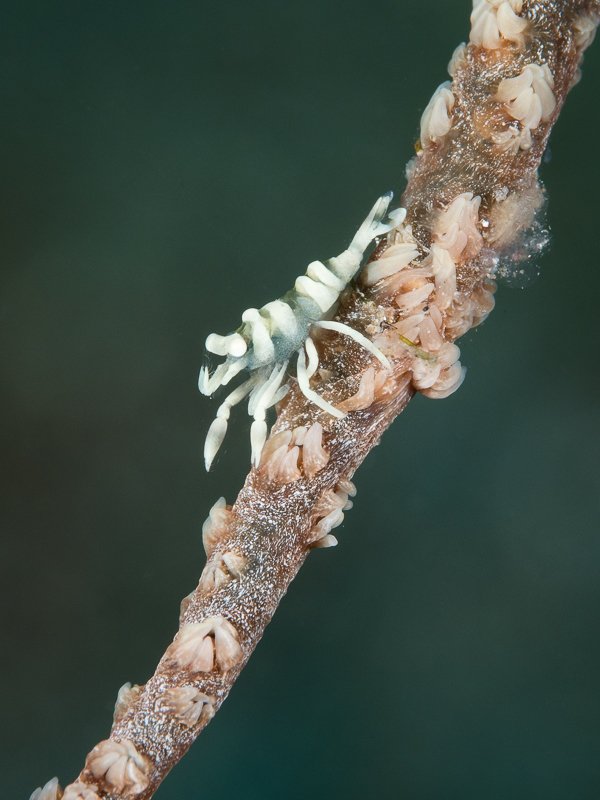
  1. We had five fantastic dives over the weekend and are so grateful that we can get out and do that. We had calm seas, clear water, benign currents, and lots of excellent photographic targets.  But sometimes, the last 3 minutes can surprise and delight when you're not expecting much.  Yesterday was one of those times!  Hanging at 5 meters idly scanning the reef when I spotted not one but two different whip coral shrimp within a meter of each other.   I believe they are both variants of Pontonides ankeri but if anyone knows better please let me know. 
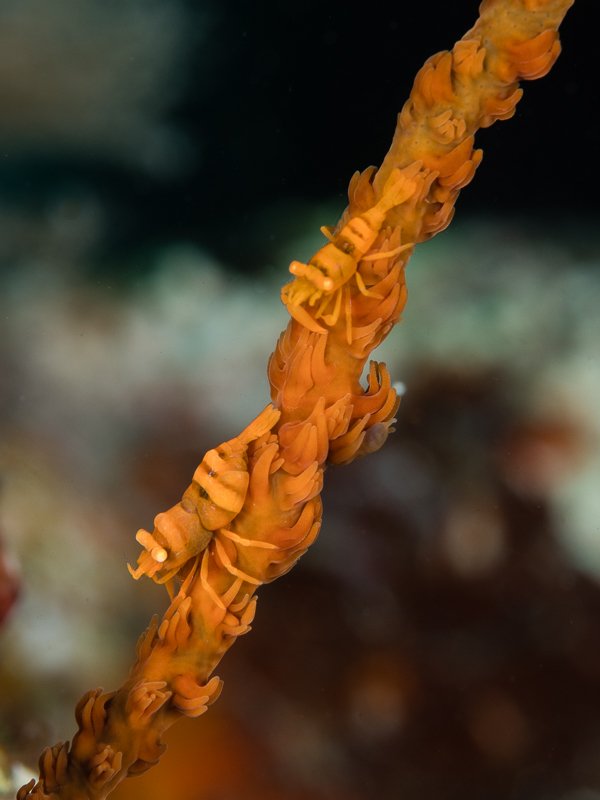
    P5270026.thumb.jpg.db3d56572e6996521949f6a1413c2f7d.jpg


    P5270032.thumb.jpg.093b4fcb816705cdabb437aaa123537b.jpg

    Then just as I am ready to ascend, my buddy waves me over to one of my favourite nudis, Nembrotha kubaryana: 
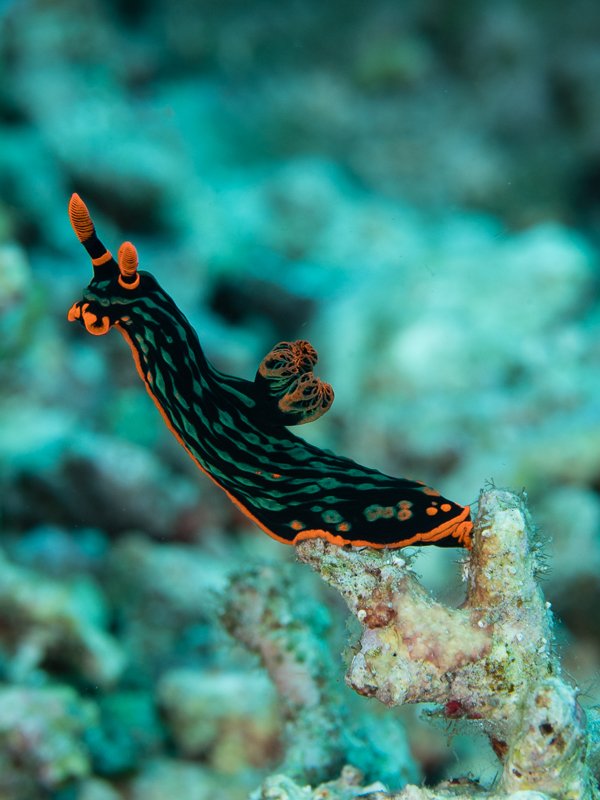
    P5290080.thumb.jpg.5b6ad61e392f1a5d1f625a76225198e2.jpg

    (These look a LOT better on my screen but the size limit here really kills the resolution - not that I'm complaining, many thanks to Adam and WP for allowing any hosting at all - and I'm too lazy to put on Flickr tonight)


     

    Edited by troporobo — added image
  2. Super news for the rest of us that you were able to dive Anilao this May.  Would you please tell us how you entered the Philippines and which Anilao resort you stayed in?  And thank you for posting the great photos.

  3. My trips to Anilao are very easy, because I live in Manila and have a house at the beach!

    I can say that all the resorts are open now.  However, getting into the country requires a 2 week quarantine at an approved hotel in the city.  So not feasible for tourists yet. 

Account

Navigation

Search

Search

Configure browser push notifications

Chrome (Android)
  1. Tap the lock icon next to the address bar.
  2. Tap Permissions → Notifications.
  3. Adjust your preference.
Chrome (Desktop)
  1. Click the padlock icon in the address bar.
  2. Select Site settings.
  3. Find Notifications and adjust your preference.