Skip to content

Classifieds / Archived topic

FS: Sea&Sea A7RII Housing, Camera, Lenses, and Ports

Started by Boogsrosales ·

  • 4Posts
  • 4Replies

Read-only discussion

FS: Sea&Sea A7RII Housing, Camera, Lenses, and Ports

4 posts
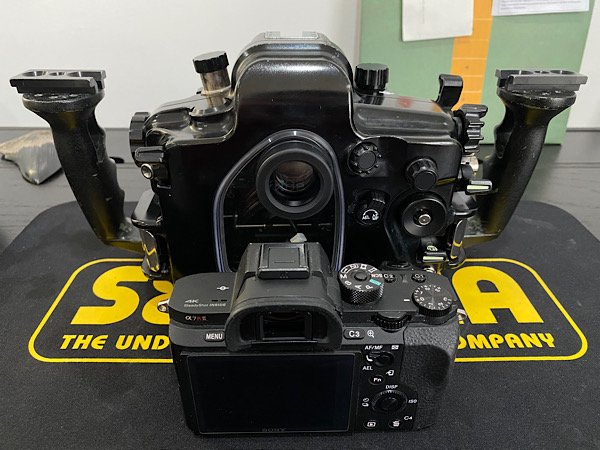
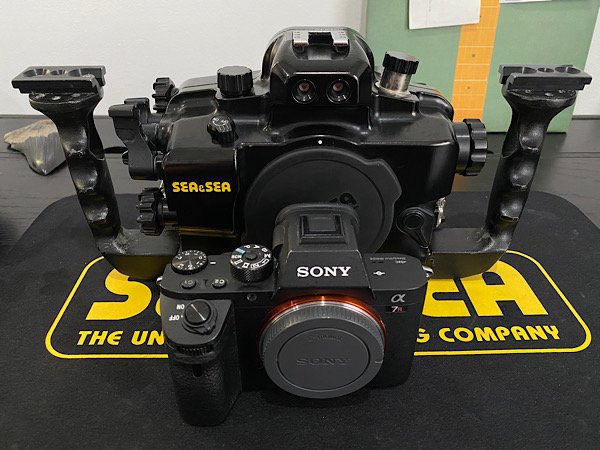
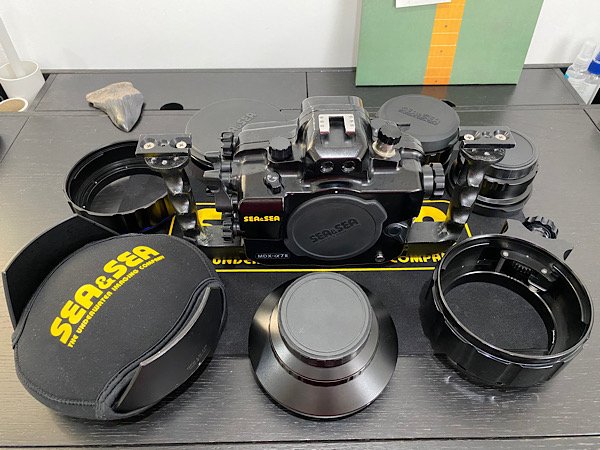
  1. Sea&Sea MDX-A7II (fits both A7SII and A7RII)
    Sea&Sea Optical YS converter
    Sony hotshoe adaptor
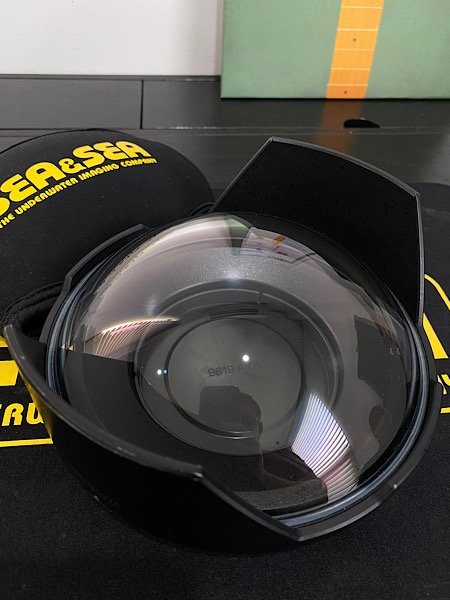
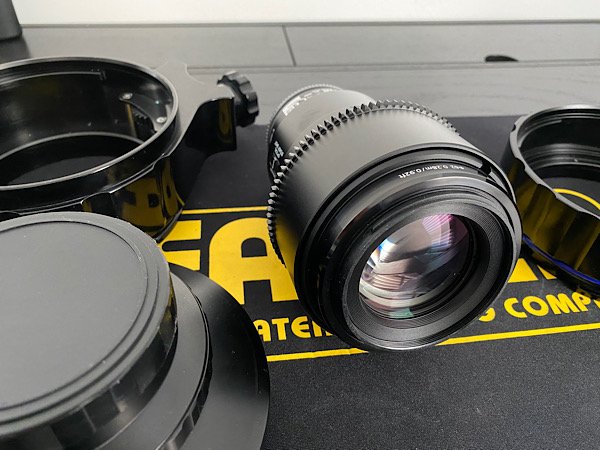
    Athena DP170 glass dome
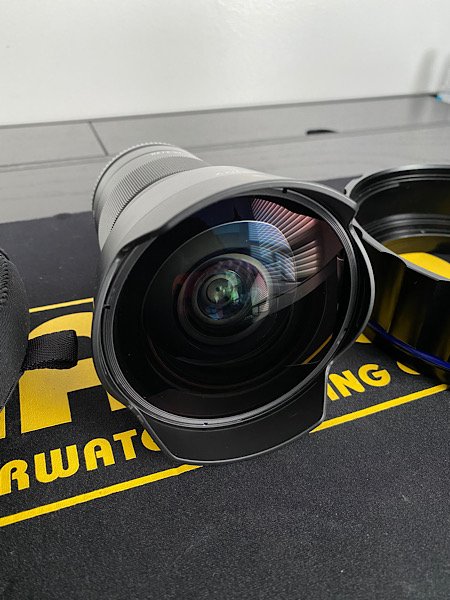
    Sea&Sea ML-NX converter
    Sea&Sea Extension Ring 46 w/ Focus Knob
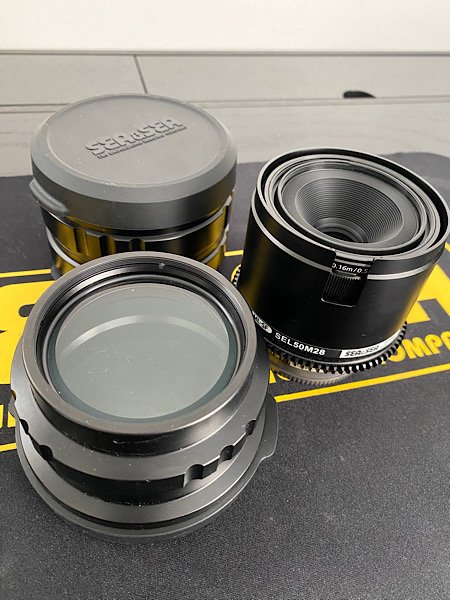
    Sea&Sea DX Macro Port 52
    Sea&Sea Extension Ring 30L
    Sea&Sea ML Extension Ring 25 x2
    Sea&Sea ML Flat Port 33
    XIT404 Quad ball adapters x2

    Sony A7RII camera body
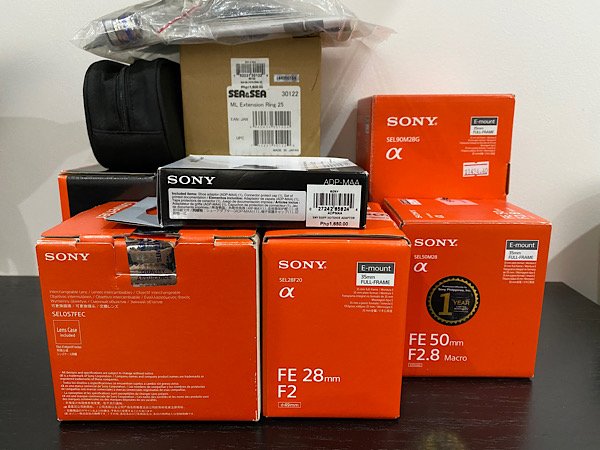
    Sony SEL28F20 w/ SEL057FEC Fisheye converter
    Sony SEL90M28 Macro lens w/ focus gear
    Sony SEL50M28 Macro lens w/ focus gear

    Housing recently fully overhauled. Includes spare o-rings, manuals, stickers, and blank bulkhead (HDMI bulkhead in photo not included). Used but well cared for and maintained professionally. Never flooded. Camera and lenses all have complete boxes, pouches, and manuals from Sony.

    ONLY US$ 4,500 for the entire package plus shipping. I have experience shipping housings internationally via DHL in the past so I'll make sure it is packed safely and properly.

    Will accept PayPal.

    Email me: RQ.ROSALES@GMAIL.COM
     

    70551DFD-4E72-47AE-9001-34D2E63EFE85.jpeg

    24CD7980-5C24-4E95-9611-14F0604A7BA2.jpeg

    74A6009D-F8E1-4237-8622-A4F4A6FDC3DC.jpeg

    40CEB47A-0AEB-4E49-ABF8-863D7F395326.jpeg

    DB776546-6253-4B10-9297-CB8F504A21AE.jpeg

    388042C6-CAB2-49FA-9BC7-EB181D3378B6.jpeg

    9D3BA720-484D-4072-ACD5-F65B8F831028.jpeg

    9EB5F9AC-32AA-4E3B-A716-3CD2A7B346BD.jpeg

  2. Will sell for $3,500 without the 90mm, Extension Ring 46 w/ Focus Knob, and Sea&Sea DX Macro Port 52. Buyer pays for shipping.

    Edited by Boogsrosales
  3. Up.

  4. SOLD.

Marelux

Account

Navigation

Search

Search

Configure browser push notifications

Chrome (Android)
  1. Tap the lock icon next to the address bar.
  2. Tap Permissions → Notifications.
  3. Adjust your preference.
Chrome (Desktop)
  1. Click the padlock icon in the address bar.
  2. Select Site settings.
  3. Find Notifications and adjust your preference.