



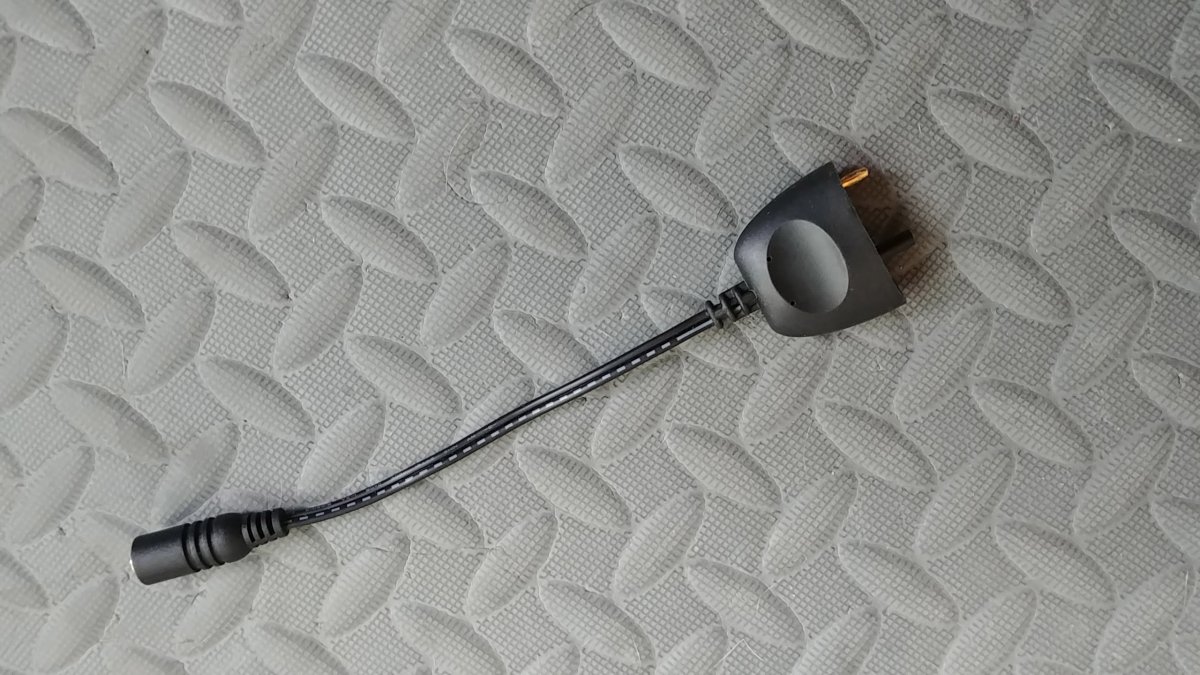
Does anyone have one of these to sell?
It's the male end for the big video light chargers (24volt)
Despite repeated attempts at contacting L&M - no response.
jcdovala@verizon.net
Read-only discussion
Does anyone have one of these to sell?
It's the male end for the big video light chargers (24volt)
Despite repeated attempts at contacting L&M - no response.
jcdovala@verizon.net
Hi, my recent experience with Light&Motion is somewhat similar, they replied, but were unable to handle a really simple Sola problem.
About your connector, maybe
Reef Photo & Video <support.team@reefphoto.com> attn Mr Kevn Palmer
or
Backscatter.com might know how to get one.
It should also be possible to 3D print the plug and improvise the electric connectors. Digi-Key sells an large number of different connectors, (https://www.digikey.com/) they might be of help.
Joe: You can buy an adapter from L&M that will work with you lights using a USB-C charger
it's $49; we have a couple and they work well. I have tried to get that part only from L&M with no luck. I might have a spare plug somewhere but try the USB-C piece; it works well for our lights.
Bill
Bill, the plug configuration does not look right based on the photo of the dongle. Both contacts and the alignment post must be in a straight line for the 9600/15000; in the picture the alignment post is offset.
Thanks anyways.
Yeah, I see that. Do you know what voltage the lights charge at? The USB-C version puts out 15V. If that will work then just cut off the alignment post (I assume the other two posts have the right spacing).
If you want to try it let me know, I will send you a USB-C plug with the post removed. If it works then you can buy a new one if not just send it back.
Bill
If it really is 24 V then you would have to do some wiring. Alternatively I could send you a dongle with a pin removed, that is simple.
Bill

Terms of Use Privacy Policy Guidelines We have placed cookies on your device to help make this website better. You can adjust your cookie settings, otherwise we'll assume you're okay to continue.

A worldwide community for underwater imaging.
