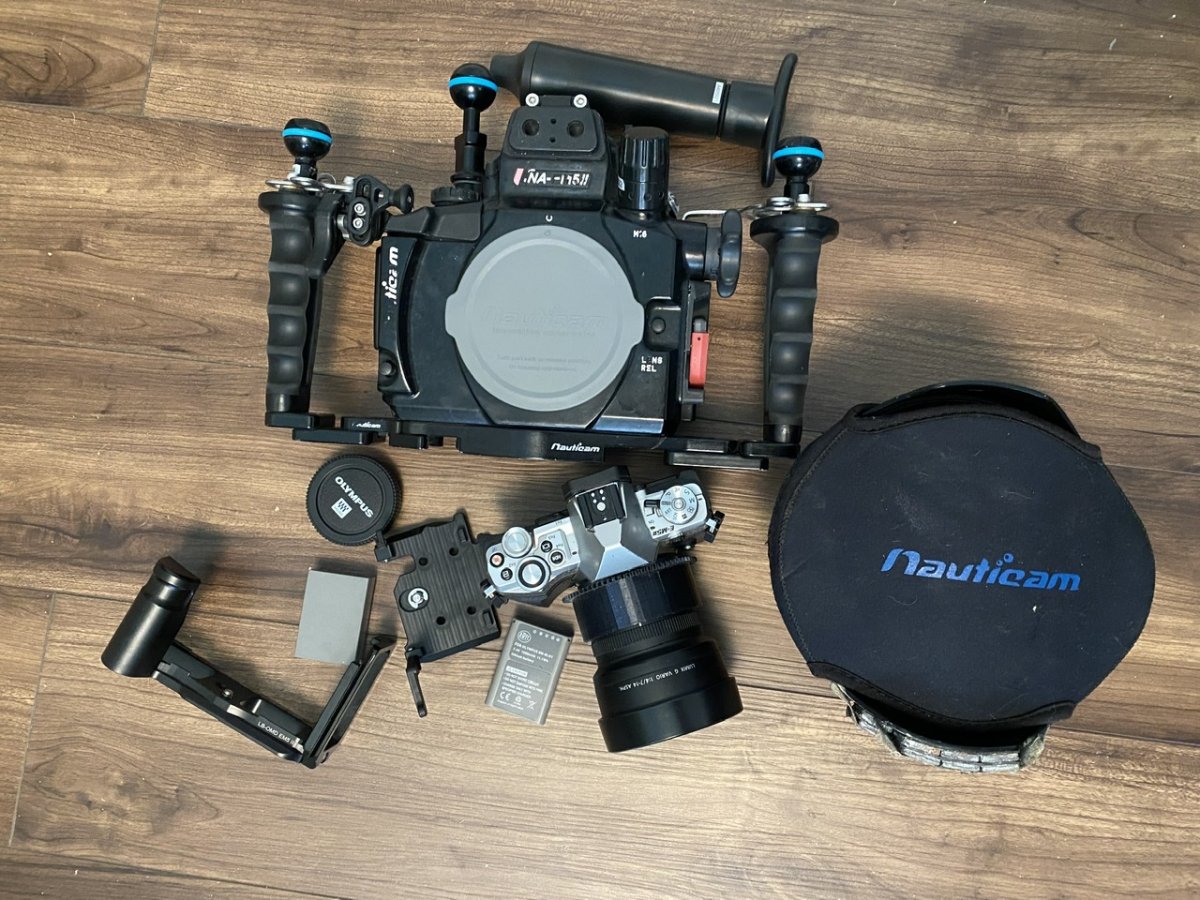
Upgraded to a new system so my old one is up for sale. It's an Olympus E-M5mkII micro 4/3 camera, Nauticam housing with vacuum valve, dome port, and Panasonic 7-14mm wide angle lens with 3D printed zoom gear.
This was my wide angle setup for a while until I got a new camera and a WWL port. Camera and housing have been used on approximately 100-150 dives by me, and was purchased used from Wetpixel in 2018. Everything is in working order, but definitely shows signs of use.
Dome port has some very light marks that don't show up in photos. Dome port also has weights added to offset the positive buoyancy that tries to flip the dome up towards the surface when diving.
Camera comes with 4x batteries plus charger as well as an aftermarket grip that works in a tripod. Wide lens shows no scratches or imperfections. Electrical tape is covering the lens labels on the front so it doesn't reflect onto dome during use.
Ready to go as a package, will only need an Olympus flash or nauticam flash trigger if you want to use external flashes when diving. I can break up if desired, but preferred to sell all together.
Price is $1500 for everything plus shipping.