Skip to content

Classifieds / Archived topic

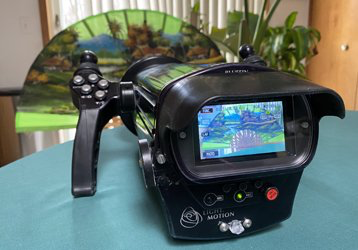
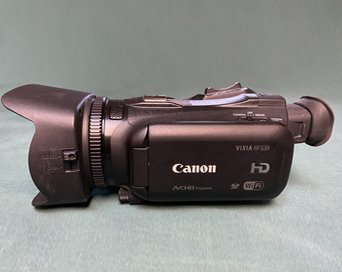
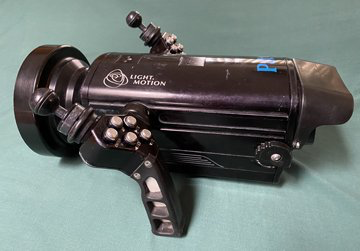
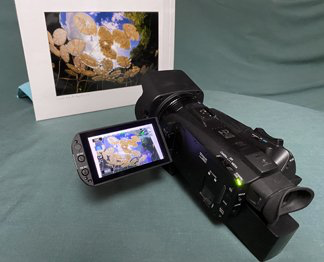
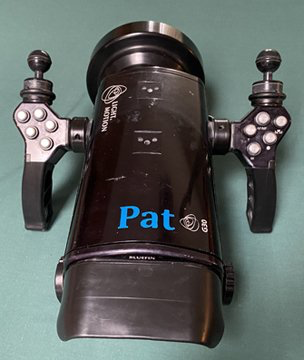
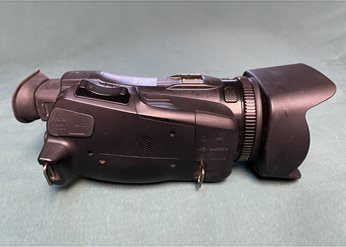
Lights & Motion Bluefin G30 housing, Canon HF G30 Video Camera, $1,800, wide angle lens Great travel camera

Started by divelog ·

  • 1Posts
  • 1Replies

Read-only discussion

Lights & Motion Bluefin G30 housing, Canon HF G30 Video Camera, $1,800, wide angle lens Great travel camera

1 posts
  1. I loved this housing and camera. The controls on the handles make filming easy. They are in good condition but this system no longer meets my needs. With the extras I could completely rebuild the housing in the field.

    Housing / Camera Bundle includes:

    • Lights & Motion Bluefin G30 housing 
    • Canon HF G30 Video Camera
    • Fathom 90 wide angle lens 
    • Flat port
    • Monitor Shade
    • Housing float
    • Ultra Light Mount (2)
    • Canon battery
    • Extra monitor battery carriage

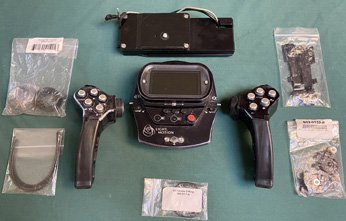
    Extras Monitor Back & Handle Bundle includes:

    • Extra right & left handle 
    • Extra back monitor 
    • Extra tray
    • Kit Latch Bluefin / SRHD / SR+
    • 1mm Core 2.2mm Jacket Plastic Fiber Optic Cable
    • Fiber Optic Cable
    • Monitor battery carriage
    • Handle thread kit
    • Handle O-Ring kit


    Original price of housing, wide angle lens & camera  $ 5,298

    Extra:  L & R Handles, Monitor back, tray, cable, kits original $2,105

    The original price for everything is $7,403. Will sell everything for 1,800 plus shipping
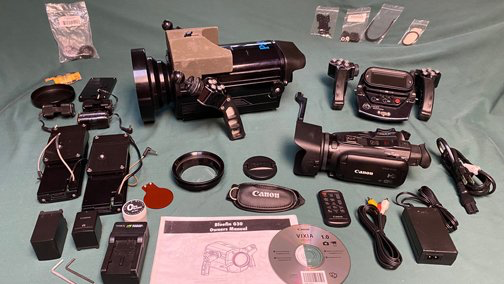
     image.png.d5184dc820c700738f59b0caaca70ee9.png   image.png.9a0b8b8ad3e310499b97176b497923e2.png

    image.png.8f9370781f63fe070fa135f82754be34.png  image.png.4af5b7534e381d6218d89d00ad864f02.png

    image.png.5b5fda31bd496f76cb840bdc467f8fd3.png  image.png.78f72066eaebc2c398010e1333a5f690.png  

    image.png.9de4673ec23bc2d7fb181ad40525c6b1.png   1703100446_Monitorback_Handles_parts.jpg.d3752744f85282c3359d3fac84cfe174.jpg

    Please message me if you are interested.

    Happy to send additional photos or answer questions

    Thanks,

    Edited by divelog
Ultralight Control Systems

Account

Navigation

Search

Search

Configure browser push notifications

Chrome (Android)
  1. Tap the lock icon next to the address bar.
  2. Tap Permissions → Notifications.
  3. Adjust your preference.
Chrome (Desktop)
  1. Click the padlock icon in the address bar.
  2. Select Site settings.
  3. Find Notifications and adjust your preference.