



Hi all,
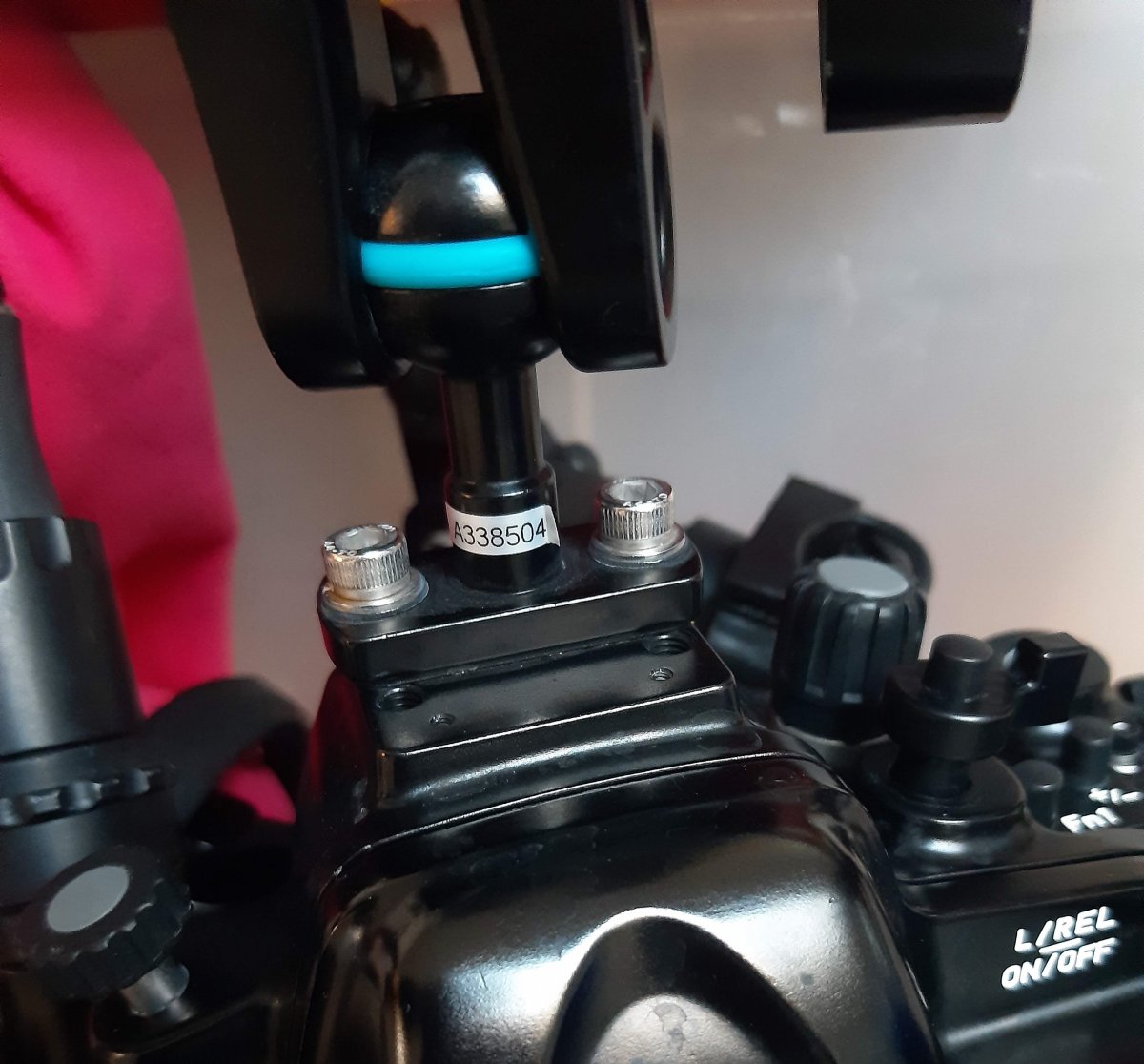
Do you know if there is a ball head angled at 90 degree that I could use on top of my NA-GH5 housing? I'm trying to substitute the ball head in photo to save vertical space.
Thank you in advance
Lights, Strobes, and Lighting Technique / Archived topic
Started by Davide DB ·
Read-only discussion
Hi all,
Do you know if there is a ball head angled at 90 degree that I could use on top of my NA-GH5 housing? I'm trying to substitute the ball head in photo to save vertical space.
Thank you in advance
Wow, great if someone knows but it sounds a cross between a unicorn and rocking-horse sh*t.
Hahahaha
Exactly
A short YS mount might do the trick, there's plenty of cold shoe style ones, I'm sure there would be a bolt-on version. Then you remove the clamp all together.
A simple way to mount the ball head horizontally is with a L-shaped piece of aluminum, or square cross-section hard plastic, with 2 vertical screw holes to secure it to the housing and 2 horizontal (threaded) screw holes on its front for the ball mount.
19 hours ago, ChrisRoss said:A short YS mount might do the trick, there's plenty of cold shoe style ones, I'm sure there would be a bolt-on version. Then you remove the clamp all together.
... I don't get you.
The clamp holds the monitor
If you want to reduce the height of the ball when packing/traveling, you can change it by a BA-DB + BA-AD base adapters from ULCS
If the purpose is to reduce the space when the monitor is attached, a way to reduce the space is tu use a system type GoPro mount or YS system (https://ulcs.com/accessory-shoe-mounts/)
9 hours ago, Davide DB said:... I don't get you.
The clamp holds the monitor
the YS- mount allows rotation and elevation angle change in itself. So you don't have the height of the clamp used with the 1"ball system.
It would be one of these: https://www.nauticam.com/collections/light-mounting-system-for-nav/products/light-mounting-stem-for-cold-shoe in a cold shoe. It looks like you've removed your cold shoe from the housing to attach the ball, so you would need to re-attach the cold shoe.
and one of these attached to your external monitor: https://www.backscatter.com/Inon-Z-Joint-Strobe-Adapter-z-joint
You may need to make an adapter plate to attach the z-joint to the monitor, exact details would depend on the attachment method used on your monitor, but it would just be a flat plate with holes to attach to the monitor and holes to attach the Z- joint. This would be a very low profile way of attaching your monitor. I don't know how much you need to be able to move the monitor around, it probably a little more restrictive than a using 1"balls and a clamp - there would no side to side movement just rotation and tilt.
Thank you all for the answers and solutions.
Taking advantage of the long decompression on the couch to get rid of the holiday food, I'll try to explain what I'm trying to achieve (with poor results for the moment).
Now my kit is perfectly trimmed which is the most important feature to get stable videos. The only flaw is that it's a tower, meaning it's all about height and creating handling issues for me. A real videocamera (and also the housing) has a longitudinal/horizontal shape. In this way you have the best stability.
Unfortunately my Hugyfot monitor, to put it mildly, has a very simplified design. Having only photography experience, they planned to mount it only vertically. Although the display can rotate the image vertically, the case has the main ball mount at the base of the monitor. The sun hood cannot be mounted upside down and the HDMI bulkhead is straight as a cucumber. With a slightly better design (looking at the competitors) would have sufficed to get a more flexible product at no extra cost.
Fortunately, the monitor has an extra attachment (they state for an additional accessories like GoPro). I ordered it hoping I could use it as the main mount.
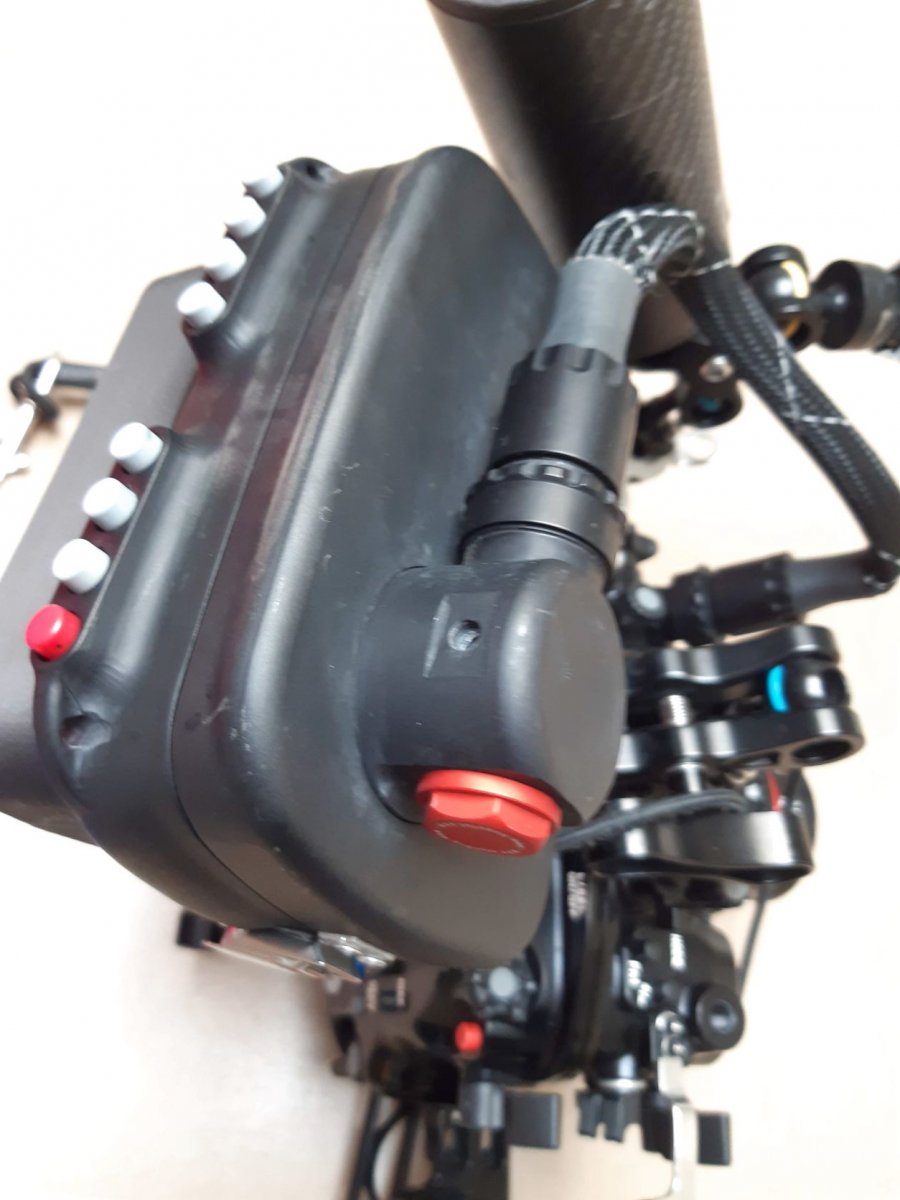
The purpose is to have the monitor mounted at the rear behind the case and have a floating arm placed transversely to the housing and attached with triple clamps. I had a similar setup before I had the monitor. From the picture it looks like there is room to mount a mount but really it's the perspective that is deceiving. There is no space. Unfortunately, in the Nauticam case the handle balls are perfectly aligned with the attachment for the center ball. But maybe I can move everything with BA-DB + BA-AD base adapters from ULCS.
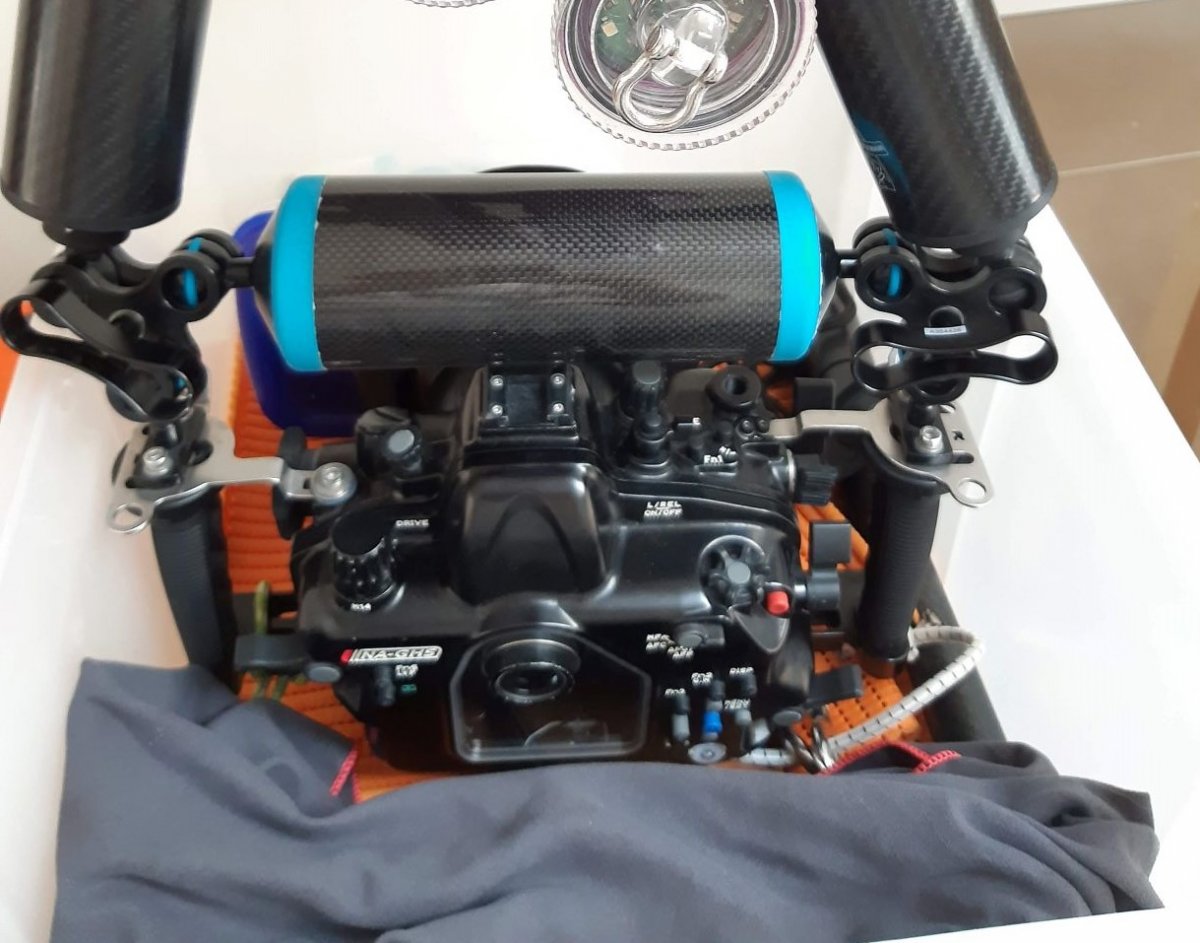
I will try to mount double ball attachments on the handles to move the position of the center floating arm. Like these ones:
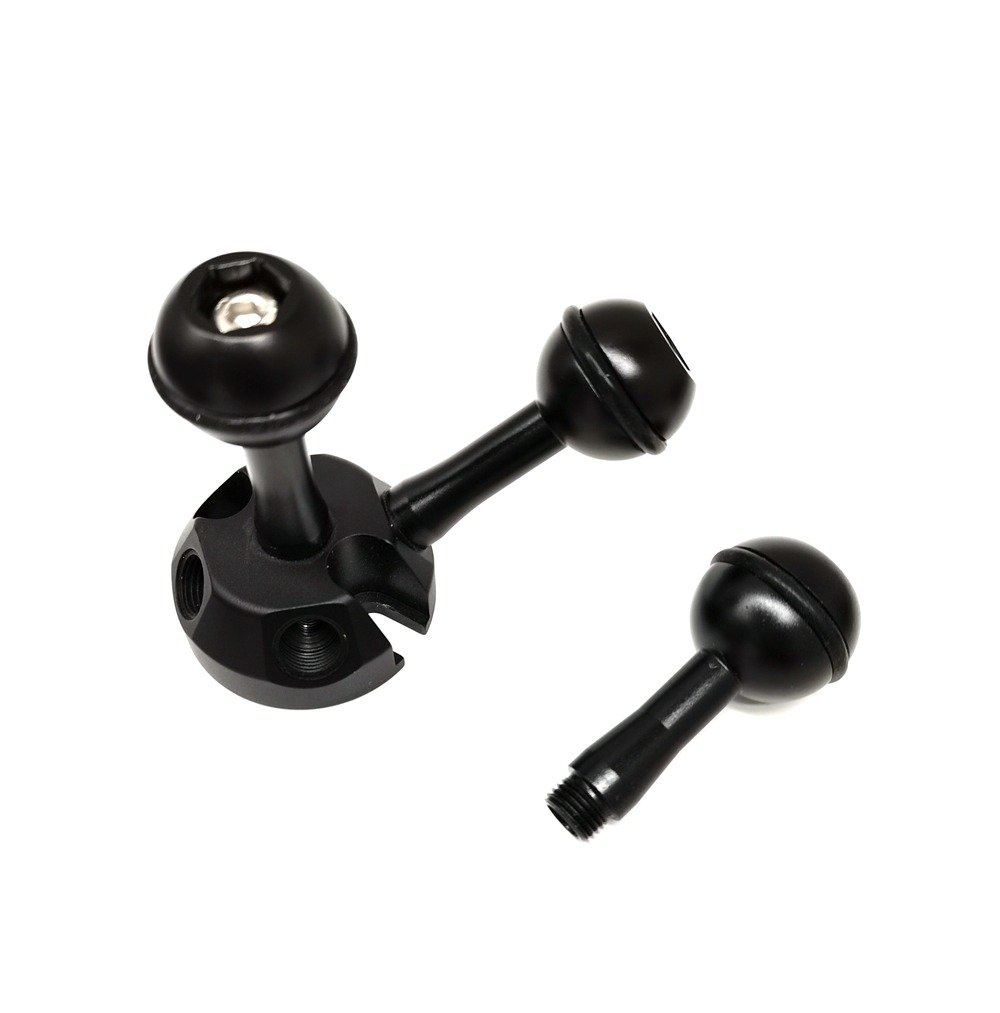
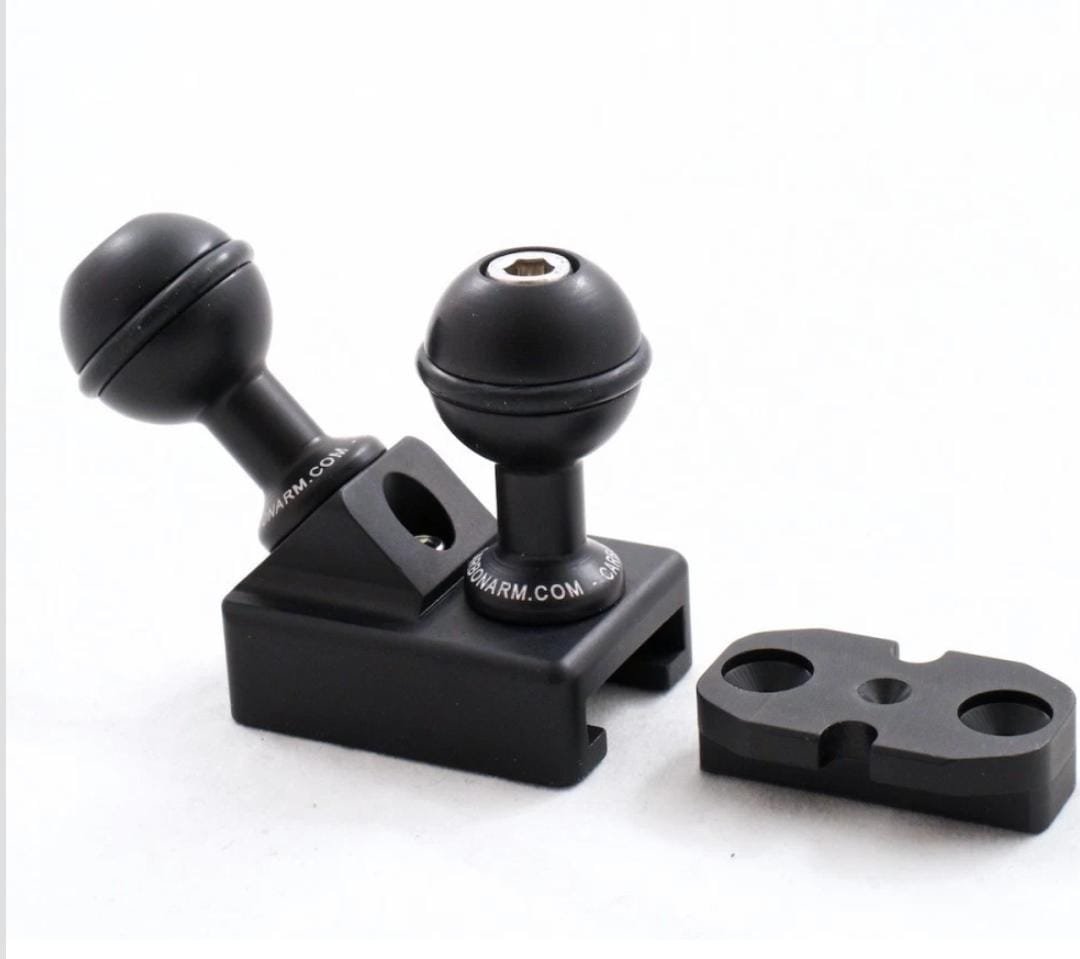
Of course, the straight HDMI bulkhead doesn't help.
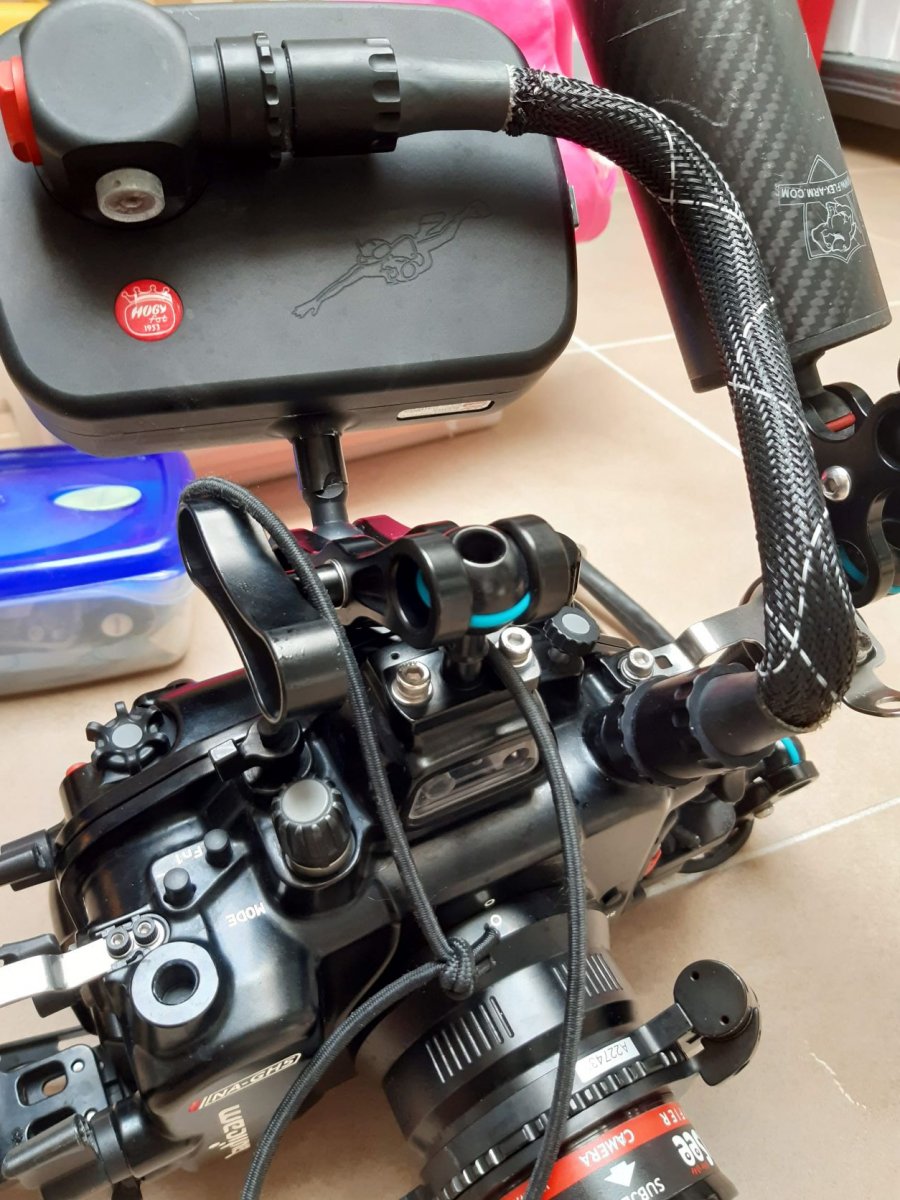
I've already bored you guys too much. This happens when not going on the water.
Hi Davide
You are not bothering us, on the contrary, you are delivering challenges for thoughts.
I think you might have 3 different ways to go:
1. for keeping the buoyancy arm across the 2 handles, use an AD-HS-GP plus a AD-GO adapters from ULCS (https://ulcs.com/accessory-video-mounts/) to allow you to pull the ball connector to the back and use the monitor as it is (I think the AD-HS-GP has less height than a straight ball base, but perhaps it is better to check)
2. use a 2 balls adapter on the central point of the housing, with 1 ball pointing forward and the other point backward. On the front one connect the 3rd buoyancy arm pointing forward and up, and on the back one join the monitor
3. Find a way to have the monitor fixed on an extender connected to the tripod mount of the housing
And you can use a double ball attachment but with one ball only, angled backwards to allow you to use the clamp for attaching the monitor without messing with the buoyancy arm across.
Next week I.will have the chance to play with all these hardware bits and find a solution.I will let you know.
Thanks
On 12/24/2021 at 6:55 AM, Davide DB said:Hi all,
Do you know if there is a ball head angled at 90 degree that I could use on top of my NA-GH5 housing? I'm trying to substitute the ball head in photo to save vertical space.
Thank you in advance
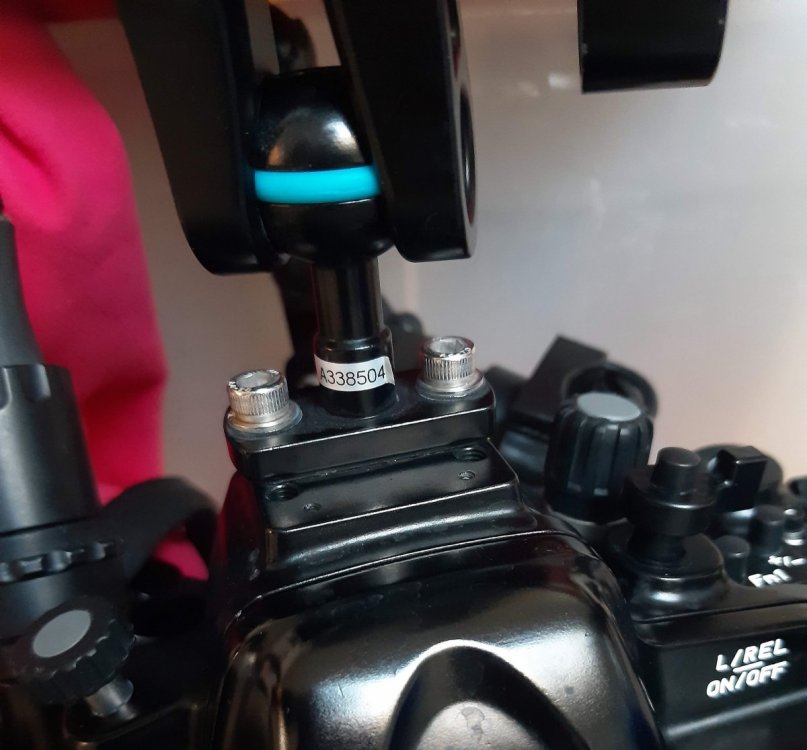
Davide,
Are you aware of the notched ULCS clamps that allow one to position an arm at 90 degrees. There are several models available. I got these a couple years ago but more are available now - some with notches on both sides of the clamps.
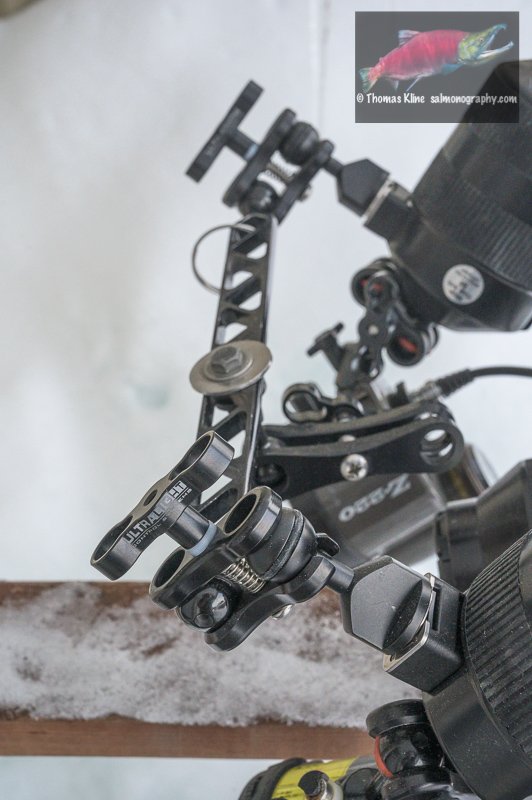
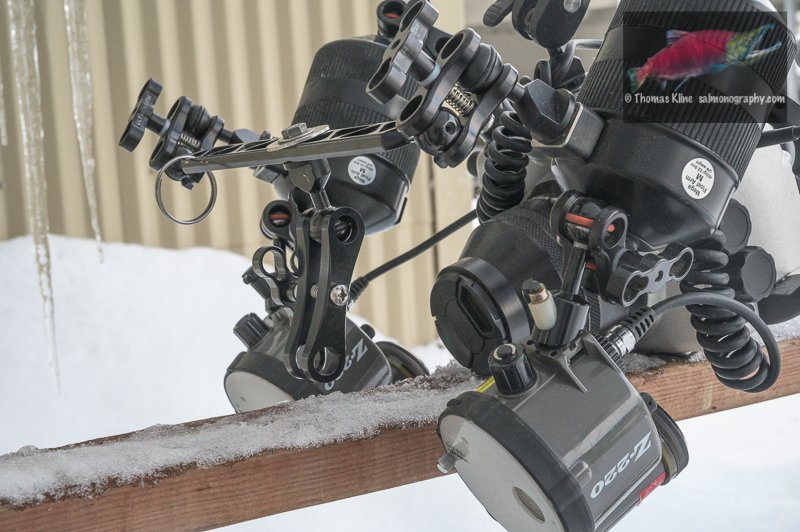
20 hours ago, Tom_Kline said:Davide,
Are you aware of the notched ULCS clamps that allow one to position an arm at 90 degrees. There are several models available. I got these a couple years ago but more are available now - some with notches on both sides of the clamps.
Thank you Thomas,
Yes, next week I'll stop by to see Italian Nauticam dealer who has lots of accessories and I'm sure between beers and steaks we'll find a solution to my dilemma 

Terms of Use Privacy Policy Guidelines We have placed cookies on your device to help make this website better. You can adjust your cookie settings, otherwise we'll assume you're okay to continue.

A worldwide community for underwater imaging.
