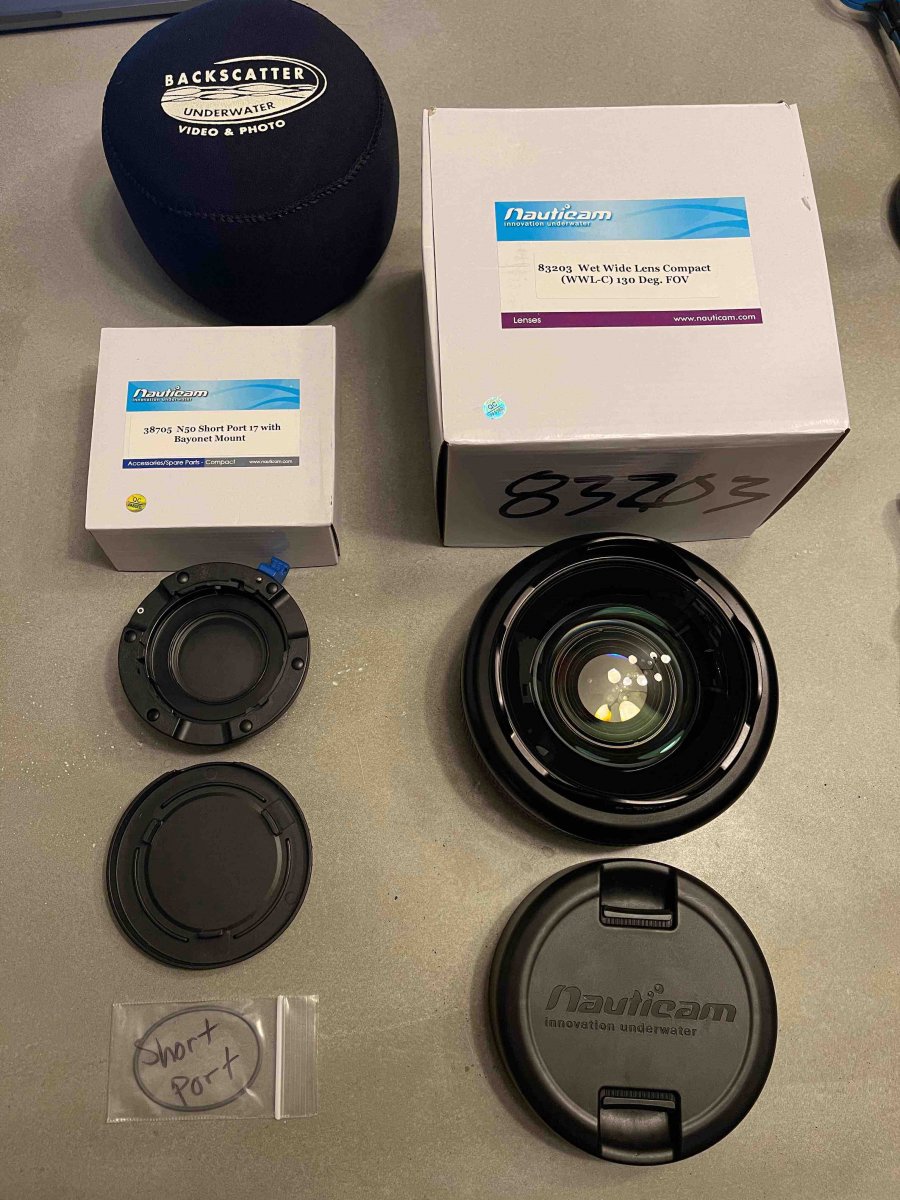
All gear in working and perfect condition. The only exception is the macro lens (SMC-1) has some hard water marks on the lens from the pre ious owner. Everything else is pristine and was used for just a few dives.
I have divided up the parts into separately priced kits that make sense, but am happy to sell all pieces for a turnkey kit to one buyer. Please mention the kit name in any comments.
All photos can be found at this link: https://www.icloud.com/sharedalbum/#B195Uzl7V43FEQ
Wide Angle WWL-C Kit (Nauticam), asking $1100
- Nauticam WWL-C Wide angle (Pristine, used a few times) ($1,200 new)
- Nauticam N50 Short port for WWL-C lens ($250 new)
- Backscatter Neoprene cover for WWL-C lens
- OEM lens caps for WWL-C
- WWL-C Original Box
https://www.backscatter.com/Nauticam-WWL-C-Underwater-Wet-Wide-Lens
https://www.backscatter.com/Nauticam-N50-Short-Port-17-with-Bayonet-Mount
Flash Kit, asking $800
- Inon Z-330 Flash with ball mount and cable connector ($600 new)
- Sea&Sea Fiber Optic Cable for Flash Sync ($88)
- 9 StiX Floaties (balanced for fresh water with WWL-C lens) ($100)
- 3 Float Arms ($120)
- 5 Ultralight clamps ($150)
- 4 Eneloop AA batteries with better Quick Battery charger for Flash (to charge batteries between dives if needed) ($90)
Macro Kit, asking $500
- SMC-1 Macro Lens
- Neoprene Case
- Nauticam M67 Flip Diopter Holder for NA-LX100
Sony RX100 VII Housing Kit ($1,500)
- Nauticam Rx100 VII Underwater Housing with two grips and shutter trigger. (Leak alert light functioning perfectly) ($1,970 new)
- 1 Longer port for zoom/macro
- Tools, lube, and extra o rings
- Air pump for housing
- Housing Wrist lanyard for BC
- Nautical zipper travel/transport case