



Skip to content

Photography Gear and Technique / Archived topic

Questions about A7R3 with S-Turtle Smart TTL Trigger.

Started by Minimin ·

  • 5Posts
  • 5Replies

Read-only discussion

Questions about A7R3 with S-Turtle Smart TTL Trigger.

5 posts
  1. Hello.

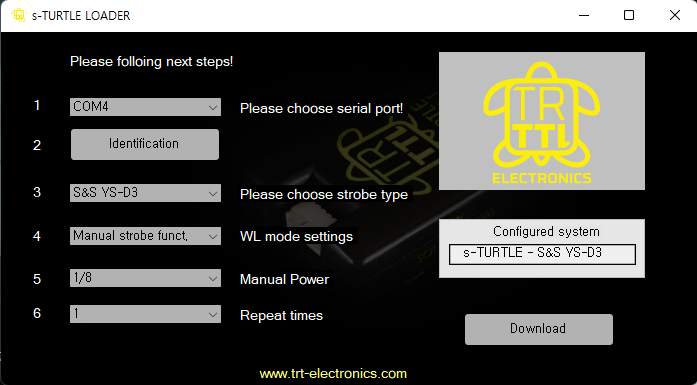
    I am  using a7r3 + sigma 15mm with mc-11 + S-turtle smart ttl trigger.

    There are several problems in using this combination, so I would like to ask for advice.

    The first is that photography delays occur depending on the aperture value when S-turtle trigger is On.

    1. Exposure step is set at 0.3ev in the camera.

        It is taken as soon as the shutter is pressed at F2.8, 4, 5.6, 8, 11, 16, and 22.

        But if it is taken with the values between the above mentioned values such as F3.2, 3.5, there is a delay of about 2 seconds until the shooting.

    2. Exposure step is set to 0.5 ev, it is normally photographed without delay in all aperture value areas F2.8, 3.54, 4.5, 5.6, 6.7, 8, 9.5, 11, 13, 16, 19, and 22.

    There is no problem at all when the trigger is not used.

    Delay occurs only when 0.3ev setting + Trigger On.


    I wonder if the symptom occurs due to a lens problem. I bought used lens...

    If anyone uses the same equipment setting as me, I would like to ask for advice.

    Thanks.
    1.png

    Edited by Minimin
  2. Hi Minimin,

    I just replicated this with my equipment (same as you except A7III, not R) and have immediate activation of the S-Turtle, regardless of EV and aperture. No delay at all.

    I doubt it is the lense, can you try with another lens (maybe native E mount) to see if you get the same ?


  3. Thank you for your reply.

    I also think lens is the problem...

    But I don't have any lens to test right now.

    I should go to the store where bought it and test it.

  4. I would bring your whole setup to the store and ask them to borrow a lens for a few min to test it out.

  5. I have the same camera and lens combination but use the manual Turtle trigger rather than the smart one and works fine.  I have had no issues with firing strobes at all. 

Account

Navigation

Search

Search

Configure browser push notifications

Chrome (Android)
  1. Tap the lock icon next to the address bar.
  2. Tap Permissions → Notifications.
  3. Adjust your preference.
Chrome (Desktop)
  1. Click the padlock icon in the address bar.
  2. Select Site settings.
  3. Find Notifications and adjust your preference.

