Skip to content

Lights, Strobes, and Lighting Technique / Archived topic

Damaged Strobe & Seeking Advice

Started by Redwing ·

  • 5Posts
  • 5Replies

Read-only discussion

Damaged Strobe & Seeking Advice

5 posts
  1. Hello.

    My Sea & Sea YSD2 strobe is missing its rotary light output switch (lower right hand corner).  It must have come off on the boat following a dive two days ago.  It was a little loose following a trip in the luggage compartment of a small island hopping plane last month.  I'm in contact with a photo shop in South Florida seeing if this a simple repair or not that can be done when we arrive in Miami.

    I still have several dives next week where I plan to do some low level light photography at Devil's Den, Blue Grotto and possibly Ginnie Springs as well as the Rainbow River, so my other functioning strobe might be all I need.

    If you were me, what would you do?  Ditch the strobes for these dives altogether and go ambient light only?  Shoot single strobe?  Run the second strobe in slave mode and control via TTL?  Modify the switch somehow so it can be adjusted?

    Thanks in advance for any suggestions.

    Mike
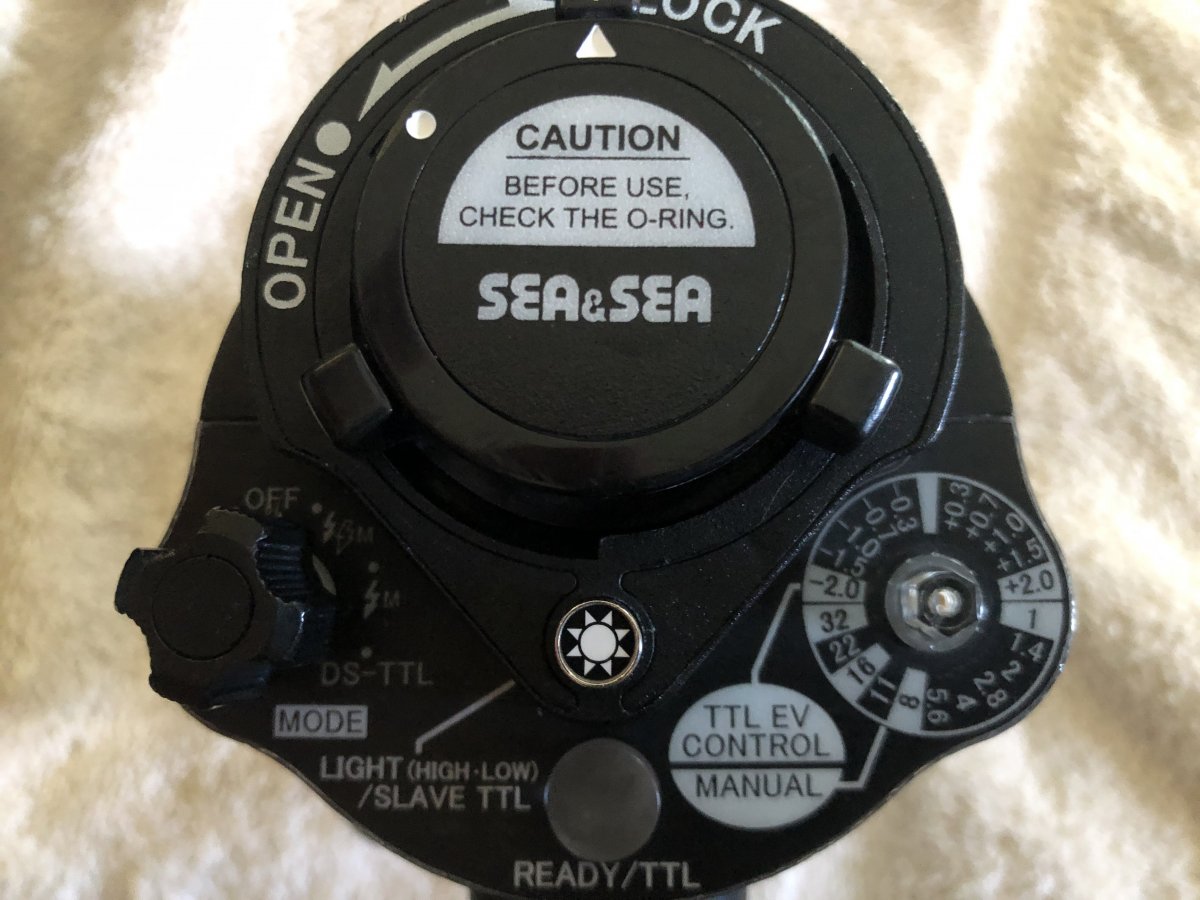
    IMG_3983.JPG

    Edited by Redwing
  2. S&S strobes have the ability to slave of each other, you connect between them with a fibre optic cable.  It's on Page 22 of the manual :

    https://www.seaandsea.jp/products/strobe/ysd2/manual_6KRD.pdf

    You could then use the damaged strobe in TTL to mimic the main strobe.  You may need to turn the output dial to the correct 0-EV compensation position.  You may be able to use a pair of long nose pliers to turn the shaft, if you are careful.

  3. 11 hours ago, ChrisRoss said:

    You could then use the damaged strobe in TTL to mimic the main strobe.  You may need to turn the output dial to the correct 0-EV compensation position.  You may be able to use a pair of long nose pliers to turn the shaft, if you are careful.

    Thanks.

    Although the manual is a little thin on strobe control in this configuration, I have done this before, but I was never really confident of the output on the slaved strobe.  My understanding is you place the master strobe in manual, connect master to slave via optical fibre and place the slave selector switch to DS-TTL with the slave output control selector to 0-EV.  The master strobe output is controlled manually. The slave should fire at the same output as the master.  

    Is this your understanding as well?

  4. 44 minutes ago, Redwing said:

    Thanks.

    Although the manual is a little thin on strobe control in this configuration, I have done this before, but I was never really confident of the output on the slaved strobe.  My understanding is you place the master strobe in manual, connect master to slave via optical fibre and place the slave selector switch to DS-TTL with the slave output control selector to 0-EV.  The master strobe output is controlled manually. The slave should fire at the same output as the master.  

    Is this your understanding as well?

    That's how it should work, worth a try to salvage the planned dives before you try for a repair.  There's plenty of light from the master flash so it should work OK.

    The alternative is to set both to the same manual setting - maybe half power and adjust aperture/ISO up and down to control exposure.  That would work if it was all wide angle and you tried to keep subject distance in the same ball park.

  5. So I took a series of images above water with the master in low, medium and high, while attached to the slave as described above and got the expected results.  Pretty much even lighting.

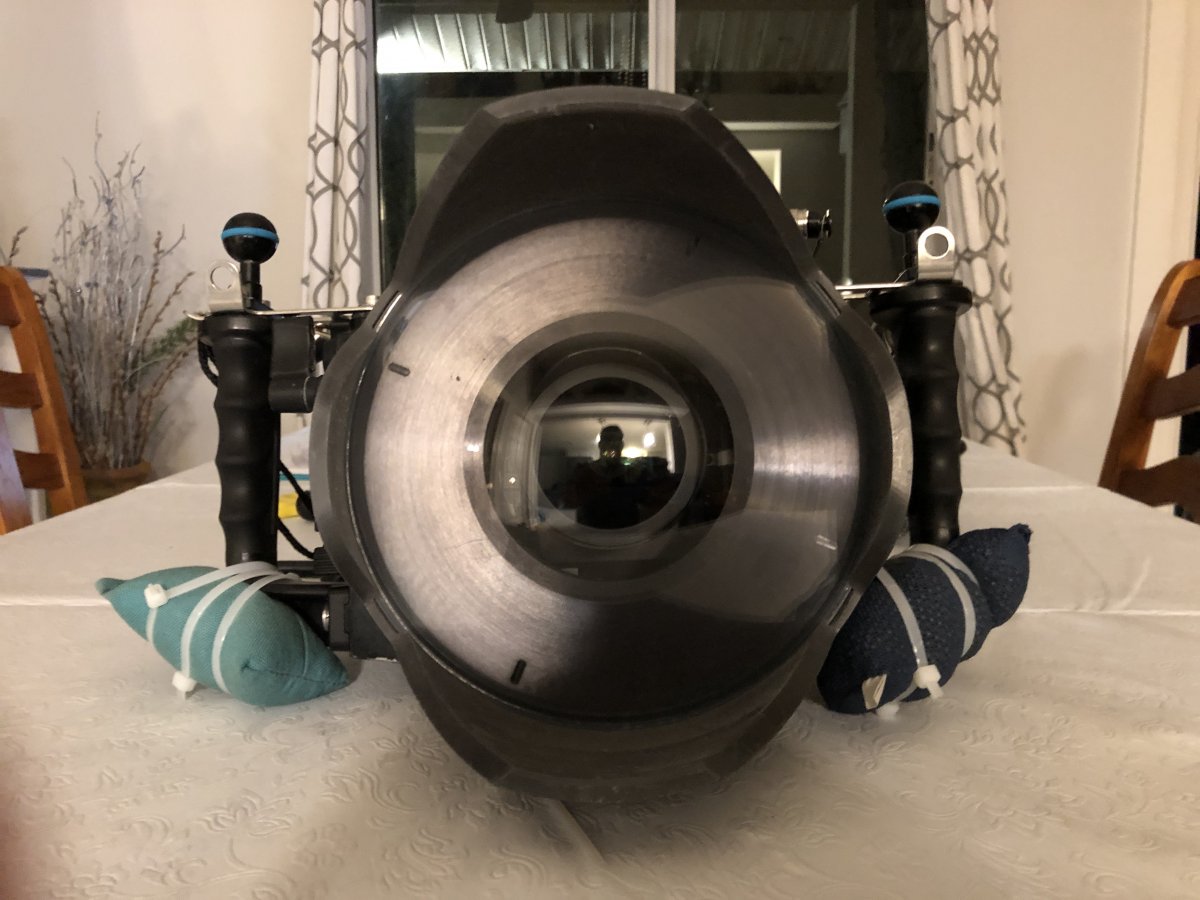
    But, since the next two days we're diving Rainbow River, I decided to ditch the strobes altogether and go ambient light photography only.  Alex Mustard described the freedom of diving sans strobes in his book Underwater Photography Masterclass and I decided to modify my ring to see what it is like.

    I hope it works.

    IMG_3995.JPG

Fotosub Shop

Account

Navigation

Search

Search

Configure browser push notifications

Chrome (Android)
  1. Tap the lock icon next to the address bar.
  2. Tap Permissions → Notifications.
  3. Adjust your preference.
Chrome (Desktop)
  1. Click the padlock icon in the address bar.
  2. Select Site settings.
  3. Find Notifications and adjust your preference.