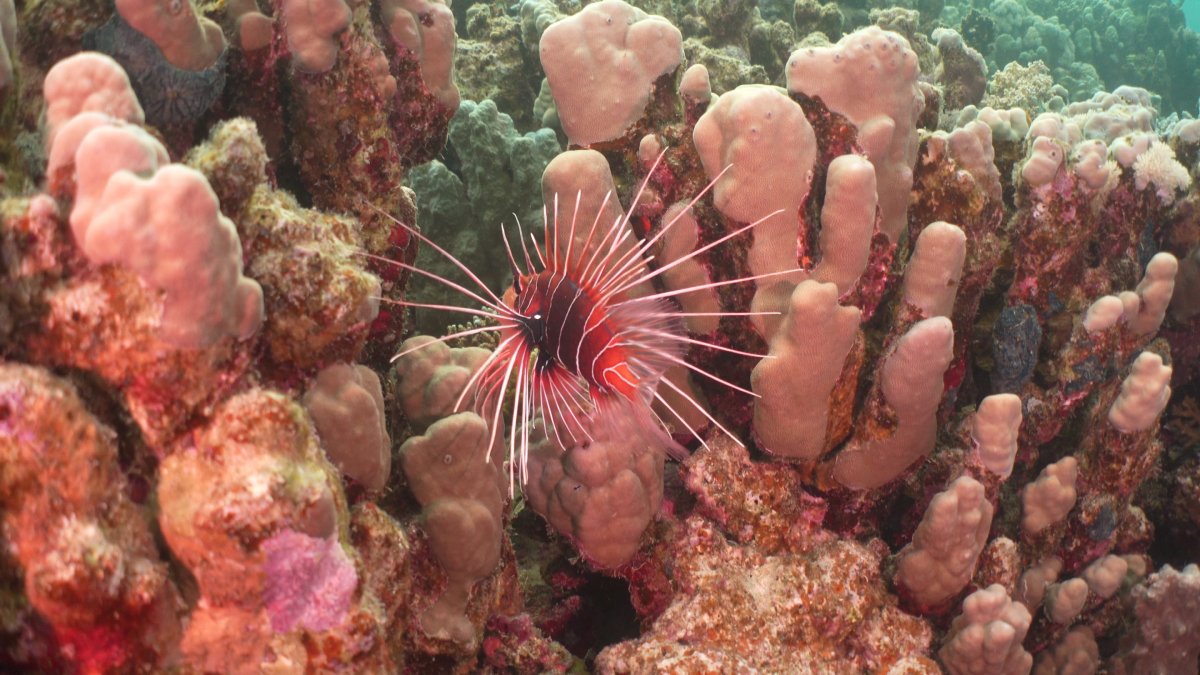
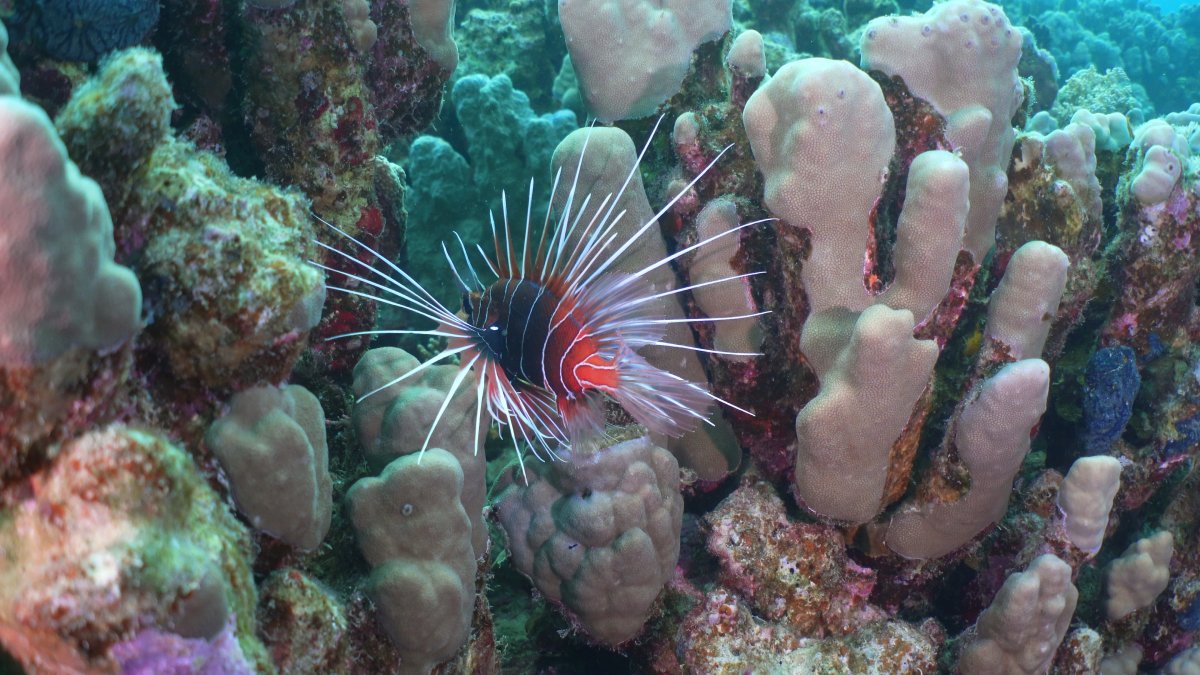
I am experimenting with Sony a7c with WWL1 wet lens and Keldan S2 red Filter. I am using 2 video lights X-Adventurer M8000 with Ambient Filter attached (blue filter).
attached please find 2 images. One is taken from a video with using existing underwater white balance mode from camera. The next one with custom white balance using whibal grey card. This image is too red.
Why does this happen?
Do I need to hold grey card further away from camera so that also video light shines on it? This is rather difficult to put it further away than 20-30 cm in front of the lens (I have long arms but this is not easy…).
thanks a lot
Christoph
You need to white balance in the light you are shooting in, the fact that it's difficult doesn't come into it unfortunately. Some people use white fins to WB , they are normally about the right distance away. I also assume you were in the right depth range for your filter? The light you are shooting in requirement includes the WB slate being the same distance away from the camera as the subject you are shooting. As the light from your video light travels to the subject and returns to the camera red light is removed so the colour temperature changes. You probably want to be within ~0.5m of the subject distance with your WB slate.
The other possibility is your filters are not matching and the lights are putting out too much red light. The theory behind using two filters is that the colour temperature of the ambient light and the video lights are the same and they are both going through the red filter to warm up the lighting. In this scenario the custom WB gets colours right for the background and the video lights are the same colour temperature and just act to fill in the shadows.
To be clear do you have the lights on in both images? and only WB has changed? How far from the subject are you? Neither image looks perfectly white balanced.