Skip to content

Classifieds / Archived topic

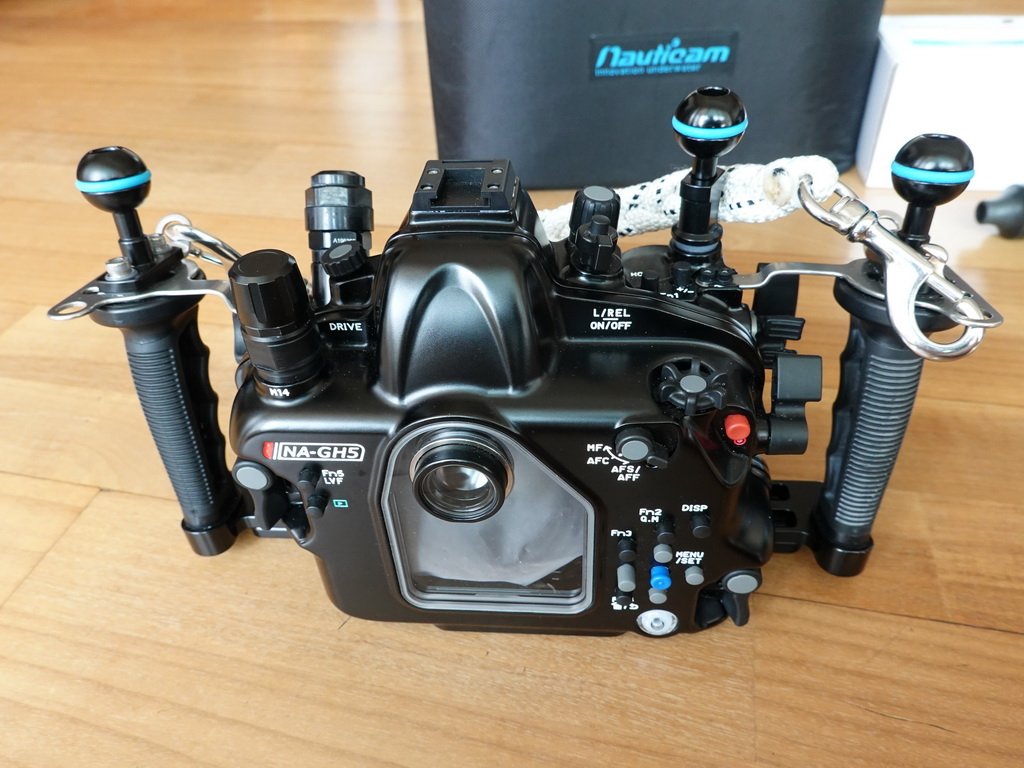
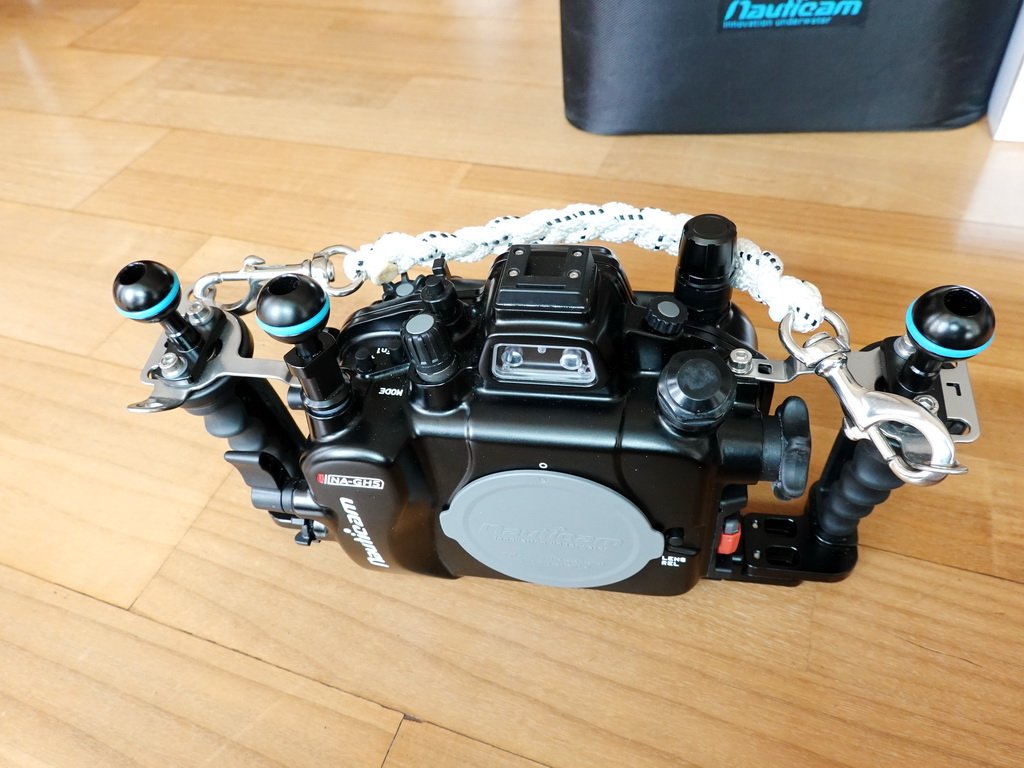
FS : Nauticam GH5 housing with ports, lens

Started by shjeong8 ·

  • 5Posts
  • 5Replies

Read-only discussion

FS : Nauticam GH5 housing with ports, lens

5 posts
  1. FS : Nauticam GH5 housing with ports, lens

    This housing is a friend's item and has only been tested in fresh water about 10 times.

    The lens has a feeling of use, but the housing maintains a new level.

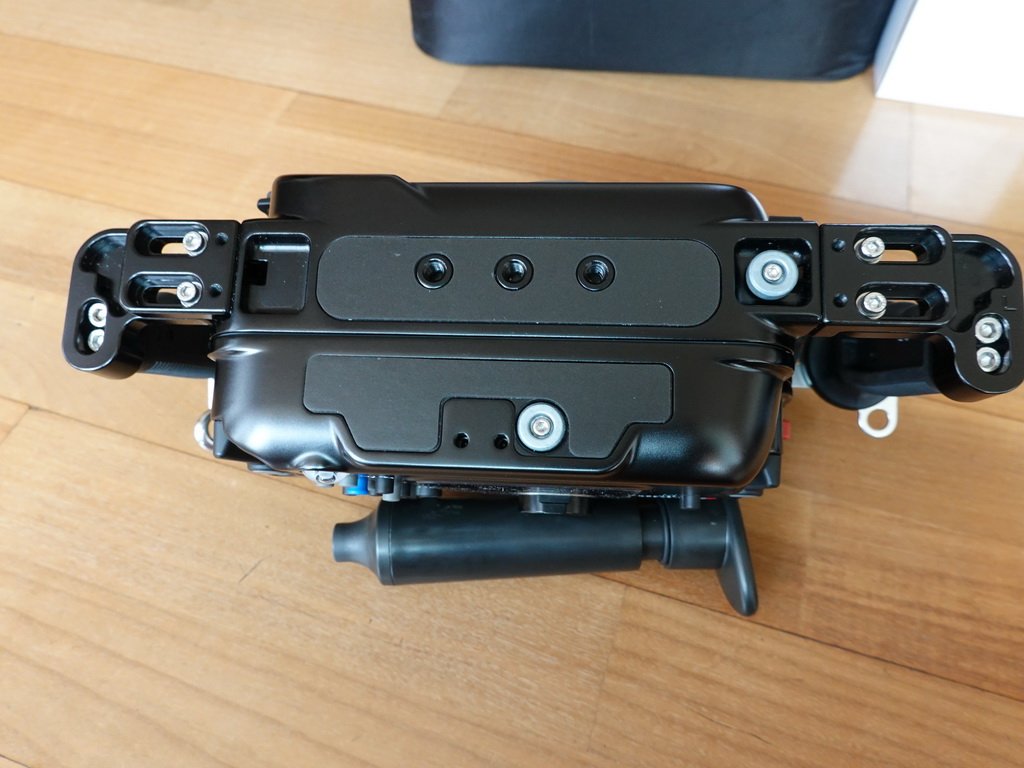
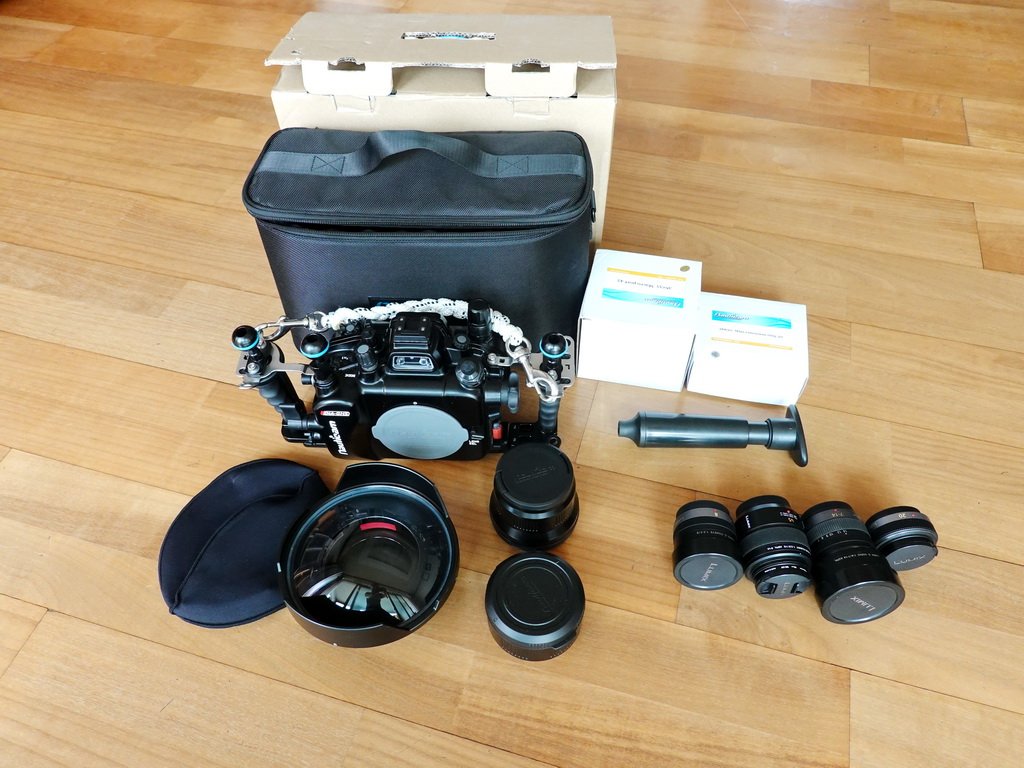
    -      GH5 housing ( Vacuum system, HDMI bulkhead with HDMI cable for external monitor)

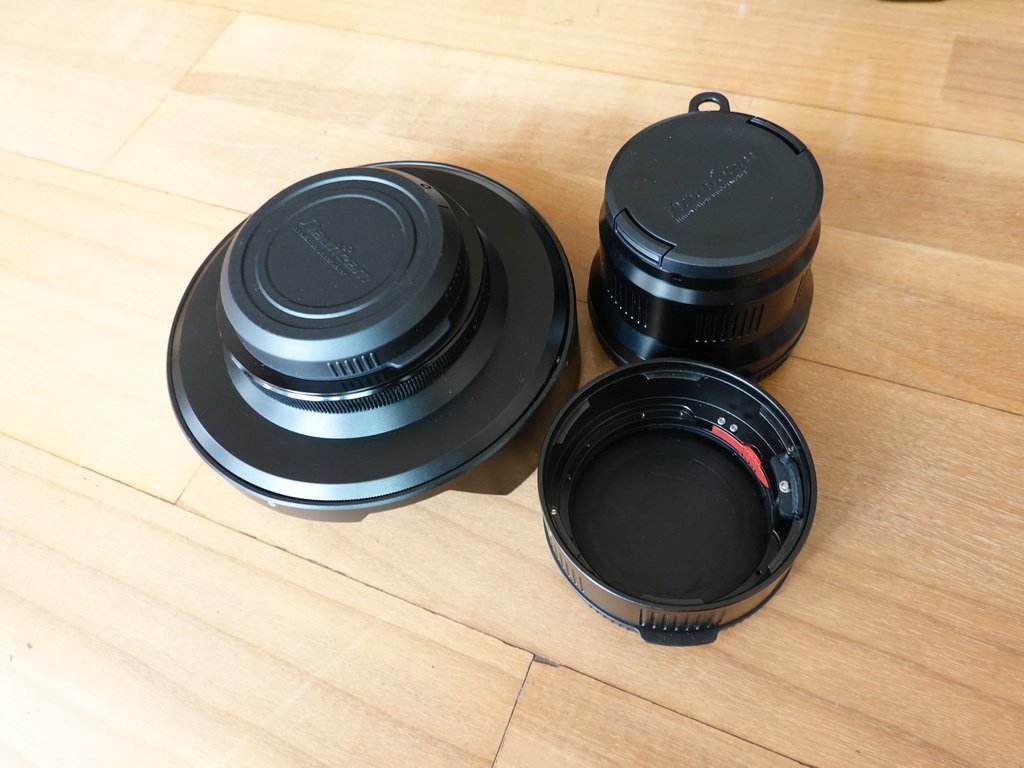
    -      36135 Macro port 45 for Panasonic 45mm macro lens

    -      1)Inon 170mm optical dome port with N85-Inon port adapter for Panasonic 8mm fisheye lens.

            No scratch on the glass

    -      36630 30mm extension ring with item1) for Panasonic 7-14mm lens.

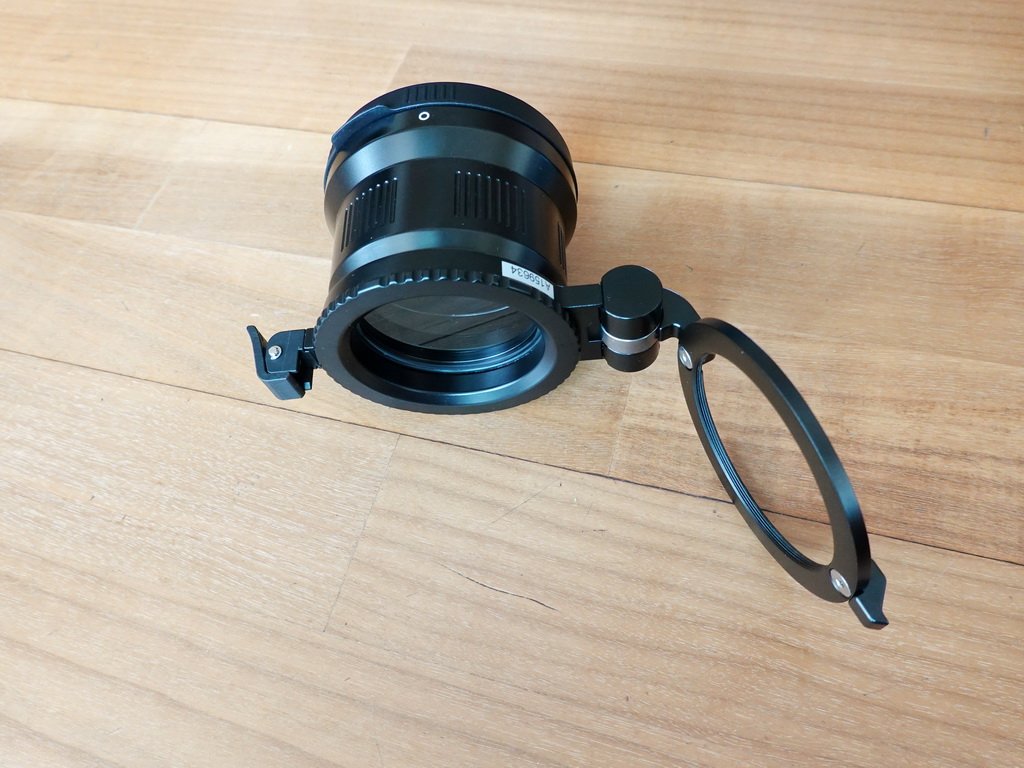
    -      25101 M67 Flip diopter holder.

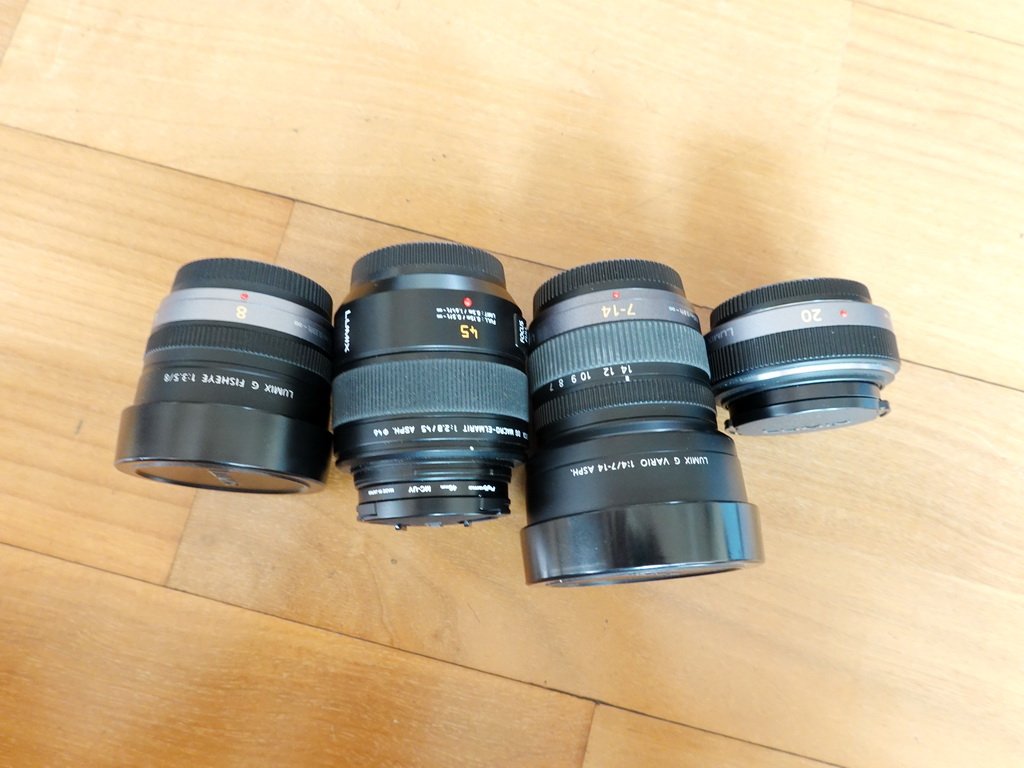
    -      Panasonic lens 8mm fisheye, 45mm macro, 7-14mm , 20mm lense.


    My price is $4,000 include free shipping worldwide.

    For more information please contact me shjeong8@hanmail.net
     

    GH5_1.thumb.JPG.79bdcacb4456bd1c311d2c9cd530f625.JPG

    GH5_6.thumb.JPG.4d4a98002f38060eb685fbcdd655b9ed.JPGGH5_5.thumb.JPG.067ac93ec82ed3641bc0217ef1af3b94.JPGGH5_7.thumb.JPG.8d35b27e63a777f9e0f568f22e3ebf53.JPGGH5_2.thumb.JPG.3dea150cbb27acd60c259f5e5584a817.JPG

    GH5_4.JPG

    GH5_3.JPG

  2. Hi shjeong8,

    Out of the curiosity, would you be interested in splitting the housing alone? (w/ vacuum but not necessarily the HDMI bulkhead)
    As maybe could be interested...but have all the other parts already :)


    Cheers,

    m

  3. All lenses have been sold
    The rest of the housing related items are $3,000 include free shipping worldwide.

  4. Hello, im interested in housing and ports. Sent you an email. Thanks!


    Sent from my iPhone using Tapatalk

  5. Sold.

    Thank you Zow :)

Kraken Sports

Account

Navigation

Search

Search

Configure browser push notifications

Chrome (Android)
  1. Tap the lock icon next to the address bar.
  2. Tap Permissions → Notifications.
  3. Adjust your preference.
Chrome (Desktop)
  1. Click the padlock icon in the address bar.
  2. Select Site settings.
  3. Find Notifications and adjust your preference.