Skip to content

Classifieds / Archived topic

FS Ikelite Dome Port for TG5/6 for fisheye lens

Started by PinkOctopus ·

  • 3Posts
  • 3Replies

Read-only discussion

FS Ikelite Dome Port for TG5/6 for fisheye lens

3 posts
  1. Hi

    I am selling my dome port for fisheye lens for the tg5/6 for an ikelite housing bought Feb 2020. 

    the exact model can be found here

    https://www.ikelite.com/products/dome-port-for-olympus-fcon-t02

    This port is no longer required. 

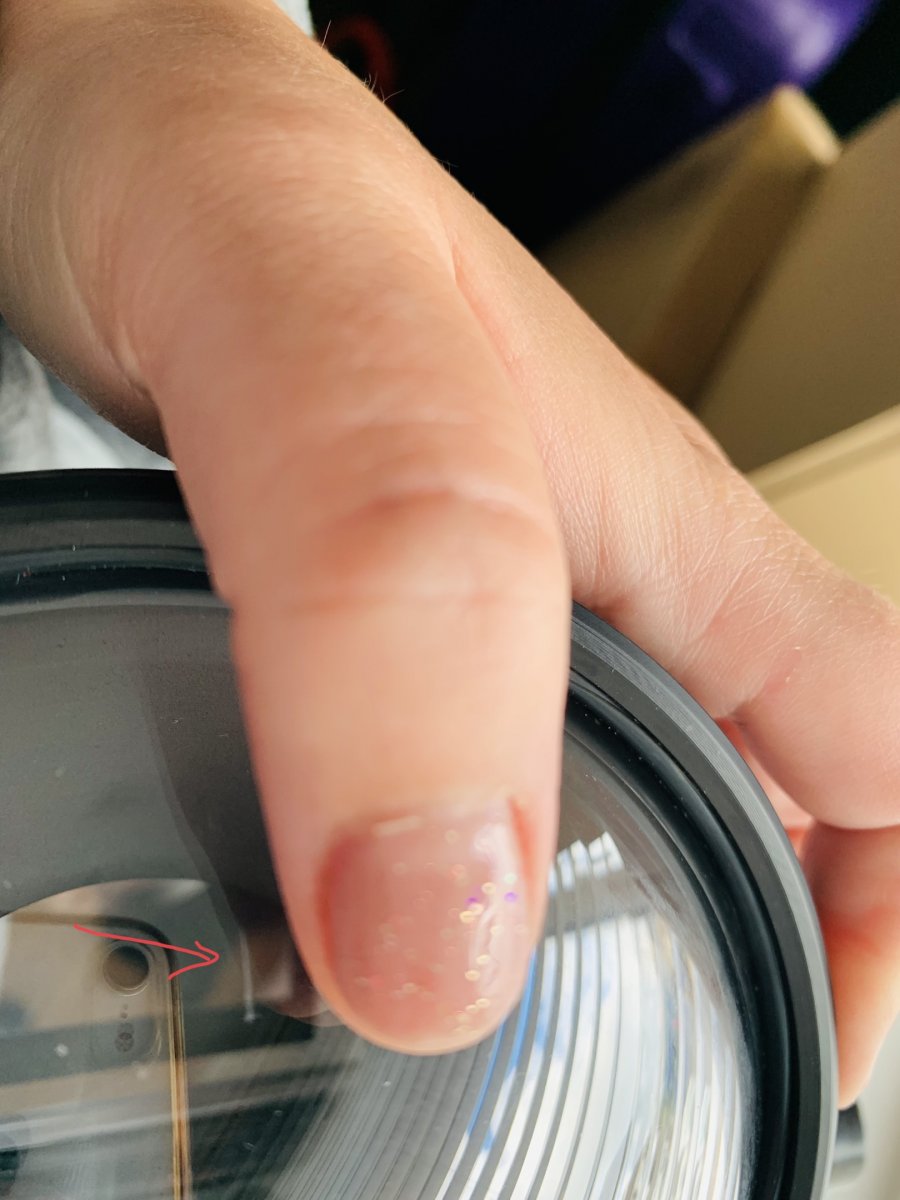
    For transparency, the port has a very small mark which does not appear in photos and does not effect the images, as this is on the outside and is filled with water on a dive. 

    rrp 350 looking for £160 (plus postage outside of mainland UK and PayPal fees. 

  2. 44 minutes ago, PinkOctopus said:

    For transparency, the port has a very small mark which does not appear in photos and does not effect the images, as this is on the outside and is filled with water on a dive. 

    With this in mind,. you might want to post a photograph so potential buyers can see it....... (just a thought)

    Good luck with your sale.

    Tim

  3. On 6/25/2022 at 10:15 PM, PinkOctopus said:

    Hi

    I am selling my dome port for fisheye lens for the tg5/6 for an ikelite housing bought Feb 2020. 

    the exact model can be found here

    https://www.ikelite.com/products/dome-port-for-olympus-fcon-t02

    This port is no longer required. 

    For transparency, the port has a very small mark which does not appear in photos and does not effect the images, as this is on the outside and is filled with water on a dive. 

    rrp 350 looking for £160 (plus postage outside of mainland UK and PayPal fees. 

    It is difficult to take a photo of as it is small, see line next to arrow in photo.

    8374FC2A-DFB9-458E-AA76-C7B39ADA8845.jpeg

Keldan

Account

Navigation

Search

Search

Configure browser push notifications

Chrome (Android)
  1. Tap the lock icon next to the address bar.
  2. Tap Permissions → Notifications.
  3. Adjust your preference.
Chrome (Desktop)
  1. Click the padlock icon in the address bar.
  2. Select Site settings.
  3. Find Notifications and adjust your preference.