Hi guys,
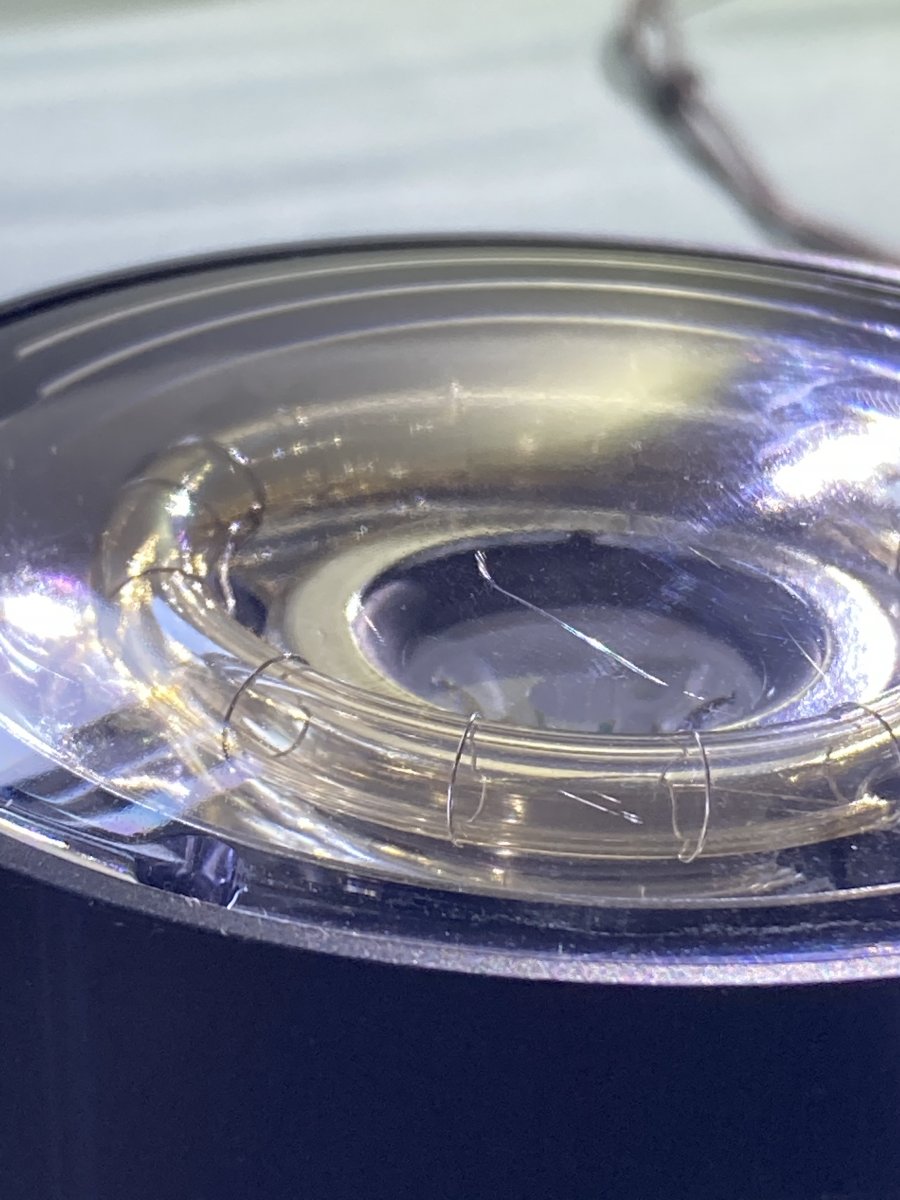
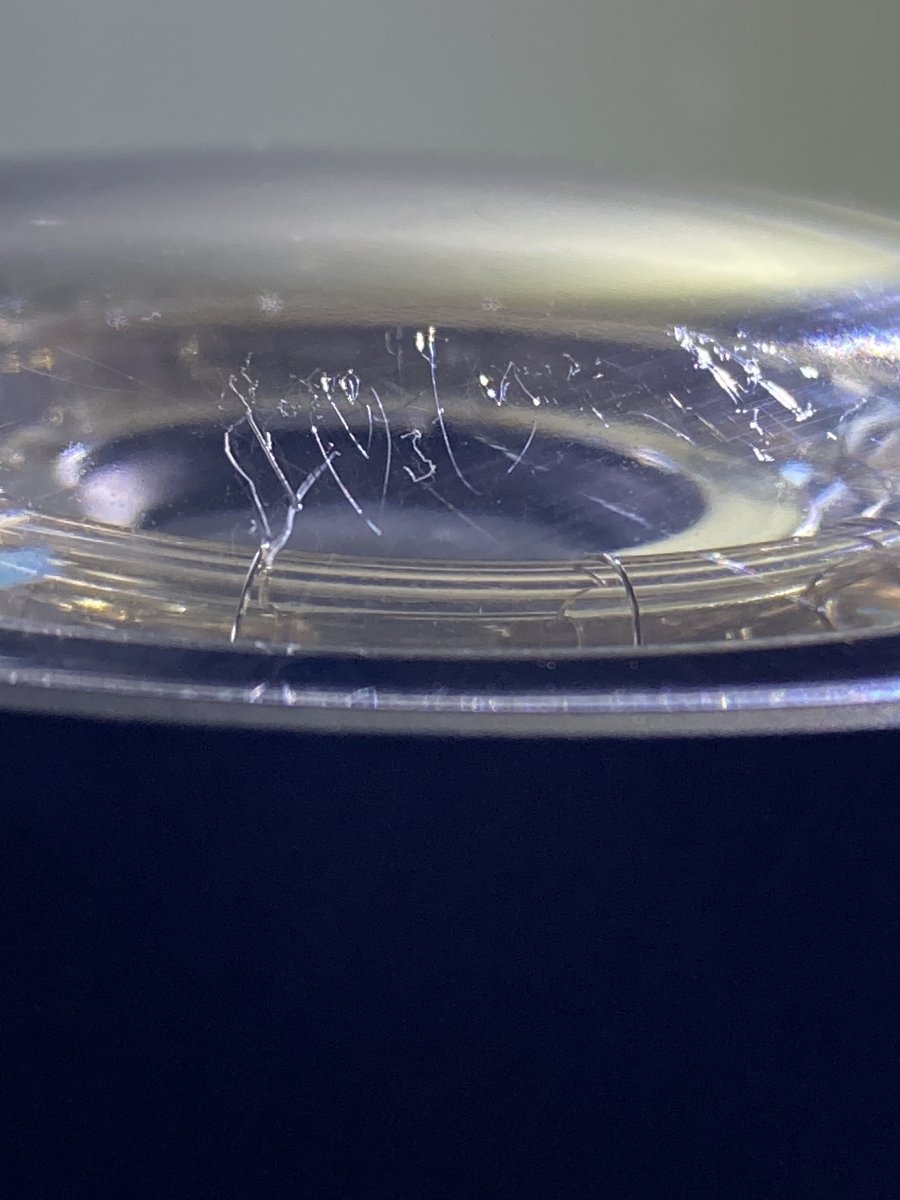
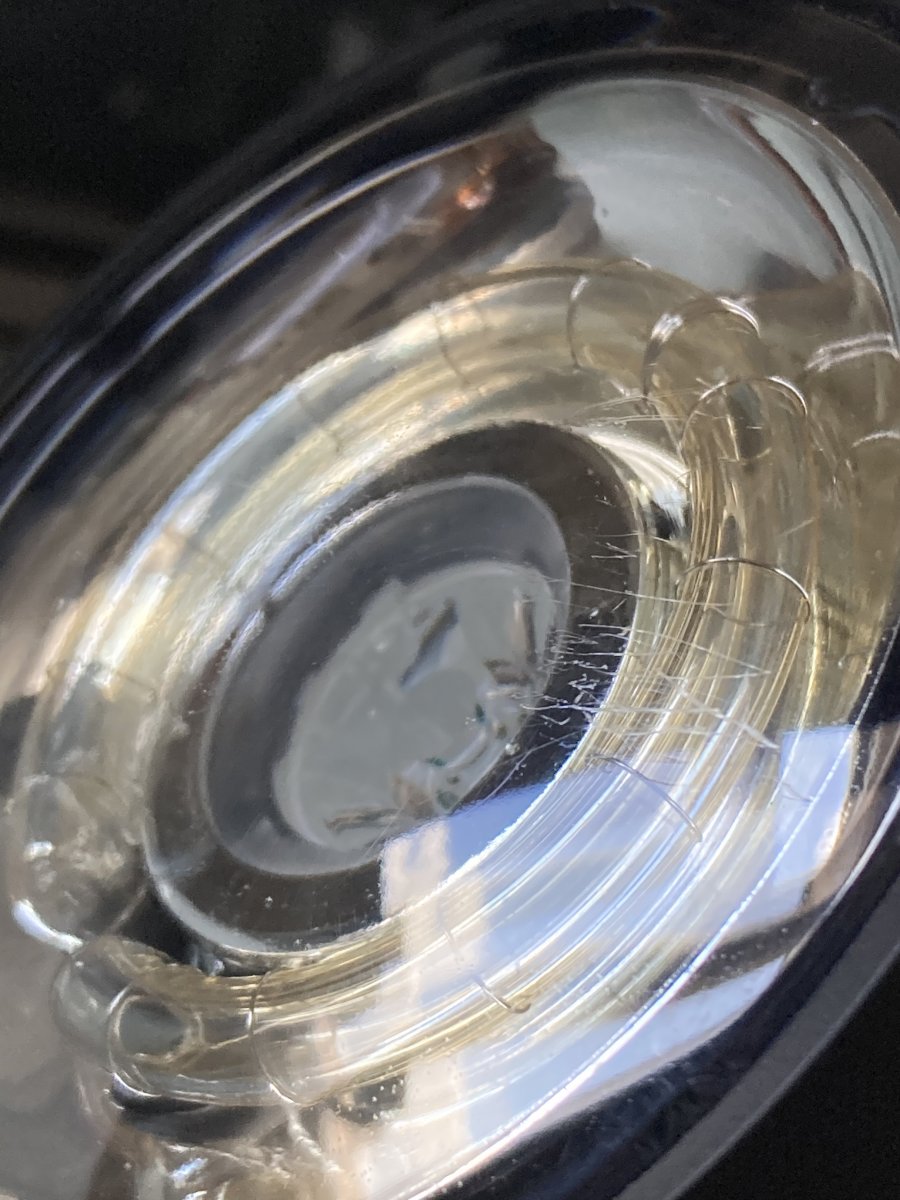
I ordered 2 DS230 strobes from Ikelite. When I unpacked them I noticed that both were scratched on the front acryl element. The local distributor contacted Ikelite and they replied this: "I communicated with production and engineering. They are only aesthetic and will not affect the operation or quality of light of the strobes. These types of scratches generally occur in the molding process as the plastic is released from the mold. It is because of the hardness of the material which is required for the thickness and durability in underwater applications. We have found that it would increase the cost of the product to the customer and create environmental waste to pursue a visually “perfect” lens with no improved optical value.". I totally understand their answer but I'm very interested in whether this has happened to anyone else. I think even if it's really just aesthetic, it's something that significantly reduce it's price if I want to sell it for example (unless all of their strobes scratched, which I don't think). What would you do in my place? Should I ask for a discount? (I'm a student from Hungary, $2600 is a lot for me and most of the money is from a grant, that's why I'm not happy with this situation.)
Thanks,
Gábor